This is the transcript of the podcast series 2 ep 001…

Alan: Hello, and welcome to how to teach computer science. The podcast. Back for a new series after a long summer break, , I had things to do people to see, but HTTCS is back with a bang. I’m calling this series two episode one, and I’m delighted to have Mr. Pete Dring on the pod today. Talking about physical computing and so much else.
Pete: And then my Year 11s wanted to do a test launch on the field with a drone. And you’ve, no idea how much hassle it was to get permission to launch a drone on the school field and drop something from it.
Alan: Are you near a flight path, or is it just the council going, you can’t do that?
Pete: It’s because it’s the same technology that is used to drop drugs into prisons.
Alan: We’ll be hearing more on that project later. But… So much has happened since last we spoke, we have new governments on both sides of the Atlantic.
Yay. Um, Let’s start with our own election. When we binned off the Tories. Most of us would be happy with that, I think. did everyone enjoy Bindependence day? It seems so long ago now. Doesn’t it. What was your favorite moment? The demise of the haunted pencil. The lettuce being chucked in the green bin. Mine was probably Gillian Keegan being told by the people of Chichester. On behalf of all of us, but no, in fact, she hadn’t done a good job. I don’t know, but that seems a long time ago. Doesn’t it. Since then, over on the other side of the pond. America’s great experiment of dumbing down the electorate through defunding education has been hugely successful.
I recommend turning off the news and going for a walk in the country I’ve recently got into geocaching. Yeah, I’m a bit obsessed, really. Whenever my wife and I go for a walk, I’m always looking for a cache. Then she gets a bit annoyed with me. She said to me last weekend, I think we should split up. So I said, good idea. We could cover more ground that way.
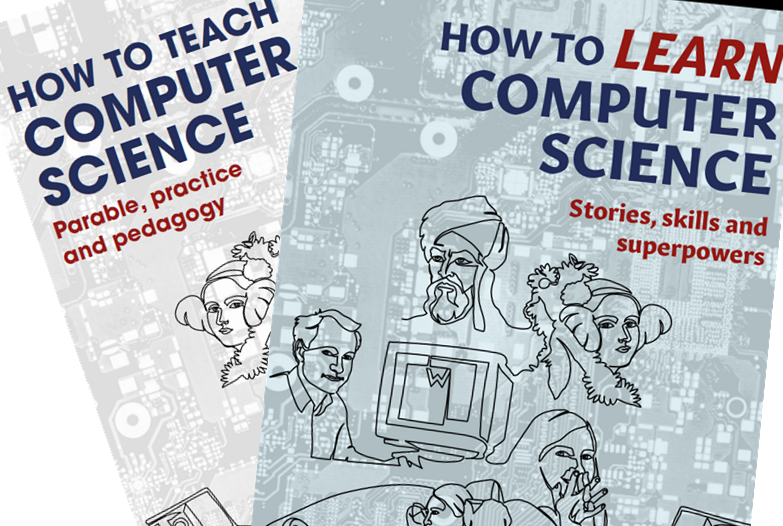
Alan: My name is Alan Harrison, and I wrote the books how to teach computer science and how to learn computer science available in online bookstores. Also, if you like the podcast, you’ll love hearing me in person, visit HTTCS.online to find out more about my training and consultancy. And I could be speaking soon, live at your school on inset day. or AT your event or conference more details about this and book purchase links at HTTCS.online. That’s the initials of how to teach computer science. HTTC s.online listeners to the pod. Get a special discount code to just type HTTCSPOD in the checkout Page at johncatbookshop.com to get 20% off everything. That’s everything including classics, such as teaching walkthrus by Tom Sherrington. The Huh. Series by Mary Myatt. And of course my two little books. That’s with the code HTTCSPOD. At Johncattbookshop.com.
Speaking of reading matter, does anyone want my collection of chiropractor, monthly magazines? I’ve got loads of back issues.
So let’s meet my special guest Pete Dring and ask the fertile question. What is physical computing?
Hi, Pete. We’ve spoken online on Twitter and various places, and I’ve used your stuff that you created, particularly during the pandemic. Remember discovering your little uh, exercises with explainer videos during the pandemic and they were really useful. How did that go for you? The dreaded COVID shutdown?
Pete: Yeah, positives and negatives. I was chatting to some teachers yesterday at the swimming pool one of whom has, embraced remote learning completely and is working for an online school.
Another was considering thinking about the benefits of switching from traditional teaching because she just really enjoys imparting knowledge. For me, I just enjoy the classroom interaction. I got so frustrated just watching a wall of profile pictures with nothing coming back. Computer science is fascinating. I really like it, but it to me is not nearly as interesting as interacting with students.
Alan: It was it was difficult, wasn’t it? The you knew that some of them weren’t really listening or weren’t even there, but there was nothing you could do about it during the online teaching that we did. Yeah, I remember there was lots of discussion at the time.
There was like crazy talk on Twitter. Teachers going, how do I force them to turn their cameras on and things like that? Yeah, it was difficult, but but you did lots of, explainer videos and little coding challenges.
Pete: we’re still using those, which is it grew out of a discussion between me and a local teacher in York. Like, how can we still support students to learn to code if we’re not in a room with them? So we wanted to have some short videos that they could engage with.
Obviously, we couldn’t check if they were doing it or not, but we wanted the motivation to come from them, but also some accountability in terms of tracking how much they did. So after putting together the activities that they could do we developed it to a kind of competitive leaderboard so that they could see how well they did compared with the rest of the class.
And that’s something that we’ve continued and developed post COVID. It’s a weekly challenge, something really simple. Like a type race with code that doesn’t really teach them that much from a computer science perspective, other than can I type without having to look at my fingers? But it’s amazing how much of a blockage that is for some students, especially who’s English isn’t their first language.
And then leading all the way through to independent coding from a blank canvas, but trying to trying to break the barriers at each stage between beginner and an end point has been a really interesting challenge.
Alan: Absolutely, and you say about that type code challenge and my students love that and I think there’s much more value in that than maybe it seems at first. It gets pupils to really think about the syntax of the code and find all of the tricky punctuation symbols and stuff and I guess it teaches how precise they have to be. So they might in their head they know I need a for loop, doing the the speed typing exercises on your website would get them familiar with all that business of go print, open bracket and open quotes and all of that.

Yeah, getting the detail right. I suppose we should tell the podcast listeners that this is at your website, which is that particular set of exercises is live.withcode.Uk. Is that right?
Pete: Yeah, that’s right. So the idea is each week there’s a. A short live coding video that goes from blank canvas to completed program, but rather than just giving the whole code, it invites you into the thought process of where it comes from, and it shows you that it’s not necessarily from line one to the end line.
It’s, it grows and it evolves. Most students don’t watch the video because I don’t need to explain why that is. But the easiest thing is that type race. It’s all about a low floor to entry. Anyone can do that without much mental effort. The challenge for me is trying to wean them off that and get them onto the debugging challenges and the code comprehension challenges and the extension challenges afterwards.
Alan: Cool, yeah yeah, so I, I would get them to do those exercises and then cut and paste what they learned into OneNote and then I would check it and stuff, um, yeah, that was all good. Back in the dark days, four years ago it is now the the old lockdown. I can’t believe how long ago it is. Yeah,
Pete: it’s quite scary that some of the new teacher trainees coming through don’t obviously don’t remember teaching through that, but do remember being students through that. So their experience is completely different. I was chatting to a colleague who’s writing an article about, how much of schools learnt about, remote learning. Are we now better prepared for it? But we can’t assume that every teacher has been through it. It just made me feel old thinking that the new teachers coming through were on the other side of the screen.
Alan: That’s quite frightening. I mean, it was an eye opener for me when I realized that the the kids that I was teaching had never heard of Nirvana, and that, that was like a watershed moment. , , how old am I? . I suppose I should. I always forget this, but I suppose I should introduce the podcast listeners to you, or in fact let you introduce yourself So Mr Pete Dring tell us a little about yourself and your teaching experience
and, um.
Pete: thanks Alan, and thanks for having me. I’ve loved the podcast so far. I’ve been teaching for 17 years now, I think. Started as an IT teacher in York, stayed in the city, love teaching in York. Initially started like part time ICT and part time learning support, and I loved that, really enjoyed the idea of a flexible qualification that just was, you shaped to the strengths of individual students, so that’s directed my career since then.
I’m now head of department at another school in York teach iMedia, computer science computing generally and yeah, generally get involved in lots of different clubs and competitions. I’m a sucker for anything free. If there’s a competition going where students can win something or I can win something, I’m all over it.
Alan: Yeah, good stuff. And like I said earlier, we we’ve chatted and exchanged ideas often on, on the socials and so on. so it’s good to have this chat and just toss some ideas around. The the point of today really was to talk a little bit about physical computing, wasn’t it? So I’ll just briefly tell you my experiences.
Not great to be honest in the classroom. I remember getting out the Raspberry Pis and thinking this is wonderful and then lesson going downhill very quickly. And yeah, so it’s difficult to use the Raspberry Pis. So I used the micro bits in lesson and had some great fun doing the rock, paper, scissors and stuff in lesson.
Micro bits are just about manageable because you’re not, at least you’re not unplugging mice and monitors and stuff. Stuff and trying to plug them into the Raspberry Pis, but I quickly moved all that physical computing to after school clubs where it was a bit more manageable with fewer students and more buy in from them, if you like.
And I like using microbit bitbot robots and we had races around the classroom. So that’s my experience. I wish I could have done more of it in the classroom, I guess, um, but uh, that’s why I’ve got you on, Pete, so you can tell me what uh, what you do with physical computing. First of all, tell us about What kit that you’ve been using, what’s available, what’s out there these days and what’s it good at?
Pete: Well, I’m afraid you’re going to be disappointed if you hold me up as a pinnacle of best practice in the classroom. But there’s a lot that I’ve seen done loads of mistakes that I’ve made but similarly, I find Physical computing works best as an extracurricular activity where you can invest in a smaller number of students.
But there are some tips and tricks to make it work in the classroom. You ask about kit. I think that’s a really interesting question. Your book actually gives a list of some kit in order of complexity. And I think that’s really helpful. So you mentioned Makey Makey, Crumble, Microbit, Arduino and Raspberry Pi.
So I’ve tried all of those. I really don’t like using a Raspberry Pi in front of students, because like you say, there’s so much that can go wrong. I like physical computing in a classroom where there’s just one device where every student can still use it. They can see it at the front. It’s easier to set up, but their code can still interact with it.
So Raspberry Pi can be brilliant for that if you’ve just got one. So like Raspberry Pi Minecraft is great. You can have the big teacher computer set up showing the Minecraft screen. Students can run code, simulate it on their own computer, so they get instant feedback. It’s easy to debug. But then they can collaboratively build a wall, like a 3D display. And they write code That sends messages, displays messages, makes 3D models. It’s a great way to illustrate data representation and and networking security. Yeah, that can be really good fun.
Most of what I do in the classroom is probably with micro bits similarly. But the top tip I think is it comes from a primary activity. I put together a workshop for some local primaries and an SEN conference. And being able to run that conference, we got some money to buy a class kit that we could then give to local primary schools of these crumble computers. And if you’ve not come across crumbles, they’re like micro bits, but you use crocodile clips for them. And then they’re much simpler and primary friendly.
But the breakthrough moment was making the setup and the pack away part of the learning activity. I think sometimes physical computing could be set up as this magical thing that all of us teachers feel guilty because we’re not doing quite enough of. But it can just sometimes feel like a bit of a bolt on that is a bit unnecessary. It’s, It’s kind of like the crowbar of trying to make our lessons fun for the sake of it. Which, you know, just makes me cringe a little bit. It’s not our job to make lessons fun. It’s our job to make lessons relevant and challenging and to bring students on.
So if physical computing is purposeful. Then it’s memorable and students learn so much from it. So with the crumbles, set up all of the equipment into small groups, let the students go into groups, and then their first instruction was to come up and ask for a little sparkle, which is a little RGB LED, and then they have to go back and a separate person in their team has to come up and ask for a set of wires.
And if they didn’t ask exactly as written on the instructions, I would say, no, I’m sorry, I don’t understand that instruction. And they had to say, please, and they had to say, thank you. And it meant that they got turned away because they didn’t understand their instructions. So the first teaching point was, okay, you’ve got to be polite to the teacher, but why?
Because instructions have to be explicit. You have to restrict yourself to that instruction set and that’s exactly what physical computing devices will do. And that was great because it meant that the setup and the pack down was well ordered and managed. It worked.
Alan: Well, That’s brilliant. one of my next questions was going to be about behavior and that is how do you manage behavior when you’ve got all this kit out and you want it to survive to the next lesson, for instance um, I was talking to I think it was Dave Morgan and he said how he brought in a CPU to demonstrate just to share it around the class and unfortunately he brought in like 150 pound um, CPU that he was planning to use in a project and all the pins got bent and, and, and, you know, these things happen. So you don’t really.
Want your kit to be destroyed and yeah, that making, making the fetching, if you like, and returning of the kit part of the lesson is a great idea, I certainly know this, I needed to build in at least 10 minutes at the start and 10 minutes at the end for getting out and packing away, which doesn’t leave a lot of time if you’ve only got one hour for the lesson, but if you can get that. If you can put pedagogy into those 10 minutes as well, then what a brilliant idea that is.
Pete: There are some other things that help too, like storage is really important. It took me a couple of years of teaching a physical computing unit with year nines to work out that actually handing out the tiny stubby little micro USB cables, they’re only about 10 centimetres long, separately to the micro bit was a waste of time.
We just keep the USB cables connected and tell them not to do that. Um, Have a box um, where they can all be put in compartments, have a student that hands them out at the start, and go round and make sure they’re all carefully put in their right compartments. Yeah, allocating time.
Alan: Yeah, you say about, get a student helper. I mean, this is where I used to have digital leaders. So you, your students, obviously the ones that are quite keen um, responsibility. I had, mostly in year seven, they would come at break time and say, sir, can I do anything for you? You know, I think, I think the school experience tends to beat that out of them at some point, but you know, year seven, and so you say, yeah, so be a digital leader and they go, Oh, what’s that mean?
And you go, Oh when I’ve got a physical computing lesson, you go and get the micro bits out and you hand them out and you get them back in and you get really keen students doing that. So, so it’s giving out some responsibility. As well .
So why are we doing all this? If it’s so hard and needs all of this extra management over a lesson that’s just on the computers. Um, well, Why? It does. It’s got. extra work, extra planning and extra management going on, but um, there must be some benefits too.
Pete: And expense as well.
Alan: And expense. Yeah. Yeah. So why are we doing it?
Pete: Um, so many reasons. I think you mentioned in your book that, which is excellent by the way um, that Uh, specifications for Key Stage 4, Key Stage 5 are put together from an assessment point of view.
You just get a dry list of topics and that tends to infect or influence certainly the way that we teach inevitably and the way And probably in a good way as well as a bad way. But it does mean that the links between the topics get lost, that hinterland, that the bits that make the course interesting and memorable.
And I think if you do physical computing, there will be things that go wrong, but there will be things that students will learn. Remember far more than anything else. I’ve got students who will remember activities that I’ve got. I’ve completely forgotten doing with them with the micro bit or a crumble or an Arduino or Raspberry Pi Pico or something.
But they remember what went wrong. They remember what they had to fix. They remember the the bridge between the topics. So one of the topics that I think is really hard to put in context and build those links between them is logic. And why are we learning about and, or, and not? I understand the concept , it’s quite easy to, to teach about truth tables and that kind of thing, but until you see the logic gates put together into a half adder, a full adder, and then actually turning into a mini CPU and then talking about the complexities, the restrictions and then how you can build that to make it more advanced, faster, more complex I think physical computing is memorable and it builds those links that makes what we teach memorable.
It’s fun, but you know it’s not my job to make students have fun. Fun is like the third on the list of priorities for me. I want them to be decent human beings and I want them to learn computer science. Fun is kind of a byproduct, but I’d like it to be memorable.
Alan: Yeah, we’ve said this. So, the. The episode with Adrienne we went over this. I don’t know if you’ve listened to it, but she said, oh yeah um, we were, we were talking about teacher cliches and one of them, are we, are we having a fun lesson, miss, or haven’t we, are we having a fun lesson? And Adrienne and I both agreed. We say, all, our lessons are fun. You know, All my lessons
Pete: Every time.
Alan: Yeah, but I’m very much a believer in fun comes from success, success is its own reward, being able to do something that you couldn’t do an hour ago, you try and build a culture , of achievement in the classroom and you value and you praise effort and achievement and, they start enjoying success. I made it work, Sir look, and that, that’s where the fun comes from for me because, I was talking to Dave Hilliard, I’m dropping names.
These are all people who’ve been on the podcast. Dave Hilliard we had a nice chat last week and it was about, algorithms and Programming being a creative art and how beautiful an elegant solution is, and that’s what we need to try and get instilled in the pupils, I think.
Pete: Yeah, I agree. And I think success doesn’t have to be individual. Success can be infectious. And the beauty of physical computing is that you have a physical remnant of someone else’s success that can inspire someone else. So some of the best projects have that wow factor that other students can walk into a room and say, what is that?
You actually built a satellite that went up in a rocket and wow, that’s incredible. How did that work? Can I do that? And it, it creates that sense of, yeah, I can picture myself. Doing something actually worthwhile rather than the intangible hello world or the even worse. Have you come across programming tutorials that mention foo and bar?
It’s a bugbear of mine. So, so abstract. It’s just abstract.
Alan: Yeah, SoloLearn’s a bit like that. Um, It’s not bad. SoloLearn app if you want to learn a new language, but it’s all foo and bar. And. Yeah, and Snakify. Lots of teachers were looking in the last last few years for a self marking Python tutorial.
And Snakify was talked about regularly on Facebook, for example. I tried it and I hated it and my pupils hated it. It was all maths. It was, calculating the root of this number or the primes and working out primes and stuff. And it was just not relatable at all.
Pete: And it’s good for some, yeah. Yeah. I really I mean, Anna Wake was talking about this in your episode about Mission Encodable and she mentioned the new the new level on Mission Encodeable, which is out now, and it’s incredibly creative. Really good. Yes, it’s great to see some practical, creative challenges, and that’s what I like again, about physical computing.
You can get students to do something that genuinely does have. Potential to make the world a better place. That’s the tagline for computing at my school. It’s, we want students to be able to learn the digital skills to make the world a better place, which sounds really airy fairy, but when you see devices that have won literally a thousand pounds for improving the environment or tackling mental health challenges or physical health challenges, then students can imagine, okay, what I’m learning in this computing lesson can genuinely make a difference. It’s really good.
Alan: No, it is. Yeah, I must say that what I did was race buggies around and I’m not sure how that’s going to change the world, but uh, but yeah, sounds fun. Yeah, yeah, Yeah. But I’ve seen physical computing projects where, wearables is a good one where, you could put a micro bit on your shoe and count your steps and so on, but you could equally, make that sort of a movement detector for elderly people or something.
And if that micro bit hasn’t moved for an hour, then you can go and check on your elderly relative, that type of thing. So, so yeah, just the simplest idea can be applied to so many different contexts and some of them could be really important.
Pete: Yeah, I’d recommend competitions for that kind of thing. It can give focus to finding a purpose. There are some excellent competitions from ones that are really easy for students to get into, like Mission Zero, where you haven’t got physical kit in front of you, but the physical kit is on the International Space Station and you’re writing code to visualize images. Every student who takes part gets a certificate saying where the International Space Station was over the planet whilst it run their code. All the way to other competitions, which take a significant amount of effort, like the PA consulting Raspberry Pi competition. I think is brilliant. Every year you have a scenario.
So this year, it’s about medical technology. And I’ve got some year eight students who are putting together a Raspberry Pi device that measures. heart rate and pulse and ECG signals and body temperature and tracks all of that. And it’s great. The first time I did a competition like that was very labor intensive where I had to work with students and try and learn how to do it myself. And then this year, the students just do it themselves. They’ve taught themselves, they’ve got the kit, they work on it, they support each other. And it’s just brilliant to see the stuff that they can create and produce and share.
Alan: That’s great. And you talk about medical devices there. That’s often one that’s cited that girls are more interested. What’s your gender balance like in these competitions?
Pete: Yeah, good question. So last year, my team for the PA Consulting competition was all boys. So the challenge this year was to move from a sixth form team to a key stage three team and to have mixed gender gap. I run a STEM club after school which has built up over the last couple of years from, A really small group to now, I think we had about 120 students that applied for a place and most of those who applied were boys, but because I can only take 32 in the classroom, I can be selective and go for a 50 50 gender split and that’s been brilliant.
So most of what we do there is First LEGO League, where we use Spike Prime LEGO kits to, to solve problems, and that’s great to have girls teams, boys teams, mixed teams working together, sharing ideas realizing that what’s actually valued in the competition isn’t just the code, the code’s important. But actually a diverse team is so, so helpful for so many ways, just because you have different personalities, different strengths, different weaknesses sharpening each other.
Alan: Yes, getting the teamwork going is definitely something that physical computing can help with. So even going back to my bit bots, racing them, what I did actually was I got my DT teacher to build me an arena for racing the micro bits around, basically a maze, an adaptable maze. So you could make a maze of any shape. And we raced the bit bots around it. And I the bit bots were from 4Tronix. I think if you search them, there’s also Kitronik and obviously Pi Hut and PiMoroni and lots of other places you can get these things from. But basically the micro bit slots into it, so you program the micro bit and if you go on make code, the block coding interface for the micro bit, there’s already extensions for the bit bot, so get all these blocks that say, drive forward, turn left and so on.
So it’s easy to just block code the instructions for the bit bot and then you plug your micro bit into the bit bot robot, which is a little buggy. Which drives around the maze. So they were trying different strategies for getting around the maze as quickly as possible. And, I’ve got some videos up on the school YouTube site of the shouting and screaming when they were um, being successful.
so that was great. And there was two ways Two or more different strategies they could use. There was just hit and hope, as in when you hit a wall, bounce off, turn and see if you can go in that direction. And then I offered them the ultrasound sensors, which could sense how close they were to the wall, and they could use them if they wanted.
And it was great to see different, using different inputs. to to the algorithm and deciding what to do. Yeah, so that was just robots around a maze, which my lot enjoyed and it didn’t cost a huge amount. But again, I did that in after school clubs because I can’t see that being very easy in a lesson but it got the teamwork going and so they were working in at least pairs and You know, there was lots of conversations all about algorithms in that room.
So that’s what you can get going. Yeah.
Pete: And presumably that board, that six by three board was something that other students could see. It might only be a small number of students who come to the club, but the after effects of the buzz of that and people talking about it and the ability to use it at open evening, it has a much wider impact.
Alan: Yes. Yeah, so the board because of its size was usually visible in all my lessons. . Yeah. So, so yeah. Oh yeah. That’s the maze arena. For, and that did work. it did work as a recruiting tool, I had the robots on my windowsill as well, so they could be seen by in the playground and stuff. So, um. so yeah, that worked.
Pete: So don’t misbehave in Mr. Harrison’s lesson or he’ll put you in the maze and you’ve got to find your way out.
Alan: Yeah, we need a life size one, don’t we? Um, so what was, what’s the best project you’ve seen done? What’s the best physical computing project you’ve been involved in or in fact seen?
Pete: Great question. There’s so many really good ones. The best one I’ve been involved in recently was CANSAT, which is sponsored by the European Space Agency and done through STEM learning. Have you come across that at all?
Alan: I’ve seen it online, yeah.
Pete: It’s it’s quite a complex competition. So there’s upper Key Stage 4, Key Stage 5, it would be most appropriate to. I had a small team of sixth formers that were involved this year. And we used two Raspberry Pi Pico devices. So with a Pico, you can code it with MicroPython or CircuitPython and you. You have to make a can sized, a drinks can sized satellite that will go in a rocket and it gets launched a thousand feet up into the sky, it takes sensor readings and then beams them with a long range FM transmitter back down to Earth.
So you need one Raspberry Pi Pico in the satellite, another one down on your ground station, and you have to transmit the data, receive it, process it, and then visualize it. And it’s fascinating, absolutely fascinating, because you’ve got to focus on the physical aspect, like a parachute design. You have to focus on building the satellite itself, then prototyping it, trying to make it robust enough, because the G forces when it launches And then when it starts to to descend are significant and then you’ve really got to focus on the robust code for it.
So for us, we managed to get the code working and it received all the sensor values, but we hadn’t ever really tested it in the field at a thousand feet up in the sky. With other people transmitting on the same frequency. So we got some data, but it was partially corrupted and it just brought home to the students how essential it is to make your code reliable and robust.
But even outside of the students who were involved I got some year seven students involved in writing some code to to work out the best size of the parachute , it linked into some Year 8, Year 9 lessons for designing a logo for the team. And then my Year 11s wanted to do a test launch on the field with a drone. And you’ve, my goodness, you’ve no idea how much hassle it was to try and get permission to launch a drone on the school field and drop something from it.
Alan: Oh, no. Are you near a flight path, or is it just the council going, you can’t do that?
Pete: It’s because it’s the same technology that is used to drop drugs into prisons. So you have to get through so many levels of risk assessments and permission. But it was so worthwhile, it’s good fun.
Alan: Okay, that didn’t occur to me. Now I’m wondering whether, there could be year 11s and beyond with a lucrative sideline in drug running into prisons now.
Pete: Well, There’s always an option.
Alan: Could be a downside of that project.
Pete: Or exploring a route out of teaching, who knows if this all gets too complicated.
Alan: Nice one. So. this is all very well, all this fun as we keep saying, it’s not about fun. It’s about learning. How does all of this contribute to the learning that you want them to do? And sadly, we said, the tick box objectives of the curriculum and the assessments they’re going to do eventually, is it all worthwhile?
Pete: I think so. As long as it’s done in a purposeful way and in a manageable way, students know instantly whether something is just a token activity. So, I find that simulating before using physical kit is really helpful, especially for things like micro bits, where you can have an on screen simulator, either with blocks or with Python codes.
And that takes the frustration of, behavior management of. of handing out the kit, collecting it out at the end. You can teach them about the benefits of instant debugging is really hard, actually to debug a code on a Raspberry Pi or a micro bit. If you’ve just got the device in front of you and a simulator is really helpful for that, but it’s nowhere near as satisfying or as applied as if you actually plug in the physical device and hold it.
So It’s about trying to draw out the learning objectives really clearly at the start of the lesson and then link it back and keep referring back to it. So you’re referring back to when the micro bit didn’t work, giving that as a practical example that students can relate to when they’re debugging in future.
I do think it’s worth doing, but I don’t do it very regularly just because it’s expensive in terms of time and preparation, but once you’ve got a project that works it can be repeated and scaled up. Like we’ve got class sets of micro bits now and talking about networking We can talk about network protocols, we can talk about packet sniffing, but if we do the theory first and then a 20 minute activity where students write a bit of Python code to send using the radio module in a micro bit and then receive it, turn it into a remote control for a device and see the potential for somebody else to send another packet that will then interfere with it.
It brings the theory alive in a way that, yes, is fun, but ultimately I need them to be able to remember it and apply their understanding. And that’s where physical computing comes into its own.
Alan: Absolutely. Yeah, it’s that sort of, that hook to hang things on and, that memorable lesson and if you’ve read anything by Peps Mccrae he’s got a book called Memorable Teaching and it’s probably the best hour of reading you’ll do in your teaching career to be honest because Peps Mccrae’s books are very short but absolutely jam packed with great advice and memorable teaching and it’s, it’s about creating those memorable moments which are almost like the seed of a schema that you can build upon and, the really solid hooks that you can build on because you’ve got that lesson where this thing happened and, Like you say they made the links between programs and logic and input and output all in one lesson and have something to hang the, the theory on if you like.
Pete: No, I’ll look out for that. If you can post a link in the show notes, I’ll I’ll have a look at that book or that paper.
Alan: Yeah, Peps Mccrae is brilliant. He’s got a series of four books, I think, that are really short. Like I say, they’re only like 70 pages or something, and you can read it in an hour or so. And Memorable Teaching was the one that I remember. Nice.
Pete: That must have worked.
Alan: Yeah, I will. I’ll pop that in the chat and on the blog. So yeah, so what are you up to? I assume you’re on Easter holidays at the moment.
Pete: Yes, so Easter holidays for me means procrastinating and pretending that I’m marking my coursework for A level and iMedia and failing miserably at it and trying to find any excuse not to actually knuckle down.
Alan: I must admit, as a former teacher of iMedia, I feel your pain there is a lot of marking. And a previous guest and I were talking about this the workload in the vocationals for teachers, but also for pupils, the amount they have to write.
And there’s a lot of talk about gatekeeping of computer science, GCSE. And a lot of schools still do this. Oh, you can only do it if you’ve got target six in maths and all of that. And then a lot of schools. push those children without a target of six or above in maths onto the vocationals, believing that they’re easier.
And vocational qualifications in IT, which include, I suppose, Creative iMedia is IT adjacent, and the Cambridge Nationals and the BTECs and all of those. I always find that it’s just full of written work. They have to research and write things up, and that can be very difficult for the lower prior attaining students.
Pete: Yeah, completely. I mean, in theory, and also in terms of principles, computer science should be for every student and anyone should be able to take part in it, but also the vocational qualifications should also be for everybody and they are really quite challenging at the top end. There’s a huge amount of extension and then not that easy at the bottom end.
You’re right. There’s a lot that you, especially if If you do them as you’re supposed to do them, the iMedia qualifications, we’re not allowed to tell students what software to use, what tasks to do in what order. They have to be self managed and that’s really hard for some of my weakest students to, to read and interpret and work out what to do.
It’s. It’s so frustrating when you see students just missing something obvious because we’re not allowed to tell them how to approach the work they could organise themselves.
Alan: Yeah, I remember doing things like researching different software and so on and and they would just Google stuff and write what they read because, how would you research what software to use, yeah, I agree. But we got Off the topic a little bit. So you’re avoiding marking. Why don’t you give all your marking to AI, Pete? Why are you doing it yourself?
Pete: Yeah, I mean, thankfully the qualifications have got better so that the initial research task is removed now. But I probably do spend far too much time thinking about how could I simplify this? How can I? Make a robot that will mark for me rather than actually just knuckling down and doing the marking in the first place.
Alan: Yeah, unfortunately you, you are running a vocational qualification with tons of coursework so that there’s no easy way out of this. But yeah, I was being facetious about AI just now. It does make me sad when I see teachers talking about using AI to mark and to create reports, as in sending reports to parents and I just think we’re automating the wrong things. I worked in a school that didn’t do reports. What we did was had a principle that we would get in touch with parents if there was anything they needed to know, and then we’d have one parent’s evening, which went virtual, of course, during COVID, and stayed virtual.
So it was online. So there’d be one online parent’s evening, and that was it. And I think that’s fine, because all you need as a parent is to know whether your child is happy, whether they have any issues that you need to deal with. Otherwise, that’s. That’s about all I ever needed to know. I didn’t need to know whether they were at, the old level 4B or whatever replaced it, which in a lot of schools was just another version of level 4B, you know, but I didn’t need to know that. I needed to know, are they working hard? Are there any barriers to their learning? Are they happy? Are they being bullied or whatever? Beyond that, I trust the teachers to get them to do as much progress as the teachers can get them to do, and that, and so automating reports. And oh, I’ve got this ai, it takes my one liner which has a grade and an effort and a topic that he’s not good at. And it turns it into 500 words of a report. And I’m thinking, if I’m the parent receiving AI generated 500 words. , I’d rather the one liner, please.
Pete: Absolutely.
Alan: If that’s all the teacher knows about my child, send me that. Don’t get AI to make up 500 words.
Pete: What you can imagine next is a program for parents that will take AI generated content that’s 500 words long and simplify it down to one sentence that is exactly what the teacher thinks about your child.
Alan: yes, James is an enthusiastic boy, but sometimes his enthusiasm leads him to make teaching difficult or whatever. And you think, right, what did the teacher mean by that? He’s naughty, right? He’s disruptive. Okay. I’ll phone the school and find out what the truth is, so then AI for marking. I remember there was a Dragon’s Den episode. Have you seen MarkMate? The guy was on Dragon’s Den and basically you dictate into this machine and it
Pete: Yeah, I have seen this.
Alan: Automates written marking of books and I’m thinking just stop because I don’t know about you But I do very little marking when I’m teaching I did lots of multiple choice quizzes lots of retrieval practice lots of in lesson feedback I would walk around and see how they’re doing and give them Tailored feedback verbally regularly so they had tons of formative feedback and then I’d do a summative test once a year multiple choice quizzing using either Microsoft Forms or something. Yeah and that was enough for me, that was more than enough for me. So formative feedback has to replace all this written marking and in a lot of schools it has done.
Pete: Yeah, no, we have to be wise and kind to ourselves about what is possible and what is beneficial. We deliberately have a feedback policy rather than a marking policy because the amount of marking we have to do at Key Stage 4 and Key Stage 5 is so huge, we need to create capacity for that and use the technology to, to give feedback where possible and, Prioritise time for what students actually value, which is the motivational feedback, the well done, you’re doing a great job, or come on focus, this is how you can improve, the verbal things that actually make an impact.
We’ve been doing a a study with the Raspberry Pi Foundation an action research project on the impact of different types of feedback in computer science. And that’s been fascinating because we do a lot of different types of feedback, self reflection confidence ratings, um, assessment for learning automatically generated assessment.
And we asked students what makes the biggest impact on your motivation? And what makes the biggest impact on how equipped you are to actually do something about it? What informs you about the next steps and what they said and what we thought were completely different. So that’s challenged what we do to try and free up some extra time to focus on what students actually find beneficial so that we don’t waste our time going through books ticking and flicking but do invest in individual feedback where possible and where beneficial.
Alan: Yes, a feedback policy. Feedback much greater than marking and definitely. So again, we got off topic. So we need to have another conversation another day about all that stuff. But as for today, that’s been brilliant, Pete.
Thanks for coming on.
Pete: Thank you so much for having me on the podcast and thank you for all of the nuggets of information and context and hinterland that we can all glean from your book. Really helpful.
Alan: No, you’re welcome. It was a labour of love. I had it in me. I had to get it out. So, yeah, and obviously there’s a learn book as well for students. I don’t know why I’m showing it on the podcast. But, yeah. Yeah, that’s great podcasting, Alan. Well done. So yeah, don’t forget the learn book for students which Dave Hilliard was involved with. He wrote the foreword, that’s Craig and Dave’s Dave, of course, and he wrote the foreword and he proofread it.
So I’m grateful to him for that. So if you have very scholarly students, or even if you don’t, you could buy them a class set. That would be really kind to me and kind to your students. But yeah, thanks for coming on, Pete. lovely to talk to you. The sun’s come out, so I think it’s time we we wrap up.
Pete: Great to see you. Thanks for making time. All the best.
Alan: And you, Pete. Lovely to talk to you. Take care. Bye. Thank you.
Pete: Bye bye.
Alan: Well, that’s a wrap for another pod. What a great chat with Pete.
Some sad news. My mate’s funeral is tomorrow at 9:00 AM, but I’m not going. He knows I was never a morning person.
Talking of funerals, there was an incident last week when the man who invented USB sticks was being buried, the coffin got stuck going into the grave, but they turned it around and it fitted perfectly.
Quiet, correct horse battery staple. He’s quite angry at all the name changes. Well, he would be he’s a cross breed.
Don’t forget podcast listeners can get a 20% discount off all books at johncattbookshop.com with code HTTCSpod. If you already have the books, buy me a coffee, please at ko-fi.com/mraharrisoncs, all links are on my blog at HTTCS.online/blog and subscribe now so you don’t miss a thing.
This is the start of series two. More to come next week. Have a great week and I’ll catch you next time.

 How to Teach Computer Science
You must be logged in to post a comment.