For several years, I have been teaching Computing in a school where nobody was sure what to call the department, subject or awards. Most of all, too many staff were calling the department or the subject “ICT”.
I recently clarified this with some publicity including this email to key personnel: T&L Director, Data Administrator, Exams officer etc.
The department is “Computing”, part of the Science Faculty. The KS3 subject is Computing which is the KS1 to KS4 national curriculum subject name.
At KS4 we have two qualifications now:
Computer Science GCSE (not Computing)
Creative iMedia Cambridge National Certificate (this is specific to my school, your mileage may vary 🙂 )
At KS5 we have just
Computer Science A-level
It’s a bit of a strange subject, as the National Curriculum peters out at KS4 and we have a qualification which is NOT Computing but Computer Science (which is not the same thing).
I hope that extract from an email I sent explains how I sorted out the confusion in my school. To understand something of how this confusion came about, I recommend my book, but also this excellent article about the history of Computer Science and its relationship with Computing, Information Technology and other fields: The Great Principles of Computing.
I am a big fan of live coding as a pedagogical technique to teach programming. As I note in my book (HTTCS available here) the evidence for effectiveness of live coding is clear:
Live-coding is an approach to teaching programming by writing actual code during class as part of the lectures. In a live-coding session, the instructor thinks aloud while writing code and the students are able to understand the process of programming by observing the thought processes of the instructor. […] We found that live-coding (1) makes the process of programming easy to understand for novice programmers, (2) helps students learn the process of debugging, and (3) exposes students to good programming practices.
Raj, Patel et al, Role of Live-coding in Learning Introductory Programming: link
On my YouTube channel I have now uploaded a live coding lesson I recorded recently. I talk through my thought processes as I solve a programming problem I composed. The problem itself and many others are available in a booklet I created for teaching skills needed to tackle the Non-Examined Assessment (NEA) in the 2016 GCSE spec. Although the NEA is no longer required, practical programming experience is still vital, so I still use these exercises with my classes.
In the video you can see and hear me narrate my thought processes as I solve the problem. I also demonstrate “call before write” coding, where I write a call to a subroutine, before later writing the actual subroutine. This matches my thought processes, and fits with the idea of decomposition, and solving a problem from the top down, focusing on the highest level of abstraction first, and filling in details later.
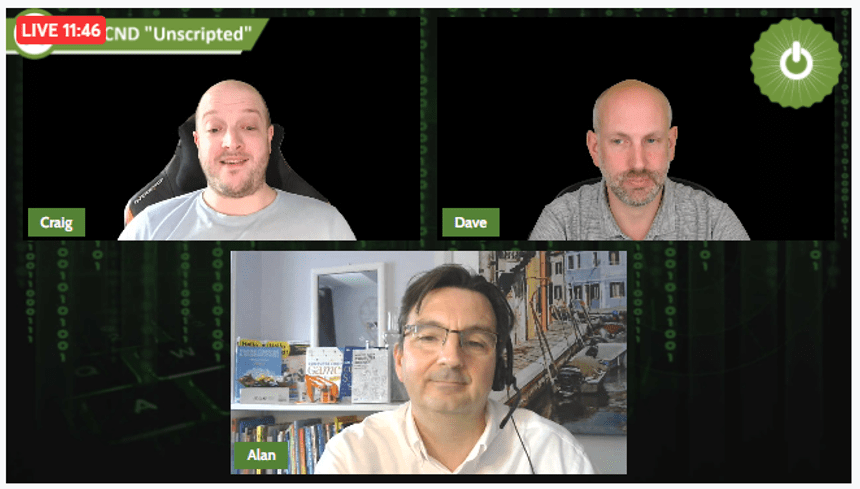
I’ve just finished working with Craig’n’Dave to record a series of three videos for their YouTube “Unscripted” series. It was an excellent way to spend a few hours, as all three of us love nothing more than talking about Computer Science teaching!
The first video will be live on their channel on Monday, with two more to follow each Monday. Subscribe here and don’t miss a thing!
This is a draft article for Hello World, the Computing pedagogy magazine from the Raspberry Pi Foundation. The full article will appear in a future edition, but you can also read much more about this topic in my book, available at Amazon here.
Misconceptions can leave the student frustrated and unable to make progress.
What is a Misconception?
A misconception is a view held by the learner at odds with true domain knowledge. They arise in everyday experiences, are imported from other subjects or are gained during prior learning episodes that were not fully understood.
In everyday conversation “the internet” is used to mean the world wide web, and that device provided by your ISP is not actually a “router”, it’s usually a combined router, switch, modem and wireless access point. Outside of networking, we find the misconception “secondary storage is used when primary storage is full” which seems plausible enough but wrong, and my students once tried to prank each other by suggesting slow performance could be solved by “downloading more RAM”.
Some misconceptions occur through misapplying learning in other subjects to Computing, using imperfect analogies to illustrate new concepts or by the deliberate teaching of a simplified truth lower down the school. The latter “necessary evil” misconceptions include “the computer understands binary” and “all programs are a series of steps”. Of course, the computer “understands” nothing, electrical circuits simply respond to high and low voltages. And students who study Computer Science to A-level will encounter object-oriented and functional programs which are not “a series of steps”.
Why are misconceptions important?
A 2016 study by Sadler et al showed that science teachers who were misconception-aware helped their students make better progress than those who were not. According to the researchers, “It is better if a teacher … has a model of how students tend to learn a particular concept, especially if a common belief may make acceptance of the scientific view or model difficult” [1]
Juha Sorva’s excellent 2018 paper “Misconceptions and the beginner programmer” can be found in “Computer Science Education” (Sentence et al, 2018). [2] As Sorva explains, “A student with [programming] misconceptions will produce programs that do not work. When a misconception persists, it can leave the student frustrated and unable to make progress.” (Sorva, 2018). [3]
Advertisements
Many programming misconceptions arise from a faulty “notional machine”, defined by du Boulay (1986) as a “viable model of program execution”, without which the novice can’t reliably predict what the computer will do with their code. This leads to misconceptions and slow progress. Exposure to a wide variety of example programs, narrated live coding, and encouraging learners to comment their code will all help.
Some key misconceptions.
Below is a selection of misconceptions from “How to Teach Computer Science”, from Sorva’s paper, crowdsourced my personal learning network or pulled from the “Project Quantum” set of diagnostic questions
Topic
Misconception
Reality
Data Representation
Binary can only represent numbers up to 255.
Binary is the base 2 number system and can represent any number.
Programming
While loops terminate the instant the condition turns false
A while loop condition is evaluated only on entry to the loop, and every time the code block inside the loop ends
Assignment statement a = b makes a and b always equal throughout the program execution
Assignment statements are made of two parts, the right-hand side of the assignment operator (=) is an expression which is evaluated, and the result stored in the variable on the left.
Architecture
Virtual Memory is Cloud Storage
Virtual memory is a space on the hard drive used to extend the available RAM
Logic
NOT is a binary operator, taking two inputs, for example in A NOT B
NOT is a unary operator, it takes only one argument, so A NOT B is invalid. NOT B is valid as is A AND NOT B.
Networks
Peer-to-peer networks have a mesh topology
Network service model (P2P or client-server) is independent of the topology.
System Security
The “padlock” declares a website is trustworthy
The padlock next to the address bar in a browser indicates that that a secure connection has been established using HTTPS. This means only that traffic is secured against passive attack (eavesdropping) by third parties. It says little about the trustworthiness of the website.
[2] Sentence, S et al (editors, 2018), “Computer Science Education”
[3] Sorva, J. 2018, “Misconceptions and the beginner programmer”
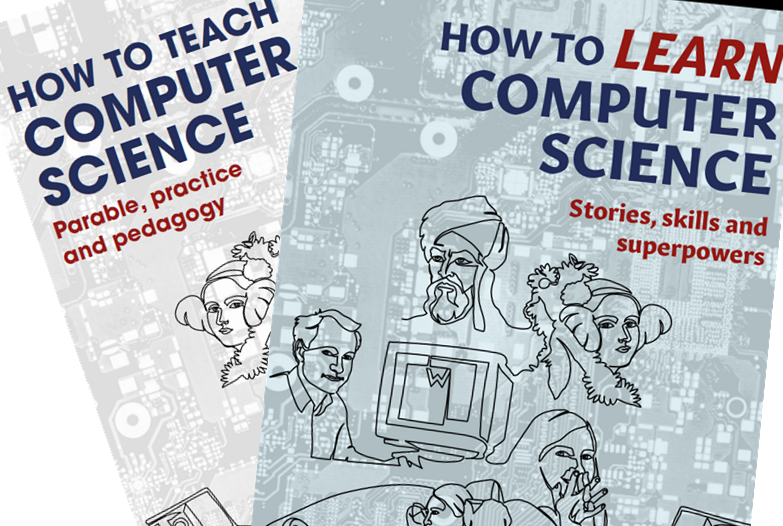
For much more on this subject, and a look at other pedagogical content knowledge useful to Computer Science teachers, see my book “How to Teach Computer Science” available now from publisher John Catt Educational, from Amazon and many online bookstores.
July 16th was the official launch date and many readers have tweeted photos of their copy already. Apparently there has been a slight glitch at the Amazon warehouse but I’m sure that will be ironed out soon, meanwhile other sellers have copies so check all sellers e.g. Blackwells.
Thank you so much to those people who have given me kind feedback already, it means a lot that teachers are getting so much from my words. I wrote the book because I believe our subject needs more discussion of pedagogy, but I hope this is just the beginning and you will add your voice to the conversation.
Please tweet me at @MrAHarrisonCS on Twitter or comment below. And if you enjoyed the book, please leave a review on Amazon. Many thanks.
Two inputs this week prompted this blog. One was a conversation with a science teacher on Twitter, who will remain nameless but I will paraphrase their comments. Another was catching up with the YouTube feed of Computer Science gurus Craig’n’Dave, in particular this video on the Forgetting Curve.
Back to Twitter. That science teacher indicated that she finished the content by March in Year 11, and switched to revision. I and others suggested slowing down, focusing on quality first teaching (teaching it the first time more effectively so they retain more knowledge) and retrieval practice (regularly revisiting prior material, again to retain more). Her response was “you can’t break a unit to revise; you’re sacrificing one unit to revise unrelated material”.
My response was that you can start every lesson with some retrieval practice and then continue with the new content. It’s a very powerful tactic that might extend your teaching calendar so you have less time to “revise” but you’ve been revising as you go anyway, so this is not a sacrifice at all, it is a powerful teaching technique.
I have worked in a department where we galloped through the material. I was aware they were not getting it, and those that were getting it were obviously forgetting it. I was powerless to change the curriculum back then. Now I am my own boss I can set my own curriculum. I have built in retrieval practice to every lesson, first prompted by this blog, and the students are retaining the knowledge as we go, as evidenced by my synoptic testing (testing “everything we learned so far” not just topic tests). I use these resources below, because I rarely make things myself, just use the best tools out there.
Quizlet (actually I made all the Verified content last year)
“Has anyone got an exciting starter for CPU registers?”
No, random Computing teacher on Facebook. Nobody has. But it doesn’t matter because you don’t need it. You just need a decent “DO NOW” that settles them and gets them thinking about Computing while you do the register and deal with the usual issues (forgotten equipment, notes from parents and appointment slips, and most importantly greeting them and getting them settled).
When I trained to be a teacher lessons were supposed to come, like a meal in a fancy restaurant, in three parts – starter, main and plenary. The concept of a ‘starter’ became fetishised and developed into a systematic obsession. […] Huge, huge amounts of time and effort for a part of the lesson which, although it expanded as time went on, was initially only supposed to last five or so minutes. It was as if we had all come to believe that if our starter was whizbangy, engaging and differentiated everything else would just fall into place. And make no mistake, ‘starters’ were supposed to be whizzbangy. Laminated card sorts were good. Putting a laminated card sort in an envelope and labelling it “TOP SECRET” was even better. Using police tape to make a classroom look like a crime scene was best practice.
About the same time I started learning about Rosenshine’s Principles, and reading about Cognitive Science. To be fair to my then school, “DO NOWs” or “bell tasks” were already happening, it’s just that they were often “whizzbangy” activities “to get the children hooked into the subject” or pique their interest. However as Ben’s blog explains, starting the lesson, not with a “hook” but a review of prior learning can have a dramatic effect on progress.
Now all my starters are some kind of review. I mix them up a lot, being a Computing teacher I have access to the whole internet and my own material on Teams and Sharepoint. So one lesson will be questions made up by me, others might be a Quizlet study set or Quizlet Q&A. (I created the Computer Science “Verified Content” for Quizlet Inc last summer and you can use it for free here.) Sometimes it will be “Smartrevise” from Craig’n’Dave here. Other days they will go back to their notes (Cornell notes or sketchnotes they have made previously during flipped homework) and write a summary or answer the “cue” questions they set themselves. I may use the “Quick Fire Five” questions from William Lau here, and I have a free trial of Carousel Learning Gold membership to try out this term.
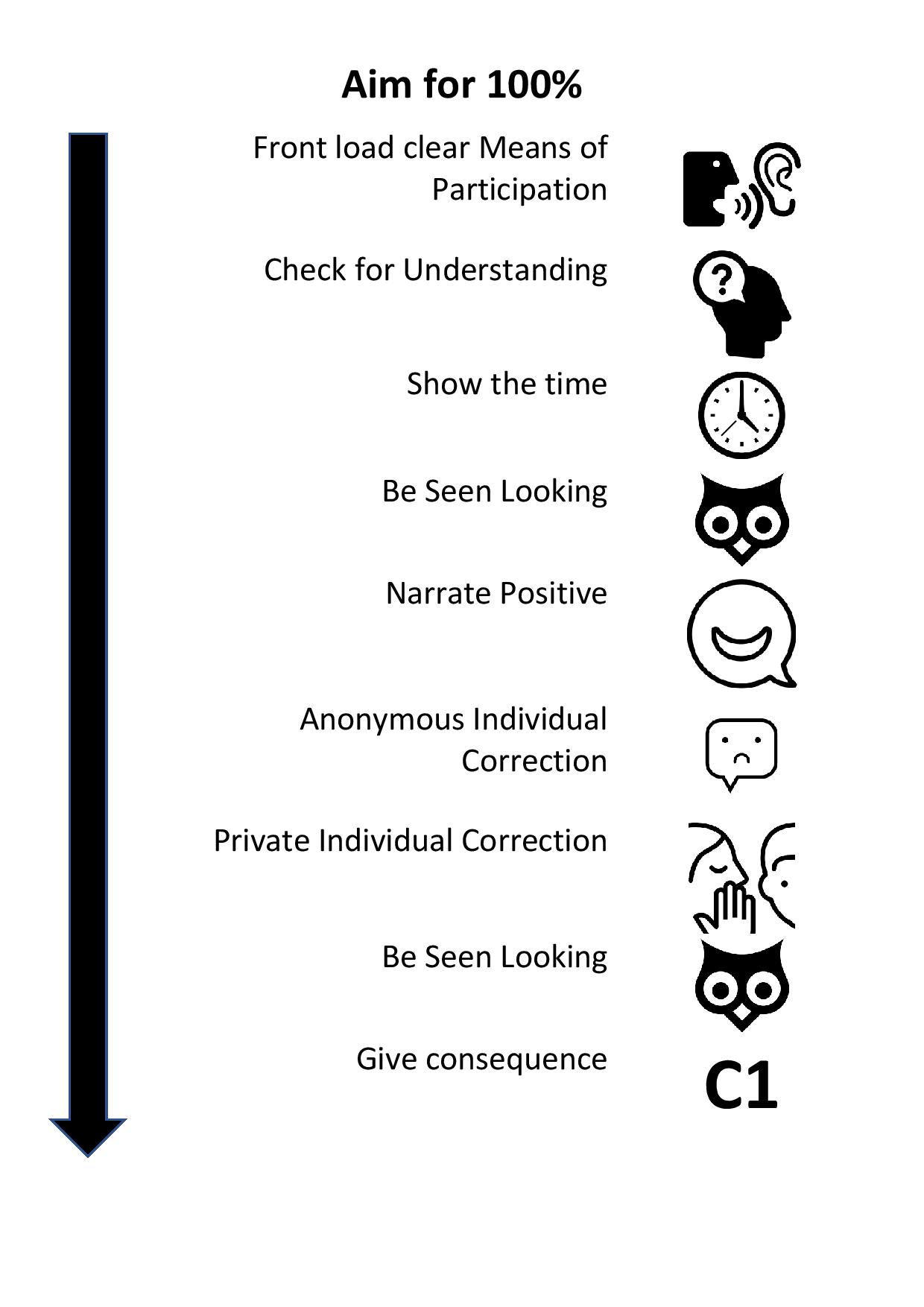
Whatever the choice of format, it’s a review of topics they have already studied, delivered in a DO NOW format, as described by Doug Lemov in Teach Like a Champion and on his blog here. As Lemov explains, DO NOW must follow a predictable format and “means of participation” must be clear (my instructions are always on the board and use tools they are familiar with, no new platforms or sources), need no input from the teacher, require an end product such as written or typed answers or quiz results, and should review prior learning, thus improving long-term retention. You should try not to engage in any discussions but just get students on task as soon as possible using the least invasive technique possible and praising the correct choices e.g. “15 people have started now, well done. Leesha has done three questions already, excellent work!” and so on. Lemov’s “Brightening Lines” technique can be used here to maximum effect. We can go back to Ben Newmark for a quick summary of how he starts his lessons.
Does it work? My Year 10 CS class (just the one this year but two classes totalling 40+ are coming up next year!), who I’ve been doing Rosenshine and TLAC techniques with all year keep telling me these things:
It is fun and very exiting! You can have fun and also work hard!
i love my teacher as i trust i will get good grades due to him knowing whart hes doing
Have you asked a question like this on teacher social media?
Has anyone got a PowerPoint for binary addition? They just aren’t getting it.
I need a decent lesson for client server versus peer to peer.
Any resources for boolean logic? I can’t seem to get them to understand it.
When I see these questions I do try to help, but I believe those asking would be better off working on their explanation of the concept. Once you have a strong grasp of the topic, you can explain it well, answer questions, and check for understanding meaningfully.
Teaching is simple, really, if we remember we are just trying to transfer knowledge from our heads to theirs. Looking for lesson resources that shortcut this process is a distracting, often futile enterprise. The time spent looking for that “magic lesson” could be better spent growing your own understanding so you can develop theirs.
Fortunately we now have the NCCE curriculum backed by the Oak Academy recorded lessons, so we can teach ourselves before teaching our students. I also recommend Craig’n’Dave videos and the Isaac Computer Science website, and the great textbooks by Heathcote & Heathcote. Better still, partake of the NCCE training offers.
Once you know it yourself, and feel confident you know it, you can explain the material in ways others understand.
Rather than asking for slides and worksheets, I recommend teaching yourself the content. Then study others explaining it well.
My forthcoming book might help with greater understanding of the GCSE Computer Science content. Comments welcome here on WordPress, on Twitter or on LinkedIn.
Misconceptions are my new obsession, and there are loads in the book.
The biggest misconception in the Networks topic is confusion between topology and “service model”. Here are some typical questions from Facebook that illustrate the confusion:
what is the difference is between a mesh network and peer to peer network?
Would you give marks for star topology advantages being central backup and security. Or is that not right because it is not referring to the actual cable layout?
It seems to be common to conflate Star with Client Server and Mesh with Peer to Peer, is this OCR stance?
Peer to Peer and Client-Server are two service models which are unrelated to the topology (star, mesh, ring, bus etc.). These service models are a logical description of the network, while topology is the physical description.
A network has a physical arrangement of devices and connections, and this is its topology. Independent of the topology is the way files and programs are shared, and this is the service model, or sharing model, which can be peer-to-peer or client-server.
The topology matters when we are discussing how packets travel around the network, which devices they pass through and how they get to their destination. But this is irrelevant when we are talking about how files are shared, because the user does not care about the journey the packets take when copying a file from another device or saving a file on the server. So a Star topology can support a peer-to-peer model of network, just as a mesh topology can support a client-server network (or vice versa).
The confusion arises partly because of unclear images in textbooks, which appear to show a mesh network described as a peer-to-peer model, and a star network as client-server, and we can see this on the Wikipedia page for P2P here. Confusing as these images may be, the authors are trying to illustrate the logical relations between devices rather than their physical connections, so the images are not wrong. However, learners (and indeed teachers) may be more used to seeing diagrams of the physical connections – the topology – of a network, and therefore unused to seeing the logical relationships described the same way. In short, the diagrams look exactly like topology diagrams, even though they are intended to convey the logical service model.
This post was inspired by a Twitter discussion today.
I'm a Computing teacher. Googling is a red flag. "Go online and find a definition of malware". Nope.
Some teachers actually think that's "discovery learning" 😳
— Alan Harrison, httcs.online (@MrAHarrisonCS) May 15, 2021
When I was an NQT I was told “teacher talk is bad” and I had to ensure the students were “finding things out for themselves”. You can read about that tale of woe here… but at the time I believed it and included lots of what I believed was “discovery learning” in my pedagogy. This included hiding text around the room, giving half the students one half of the knowledge and the others the other half and playing “quiz-quiz-trade”. But mostly, because it was a computing lesson, they searched online for knowledge.
I started to suspect this was not highly effective when I asked them to find out about the family of cyberattacks called “social engineering”. I set the task “find the definition of social engineering”, expecting that after a few minutes they would write down something like “Social engineering is manipulating people into handing over confidential information such as a PIN or password. It includes blagging, phishing, pharming and shouldering.” But at least half of them wrote this:
Social engineering is a top-down effort to influence particular attitudes and social behaviours on a large scale—most often undertaken by governments but also carried out by media, academia or private groups—in order to produce desired characteristics in a target population.
In the context of information security, social engineering is the psychological manipulation of people into performing actions or divulging confidential information.
…seemingly didn’t understand it when asked questions about it afterwards. The ten minutes they had spent searching and writing down a definition had been completely wasted.
This wasn’t an isolated incident, it was to be repeated many times until I decided never to allow unfettered googling and instead direct the students to particular websites.
Whenever I asked the students to google for some knowledge, what happened was they would spend time searching for a definition, sifting through the search results full of guff and ads, finding degree-level and industry-focused definitions that they don’t understand or definitions that fit an entirely different sense of the term being searched for, or that are relevant to a different context, then write them down, while all the time potentially being distracted by all the rest of the internet.
Each time I did this it would take around ten minutes just to “discover” one fact. Crucially, even if they stumbled on the right fact, or even later when I was directing their web “research”, they would not actually be digesting any information, they were just copying down what they found. Any cognitive load was all being expended on the technology, trying to find a relevant page and then when satisfied with that, just transferring words from screen to page.
No time was actually being spent thinking about the thing they were supposed to be finding out about. “Memory is the residue of thought” as Daniel Willingham explained, so our aim should always to get students thinking hard about the subject knowledge that matters. Googling is largely a waste of time from that point of view as it requires little-to-no thought about the topic. The task has lots of extraneous cognitive load (the searching and sifting of results) but little germane load (thinking about the topic, e.g. social engineering).
Nowadays I either provide the websites to access, or the textbooks to read. But more often I tell them what they need to know in a couple of minutes, check for understanding, then set a task with which they apply their newly-gained knowledge to a task.
Instead of ten minutes googling for “social engineering”, I will explain what it is, ask some questions to check they understood the basics, then set some work such as “are these scenarios social engineering?” or “research this cyberattack, which social engineering tasks can you spot?”. The same ten minutes they once spent googling, is now spent on highly-valuable activities with “desirable difficulty” that will help transfer the new learning into long-term memory.




 How to Teach Computer Science
You must be logged in to post a comment.