Categories
Uncategorized

Podcast S2E02: “What are the Issues and Impacts of Computing?”

Featuring Beverly Clarke MBE. Episode available here now. Transcript follows the image.

Alan: Hello, and welcome to how to teach computer science the weekly (ahem) podcast from me, Alan Harrison. Today, I’m sharing my chat with Beverly Clarke MBE, an award-winning woman in tech and education. And we will ask the fertile question. What is the impact of computing? 

Beverly: Yeah, you know, there’s that saying you know, sort of turn a different corner we would never would have met sort of thing, you know, you just don’t know. Well, 
Alan: George Michael 

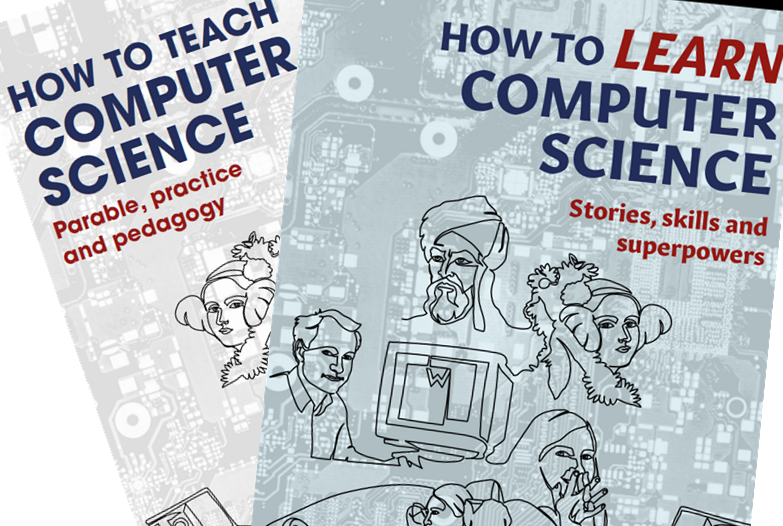
My name is Alan Harrison, and I wrote the books how to teach computer science and how to learn computer science available in online bookstores. Also if you like the podcast, you’ll love hearing me in person. Visit HTTCS dot online to find out more about my training and consultancy. And I can soon be speaking live at your school on inset day or at your event or conference. More details about this book, purchase links at HTTCS dot online. That’s the initials of how to teach computer science. HTTCS dot online. Listeners to the podcast, a special discount code to just type HTTCS pod. In the checkout page at JohnCattbookshop.com to get 20% off everything. That’s everything including classics such as teaching walk throughs by Tom Sherrington, the Huh series by Mary Myatt. And of course my two little books. You use the code HTTCSPOD at Johncattbookshop.com.

Talking of books. The publishing industry is struggling with how to deal with the influx of AI generated writing. Amazon revealed last year that Liam Lucas, a travel writer from Australia didn’t exist. And his many deeply flawed, 15 pound travel books were entirely AI generated. Including the author bio and the headshot. Amazon was alerted to the issue when someone noticed the cover of the Scotland guidebook featured a Bavarian castle. I promise you, my books are entirely written by me. And as far as I know, I am human. Although. I am trying out a new feature of Descript, this podcasting software, called AI voice. 

Alan: So without further AI do.

Alan: Let’s meet my special guest, Beverly Clarke and ask the fertile question. What are the issues and impacts of computing?

 So on the podcast today, I’ve got someone I’ve known for a long time and it’s always lovely to talk to this person. It’s Beverly Clarke. How are you, Beverly? 

Beverly: I am very well, Alan. Thank you so much for inviting me. It’s just really good to catch up with you. 

If you are grateful for my blog, please buy my books here or buy me a coffee at ko-fi.com/mraharrisoncs, thanks!

Alan: Great stuff. Yeah, it is. And so tell me what you’re up to at the moment I know you’ve done all sorts in the past, but I can’t keep up, so you’ll have to update me.

Beverly: Well, I like to describe myself as an award winning woman in tech, also one that has a portfolio career, which is all of those things that you said you can’t keep up with. Mainly, I’m an education consultant, which means that I work with others and I advise on a variety of different projects. It’s partly entrepreneurial because you’ve got to go out there and find your own work.

Advertisements

I write articles, thought pieces and share my thoughts and my life and my journey in tech. I also have a interest in writing children’s books because of wanting to address issues of young people understanding tech. So that’s when I created my children’s book series, The Digital Adventures of Ava and Chip during the pandemic.

That’s how I spent my time. I should also say my background is one. where I was in the classroom for 14 years. And then that evolved into working in wide computing education. And funnily enough, prior to being in the classroom, I worked in corporate IT. So I’ve worked with the Capgemini, the Ernst Young, those SO, those type of big companies.

And so I’ve always been in tech in a variety of different roles. And I think I bring something unique to this space that sort of tech insights and also education insights. And I bring those two together and I’m involved with other things. I, I’m a trustee for the digital poverty Alliance, which says what the name national charity.

And later on today, I’m going to also share a little surprise with you later on in the podcast. 

Alan: Ah, okay. Brilliant. Yeah. So, issues and impacts of computing, then what does that mean to you?

Beverly: it’s a thing sort of grabbing my attention as we sort of journey through every single day. And, you know, we’re living in one of the most, I would say one of the most exciting times in history. 

Alan: Yeah. They say. I think you’re absolutely right. Yeah. 

Advertisements

Beverly: Yeah, it’s, I think it’s still called the fourth industrial revolution. So we were living in this really exciting time with lots of change, disruptive tech is just changing things. And I met a friend down the pub recently and we just said, what a time to be alive. Look at what’s happening, you know, because when we look back in history, we see all these industrial revolutions and these changes and all of that.

And we think, oh my gosh, what was going on? Wow, that was exciting. Well, guess what? It’s exciting right now. And of course, what’s driving a lot of that is artificial intelligence, maybe algorithms and what they send to me when I go on to social media or any of the news I look at, but it’s all, the use of AI and.

As you know, I also, I do a lot of podcasts and is it a force for good? Is this really something that’s good? 

Alan: It’s a good question. And does it depend on what decisions we make right now and, and who’s going to make those decisions? And I always said to my kids in the classroom, you probably heard it on my podcast a few weeks ago.

I always used to say, particularly to the year nines, I would say the reason you need to do computer science GCSE is because we need more humans on the side of humanity when the robot apocalypse comes and then because it’s coming.

Beverly: I’m going to interrupt you. I’m going to disagree with you. I’m going to say robot apocalypse. This is the thing. Robots. It isn’t all robots. It’s how AI is being presented to us. And I do shy away from robots. I mean, robotics, you know, I love all that, but I do shy away from using the robot example because it isn’t sort of this sort of square thing, big eyes, sort of alien type image, you know what I mean?

But it’s it’s embedded everywhere. It’s, you know, the software. for example, that’s being used. Chatbots, they’re everywhere. Every single system seems to have chat GPT, under it these days. It’s frustrating. 

If you are grateful for my blog, please buy my books here or buy me a coffee at ko-fi.com/mraharrisoncs, thanks!

Alan: It’s frustrating sometimes because, you know, you’d go on to your bank or your insurance company, or I was trying to find out what my pension pot had in it.

And this little bot pops up and goes, can I help you? It’s like clippy on steroids, isn’t it? And remember the paper clip back in the day. You’re trying to write a resignation letter, can I help you with that? And and nowadays it just, everything pops up. And you know that if you ask it questions, it’s almost certainly not going to be very helpful, because it only knows so much.

And then it goes, I’ll transfer you to a human. You are 17th in the queue. And and, And we know why these chatbots exist in commercial settings. It’s so they don’t have to employ so many people, but hopefully we’ll move away from that towards actually, AI adding value to our lives rather than just adding value to the bottom line of the uh, the shareholders report, you know.

Beverly: And this is the thing. So in the classroom, we’re preparing our young people for now and the future. We need them to talk about things that they have noticed, changes they have noticed around them in their local communities and nationally and when they’ve traveled and ask them what do they think the impacts are.

So we really need to start having these, you know, GCSE level is categorized as those moral and ethical conversations. What is the impact? Loss of jobs and, you know, for example, on Saturday, I went into my local Asda and I don’t know why I just happened to look up and there I was on camera with a little box around my face and.

It’s facial recognition. So are they really thinking about this when they nip to the shops? So there, I was a facial recognition. So I just took a photo of myself on it because guess what I can. And that leads to a whole lot of conversations. My image is captured. How is it being used? Who is using it? How do I feel about that?

So these are. The, you know, those long answer questions we have at GCSE level. So I would recommend to any educator to have these conversations with young people and ask them to provide examples that are impacting upon their, their lives. And I mean, that’s one example from my life. And then you just mentioned loss of jobs.

Well, as I then wandered around in the local Asda and I got to the till, well, I did self service, you know, it’s, it’s nice and it’s quick. However, we’re losing having that conversation with the person at the till. Maybe you don’t want to have that conversation occasionally, but there is a social element that’s missing.

Alan: Yeah, there is. Kurt Vonnegut, author of Slaughterhouse Five and many other, one of the biggest novelists of the 20th century, there’s a story he used to tell when he wanted to send a letter, he would go to the shops and buy a single envelope and a single stamp and put the stamp on it and post it.

And his wife got furious with him going, why don’t you just Buy a pack of envelopes and a pack of stamps. Then you don’t need to go to the shops. And he said, well, who would I talk to all day? You know, he said, I go to the shops, I have a conversation. Yeah. Yeah. This wasn’t this wasn’t an admission.

This is a story I’ve heard of somebody else, but yeah um, But yeah, so we do lose that human element, but then on the other hand, I’ve been guilty of arguing on Facebook as you do with people who say, Oh, I hate the self service tools. They’re taking jobs away from people. And I’ve argued in favor of them because some people I I don’t know if you know this, but I’m mildly autistic and mildly ADHD which I’ve discovered in my fifties, so a lot of people struggle with those interactions, and if you’ve got disabilities or mental health issues, then you might want a self service till, and the. Other thing if, if, if we’re talking about jobs and saving jobs and so on, we, we can’t resist capitalism.

Unfortunately, I, I’m old enough to remember when everything in the supermarkets had little priced stickers on them and somebody priced up everything in the supermarket with a little pricing gun. Oh, yes. Which was a. Yeah, well, that job’s gone. And many other jobs that people used to do because they had to before automation came along.

So barcodes got rid of that. And, you know, there’ll be more automation coming down the line. It only ever increases. And the reason. supermarkets and every other commercial company automates things is to reduce costs. If they don’t reduce costs, they won’t be viable. They won’t be profitable, and then they’ll go out of business and everyone loses their job.

So it’s a little bit odd to to complain about one particular job being taken away in this capitalist world where the ultimate goal of all enterprises is to drive down costs and drive up profits. So so yeah, automation is here to stay and it’s only ever going to increase, which means what jobs do we do?

I mean there will be more jobs in the tech sector for people who can navigate that sector who can program who can prompt engineer, which apparently is the new programming. So that’s why we do what we do. We’re computer science educators, 

Beverly: and this is it. So you mentioned prompt engineering and jobs, and it’s quite a lot there for us to unpack.

So we’ve got the yeah, the

Alan: I do go on a bit. 

Beverly: It’s all good, all good. We’ve got the Amazon fresh shops and the Tesco go shops and you know that that inspired my children’s book series, Smart City, and one of the issues in one of the parts of London is that people were boycotting one of these smart shops because they said there are no jobs for us.

So the more we automate, the question is, what do the people do? Now, that’s an impact upon a local community because we still got rising prices going on all the time. So. It’s to get our young people to understand. Okay, so we’ve now got this new style of shop here. What jobs exist within it? So you’re not using the pricing gun anymore and putting on the little sticky labels, but.

You know, there’s a route through the store to be followed there is this facial recognition, for example there’s data we’re going to capture, we’re going to have to still manage things such as theft, how we’re going to manage that, you know, what are the algorithms we’re going to use here? how much energy is being used up by all of this.

Maybe you’re going to work in green jobs. One of the government white papers says that almost every single job is going to have a green aspect to it. And that no doubt is also to do with the amount of energy that data centres are utilizing. So, you know, these are the conversations we need to have. So instead of fear, because you’re absolutely right, I’d say, in that.

Automation is here, it’s here to stay, and it’s just going to progress. You know, I, I also observed that the petrol stations are now, many, no longer have a human. You just sort of swipe and off you go. It’s great, it is actually quicker, but that’s the loss of jobs. And the thing is, these jobs don’t disappear overnight, it’s gradual.

And then there’s less jobs for young people. 

Advertisements

Alan: Yeah, absolutely. And we’re going to need to tackle this. I mean, since the fifties, you know commentators have talked about, the day when we eliminate work, you know automation, robots, we’ll eventually eliminate all the drudgery and we’ll just sit around painting pictures and stuff.

But it begs the question, how do we earn a living? who pays us to sit around painting pictures? Well, I’m, a bit of a fan of the idea of universal basic income, because if we’re generating all this wealth for shareholders and it’s disappearing into offshore bank accounts and there’s no jobs left for ordinary people to earn money, then society will collapse.

So, you know, automation driven recession is, is a really likely thing unless we do something about it and maybe we need to start thinking about radical solutions like universal basic income. Everybody gets a small wage just because society can afford it with all of these vast profits that we’re making out of automation. 

Beverly: I mean that would require a complete shift in the way we see things because the question is are we all happy to be equal? That is a very big question I’ll pose there. History has taught us and shown us that people are not happy to be equal, but maybe this is a new age and AI and automation as a force for good will achieve equality.

Who knows? I’m not sure I have the answer to that. 

Alan: I mean, universal basic income or UBI would be a small living, Stipend if you like so that you know you can afford to eat but it wouldn’t be, the type of money that we’re used to from earning a wage, but it would make sure that nobody actually starves.

And that’s the idea, but I think it can exist, coexist with a capitalist system where people can better themselves by, education and, hard work and so on. So I think both can exist and small trials have happened, but we’ve, we’ve gone down a bit of a rabbit hole of UBI here. Um, And the only reason we have to think about, but we do have to think about these things, because as you said, Beverly, you know AI is changing everything. Jobs that we’ve been expecting would exist for a long time, manual jobs and semi skilled jobs and skilled jobs are all going to disappear. And it’s going to happen quite quickly. So we need to think about what we do about that.

Beverly: Yeah. And also the other thing that comes to mind for me is Who is actually implementing the AI? So it is these big companies and they’ve got the knowledge and the skills. And I do have a concern that there is going to be a gap between the people who understand AI and those who don’t.

And also the whole issue around bias in data sets that. We’ve just translated as a society the biases that already exist into many of these data sets, and we, you know, the news is full of issues that are occurring every day, whether that’s some sort of gender bias or bias against, you know, ethnic minority groups or any group, any underserved group there’s just There’s just we need to actually address this.

I do think that something could be occurring in the classroom when we’re having these rich conversations is actually asking who can this serve? So we need to be getting our young people to really think about who is the tech serving? Is it serving you? Do you know of a group, your grandparents for example, is it serving them?

Maybe the children have had experiences where they’ve used Translation apps, AI driven translation apps, and that’s a good thing, but you know, then we discuss the other side of it, so we need to understand there’s a lot going on here, and I do think we need to foster more debate in the classroom. 

Alan: Yeah, 

Beverly: you know that open conversations and no one is right or wrong. That’s a really important thing. You’re just presenting. Your thoughts, because we do need these conversations. You know, the prompt engineers, you know, the latest big job out there. There’s a bit of psychology in that. So while you’ve got computer science going on and tech, you’ve also got psychology.

How do you get someone to respond in a certain way? I mean, that could be a bit of manipulation in there. You know, is it good? How are we using this? So there’s Our subject and tech, it just goes across every single thing. 

Alan: Well, this is it. I mean, I think it was the panel that we were on together in Oxford last December, and I mentioned the mentioned the team that Amazon put together to build Alexa included psychologists and linguists, as well as computer scientists, all working together, because, you know, natural language processing isn’t just a technology problem and so, What we’re wanting AI to do, like facial recognition and then taking that data and doing something with it, like allowing entry or not allowing entry and that type of thing or analyzing behaviors to determine threats in public spaces or threats towards public buildings.

So people walking around in a certain way all of that needs, psychologists and all sorts of skills from the medical profession and the social sciences as well as technology. And I think this melding of, of social sciences and natural sciences and computer science all together is, is what’s fascinating to me in all of the stuff that’s coming out and is going to be developed over the next, well, generation. 

Beverly: Absolutely, you know, I’m just thinking about the classroom in ways which we can. support teachers and I’m going to offer a couple of tips here. STEM learning has some really excellent debate kits the teachers can download and get an idea of how to structure debates.

So it isn’t something you’ve just got to go and do on your own. There is support out there. There is they’ve got AI after school clubs with AI resources so this can be just fostered all the way through the school system. And one that I really like, TikTok, which, you know, it has its press, but they’ve released a stem feed and I finally got my TikTok stem feed appearing for me yesterday and literally there’s so much for stem out there and that’s where young people are learning. So, we need to be listening to them. 

And I tell you what, another tip that I’ve got, which I like, just the news, I’m a fan of BBC news tech. I always go to that site. There is always a topical news article so you can use that, say, for your key stage four or five kids to actually have those conversations.

It’s much more text and they can do activities such as summarizing, pulling out the keywords, debating it. There’s lots of can be going on there, you know, techniques and that you can be using in the classroom and for your younger audiences. I’m a fan of things like BBC Click. You can really just get nice short snippets, which you could share with your class.

It could be part of flipped learning or you can get kids to go out and find and bring in their own. So we’re not just always giving to them. We’re having their lived experiences. 

Alan: Exactly, the things that matter to them and then getting them discussing because I’ve done debate lessons before and they are really enjoyable to hear what the young people think about stuff, and to get them going and when you get that conversation going in the classroom, it’s fascinating sometimes to, to see the, light bulbs come on and where, they go, Oh, you mean, you mean the adults don’t have an answer to this question? You mean it’s still an open question that um, Yeah. that, my answer to it is as valid as anyone else’s. And that’s a very empowering thing to, help a young person to, feel that. 

Beverly: Absolutely. We really just need to, this culture of openness that we need to develop and everyone to. be aware of their opinions and that they play a part. It isn’t just happening to them. And I do talk a lot in my wider work about questioning and encouraging young people to be questioning citizens. You know, we’ve got an election coming up here in the UK. Very, very soon.

Alan: I haven’t noticed. 

Beverly: Okay. There’ll be no other news going on. One of the issues that’s coming up is can we trust what we see in the press? 

Alan: Yeah. 

Beverly: Yeah, and we do need to get our young people to question what they see. So, fake news. Really, how do you know that what you are seeing is real? What are you using to fact check it? And, could you be scammed? Could you be hoodwinked? how do you know what’s real? And I think it’s something we need to develop conversations around fake news a lot more. 

Alan: I think we do. I remember I used to read a column in the Guardian called Bad Science by Ben Goldacre, Dr. Ben Goldacre and He was on Twitter back in the early days of Twitter.

And there was a lot of conversations about whether the government should have a rapid response unit to deal with fake news. And it would, it was just like, who decides what the truth is? It’s harder than you think to decide what is real and what’s fake. I mean, if, if if a government minister makes a claim about unemployment figures and he’s been misled by somebody else. Is that a lie or is that just a mistake? Was it malicious? We’re, who will decide that? And if it’s an opinion about politics or social matters, you know, who decides what’s true and what’s fake. It’s, it’s not something that you can easily put your finger on.

if we go back to Wikipedia, when it was first developed, the principle of Wikipedia is not truth or falsehood, but verifiability. Can you verify that that is true by looking at multiple other sources that back it up? And that’s, that’s the principle that Wikipedia applies to changes.

So. Can you verify that? Are other people saying the same thing? And who are saying those things? And what do they gain from you believing this thing? They’re the type of criteria that I use. What else can you do? 

Beverly: Yeah, you know, a few years back when we had the Cambridge Analytica scandal, and if anyone hasn’t actually, you know, watched the documentaries around that, I’d encourage them to.

It. Really makes you understand how we can be manipulated and how algorithms can be used for manipulation and to destabilize governments and it’s quite shocking because I started, I may have told you this before, I realized through that Cambridge Analytica scandal, how what they were doing had been tested in other parts of the world previously You know, I think Trinidad and Tobago was one of the places that the destabilizing algorithms had been tested.

And so, I would actually be a fan of, if you are giving an opinion, that you’re, if it’s a social media post or article is, Things are tagged. Opinion. I mean, of course, we have to have that conversation. Who decides exactly what is fact? 

Alan: Yeah. 

Beverly: That is a very valid point. But I think we should have things tagged. Opinion. Just in the same way we’re starting to get images online tagged as AI generated so we actually know what’s going on. Because we saw it in the pandemic. there was lots of, conspiracy theories, and there was a lot going there was lots of people saying a lot of different things online, some misleading. And people were being encouraged to fact check Facebook meta was actually saying fact check, you know, this could be fake news. And there was a lot of that happening in the background. I think that was actually really good. 

Advertisements

Alan: Yeah, I think, so we’re moving into the territory of freedom of speech and what role government should take in regulating speech. And I know, of course, in America, they have the First Amendment to the Constitution, which basically allows anybody to say anything and the government can’t intervene and we don’t have that, but there’s a lot of people that will argue, you should be able to say whatever you want in this country. And I just think that ultimate freedom of speech is a dangerous road to go down just allowing anybody to say anything because those with the reach such as the Cambridge Analytica’s of this world and the people backing Cambridge Analytica’s of this world can, can simply, take control of the narrative and just change public opinion as, you just described there.

So I think there needs to be curbs on not so much speech, but big tech, the reach that big technology gives people when they want to spread an opinion or a falsehood. The reach of big tech has changed everything. 

Before the internet, you would interact with, I don’t know, a hundred people each day and now it can be a million and lies and untruths and dangerous falsehoods and propaganda can spread in minutes, literally around the world.

Something can go viral. And that’s not something that human society was ever built for. We’re not made to be able to cope with this, this level of contact with other humans. And so, like I say, misinformation can spread very, very quickly and, and cause real harm.

So I think there is a role for governments to play in regulating this, or at least putting the tools in our hands so that we can control what we see. To an extent, I don’t know exactly where we draw the line, but there needs to be more talk about it because big tech has got too much power.

As I wrote about in the book, it’s Google and Facebook meta deciding on matters of, really national or international importance without any interference from government. And, you know, there needs to be more role. of our elected officials who represent us in that space.

Beverly: Well, I do think there is there is scope for us to get involved. So there’s lots of public consultations, obviously. They don’t necessarily make it to our hands. 

Alan: Yeah. 

Beverly: Necessarily. So I’m going to disagree with you slightly that I do think their consultations do take place. And I don’t think that people realize enough that they need to participate in these consultations to actually have their say.

So I don’t think there’s maybe I’m misguided here, but I don’t think there’s so much of just things are happening. I think. There are consultations and we need to be active. This is what I mean. Questioning citizens, you know. 

Alan: Oh, absolutely. 

Beverly: Read the paper. Do you agree with what’s being said? So we need to be literate and digitally literate and aware. get involved. So I do think there is some transparency. I mean, I don’t think any company is going to tell you exactly how its algorithm works because then we’re back to what we spoke about earlier, the competitive advantage and things like that. 

Alan: Yeah. 

Beverly: Yeah, so 

Alan: yeah, there’s there’s a lot of talk about TikTok at the moment, isn’t there? You mentioned it before and how America wants the Chinese company to divest TikTok in, in, in America, sell its American state. And I read somewhere there’s a lot of talk about it being a Chinese psyop or psychological operation on the American people. And I was reading about why that might be and what they’re trying to achieve.

The, the rumor is that they just created this thing to be the most addictive social media platform you could possibly make for teenagers and get them hooked on it. And that it. It’s no more than that. It’s just a means of reducing Western productivity to give China an edge in the economic world.

And it’s no worse than that. 

Beverly: I’m going to interrupt you there. Have we fact checked this? How do we know this is correct and not propaganda? 

Alan: Oh, I don’t know. It’s just an interesting idea. Yes, of course, it could be complete nonsense. But I can see if you were going to design something that would just sap children’s attention and just take them out of, school and work and stop them being productive, then you couldn’t do much worse than TikTok, really.

Beverly: Well, you see, this is the type of conversation and debate that needs to be had. I don’t know that to be factually correct. It could be propaganda. Who is feeding me this particular story? Who has decided this narrative for me? So I keep a completely open mind about it. What I would say Is the mental health issues that are arising in this digital age is something we do need to talk about.

And my jury is out on this one. Either we’re just talking more about things and it’s nothing particularly new or there are issues and I think there is data to support the fact that we do have more issues and more people feeling isolated, more people becoming addicted to whatever they’re scrolling on on their phones, there is a change in behavior.

I think our neural pathways are being rewired. Yeah. Due to the way in which we behave. So the mental health crisis is large and I do think that we need to be more aware of what we’re doing. I noticed so many people going for a walk or a run, which is a great de stressor. But what I noticed is they’ve got, you know, all the Fitbits, everything that they’re attached to.

Alan: Yeah. 

Beverly: I mean, I wear my Fitbit of course, it’s tracking, but it’s not just People not using it just in that way. Yeah, you’ve got yours too. They are also, they’re looking at their phones. So, you know, yesterday I was in the gym and people sitting there on the machines with their phones scrolling. So you’ve been to the gym, but you haven’t actually done anything in the gym.

Whereas my phone is nowhere near to me. My Fitbit, which is a great device from the digital age, it’s recording and it’s doing all that stuff that I needed to do that I later on. I can look at my active minutes and all of that. So I do really think this is about use and what we do. I don’t know if you’ve noticed this.

It’s something really strange. Go for a walk around the local park and it’s noisier. And what I mean by that is people are just, they’re on their walks, but they’re having a chat, a FaceTime chat. 

Alan: Ah yeah 

Beverly: And it’s like, but you’re meant to be just having this time to think so, but you’re not, you’re still, you know, connected. So it’s about being, you know, being offline, disconnecting a bit. 

Alan: Yeah, I know the value of that. so I, walk the dog and I I don’t get my phone out. And we do Tai Chi, my wife and I these days. I think it’s important that we help young people manage their mental health and understand the value of taking breaks from the phone and going out and, you know, touching grass, as we say um, it’s very, difficult to encourage that but I think we really need to try.

so my, two teenage kids, both used various apps like forest and study bunny to, manage their screen use. And so during revision time she’ll put. study bunny on and it’s this little animated rabbit that is studying with you and you can’t use your phone until you’ve finished the period of study that you said you were going to do.

And obviously all the devices now they have well being settings and you can put them on do not disturb. The number of kids that just don’t know that and their phone’s pinging all hours of the day and night. And I think it’s important that. We have these conversations in school.

I know there was an initiative a few years ago called No Scroll September, and I think these things are good just to empower them to feel they can put the phone away, turn it off, lock it, whatever. For periods, and I think this also speaks to phones in school. And this debate comes up on social media often, shouldn’t they have the phones out in school?

And there’s so many people, mostly not teachers who say, Oh, you’ve got to teach them how to use the phones. And, you know, don’t be Luddites. And I think the opposite is true. Six hours without your phone teaches them much more about themselves than trying to use it in the classroom ever would. I think it’s important that they learn that there’s value in living without it for six hours of the day and socializing and talking to each other. 

Beverly: You know, so years ago when I was covering the South West, I went into a school in Cornwall and they put in place a, guidance. During break times there were no phones. And do you know what, changed the whole makeup of the sixth form common room in the school, because there was suddenly conversation. Otherwise, you would just have this total silence and, and it changed. And the students were so respectful of it. 

Now teaching, computer science or computing or any subject, sometimes we will use devices in the classroom, but that is within a teaching environment. I am not a fan of every child having a phone and with all their notifications on and ping, ping, ping. That’s not conducive to an effective teaching environment. That’s not all school teaching. Because we need to be offline for that focus and that productivity.

Alan: Yeah, exactly. 

Beverly: It’s really, that’s what it is. So school is a safe place. And children are there to learn and it’s social learning. It’s, you know, theoretical learning. There’s a whole lot of different learning that takes place And, you know, I haven’t actually shared this with you as yet, Alan, but I’ve recently set up a charity called Technology Books for Children.

That’s part of the focus to get young people to read. Thank you to read about technology and tech concepts. So it’s, it came out for me, you know I’m an author also, and I, I realized it was a wider space for this. So We really need to be questioning what’s going on and this whole thing about reading for pleasure around tech is really, really important because we’ve somehow got to change the narrative of what’s going on with tech and, you know, as educators and people with a keen interest and living in this very exciting time that we’re living in.

Alan: Yes. 

Beverly: This is something we’re doing, you know, you’re educating through this podcast, we’re sharing our thoughts. We’re encouraging discussion, really. 

Alan: Yeah, we are. 

Beverly: Yeah. And that’s what I’ve done with, you know, around the whole thing of books, because books aren’t going away anytime soon. 

Alan: No, no, I love books. I myself read about 30 books a year these days and I always used to put on the board of my classroom on a whiteboard on the door. I would say what I’m reading, so the kids could see and, um. I had books in my classroom and I think it’s important like you say, reading is something you can do anywhere, at any time, even without technology. I like my Kindle, but I do like paper books as well. 

Beverly: Yeah, I mean, yeah, the whole reading for pleasure thing, it’s about getting children reading wherever But offline, there is space for lots of activity offline in the tech world. And I do, we champion tech, but there is this balance that needs to be had.

Alan: Yeah. 

If you are grateful for my blog, please buy my books here or buy me a coffee at ko-fi.com/mraharrisoncs, thanks!

Beverly: I was going to ask you, you know, you mentioned about your late in life diagnoses. So the accessibility settings within many of our products, you know, the Google, Apple products, do you utilize them? 

Alan: Yeah, definitely. So I’ve got the forest app on my phone, but there’s also I use do not disturb. And there’s a simple thing in the Android operating system. If you turn it on is flip to shush. I think it’s called. And you just, flip it and put it face down and that silences your phone. And that’s the dead easy one to use. You’ve got to remember that you’ve done it because then that won’t ring, you know. And then on my laptop, which I’m talking to you on now, obviously it’s Windows 11 and you can set that to do not disturb as well. And I use that a lot, but I like the forest app because you grow trees.

And we talked about this on your podcast when you interviewed me for the BCS. I just discovered the forest app and you grow, you grow trees when, when you’ve used it for long enough, they literally plant a real tree on your behalf. Cause some of the money that they make from selling the app obviously goes to sustainable forests.

So that’s really nice. But the forest app will lock you out of your phone. Of course, you can unlock it, at which point your tree dies, your virtual tree dies, and that’s not very nice, and you’ve then got a dead tree in your virtual forest. And so it’s, it’s just a little, it’s just a little encouragement.

And all these things are good. Little nudges, I think, are good. Little psychological nudges towards the right kind of behavior, whatever it is you’re trying to achieve. And in this case, it’s you know, I’m trying to work like, like I say, with ADHD, I’ve got to try and minimize distractions because there’s always about six or seven conversations going on in my head. And, and if there’s stuff going on around me and my phone’s pinging and stuff, I really struggle to concentrate. And so so just all these little tweaks do help. 

Beverly: It’s really good to hear about, you know, lived experiences and, I do think we need to listen to people a lot more and because, you know, because we’re living in this exciting time with lots of change, it hasn’t been tested. So we need to understand 

Alan: Yeah 

Beverly: the impact. 

Alan: Yeah, the modern world is designed to throw a fire hose of information towards you every day, isn’t it? And it’s, it’s bewildering and it’s bewildering to us who’ve been around a few decades. But imagine what it’s like for you, really young people and children.

You know, Oh my God, I’ve got this all this information. What do I do with it? You know. 

Beverly: You know, it’s also nice because I, you know, and I want to speak to my own children and you know, nephews and so forth. they have different ways of approaching things, which is quite interesting. I remember when one of my daughters went to university and this, this could be the pros and cons of being connected. They use Snapchat and they were able to then keep in touch and see visually where they all were around the country. So you’re just up and going, Oh, well, you know. Mary’s gone off there, Sophia’s there, John’s here, and I found that really, really nice. I thought that was really nice, but do we need to stay that connected when, you know, I think you said 100 or how many of the people we’re naturally able to remember?

When you’ve got 3, 000 friends. 

Alan: Friends. The one I, the one that I found really difficult was I heard about the, you might have heard about helicopter parents as in or is that the word, but they’re too intrusive on their children’s lives and they will have the location tracking turned on so they can see where their children are.

And that’s fine. But when they become young adults, it’s probably time to turn that off and trust them. But anyway, I heard this story about this teenager on a gap year. And, and his mom was watching where he was. And he was in California or somewhere and he got on the wrong bus.

So his mom phoned him and said, you’re going in the wrong direction from halfway across the world. So what psychological effect does that have on a teenager when your mom is watching what you’re doing when you’re halfway across the world on a gap year and getting you got on the wrong bus? And she knows and she calls you to make sure you’re OK and get you off the bus and onto the right bus.

I think. That’s very wrong to me. That child has, that young person has to make their mistakes and, and, and fix them themselves and learn how to live free of their parents. And the parent needs to let, needs to let go. 

Beverly: I completely agree with you because Guess what? So they’ve gone the wrong way on the bus, but imagine if they discover something fantastically new.

Alan: Oh, yeah. Oh, yeah. I didn’t mean to get here, but wow, look at that, you know. 

Beverly: Yeah, you know, there’s that saying you know, sort of turn a different corner we would never would have met sort of thing, you know, you just don’t know. Well, 

Alan: George Michael could well have been the, the, the sage that was George Michael, but there was also Douglas Adams as well. There was, I think it was in his book, Dirk Gently’s Holistic Detective Agency. He said, I use Zen navigation. I never get where I was planning to go, but I always get where I’m meant to be. 

Beverly: Sometimes we have things that are too rigid, you know, we’re literally following the algorithm. Well, you must go from here to there. No, turn it off. I actually want to go there. I just want to wander freely, see what I find. And I think that’s the way to live. Just be. Open to opportunity, open to finding out. He’s on a gap year. He’s on holiday. Why should he be told where to go? 

So, but you know, it does, you mentioned parenting there. We come back to this. So I do think all of this education has got a few different elements. So you’ve got the parenting angle. So parents to understand tech and be involved with their children in the right way, not the helicopter way. Yeah, there’s obviously the education angle where we come in as educators. And then there’s also listening to young people and what they want.

From life, from now and for the future. And, you know, listening to them. So it’s, it’s a blend. It’s a generational blend to solve the problems that we have in the world and to make it a nicer place. 

Alan: Absolutely. Well, you did say at the start of the podcast, it’s a fascinating time to be alive and I think you’re absolutely right. Let’s do what we can. involve young people in decisions about their future and empower them to make those decisions and be part of the conversation, I think is the most important thing we can do as educators. 

Advertisements

Beverly: 100%. I agree with you. 

Alan: Good stuff. Well, I think that’s probably a good time to wrap up . Well, that was great. I think We talked about all sorts of stuff there vaguely related to the issues and impacts and implications of technology and, and yeah, the message is really just have those conversations with young people, invite their opinions and, and get that debate going in your classroom . So how’s the Ava and Chip book sales going? Is that going well? And. 

Beverly: Sales are a bit flat at the moment, but you go through these. Yeah, 

Alan: yeah. And, and the new thing sounds fascinating. 

Beverly: The books, yeah, go have a look at it. I am literally working on that. Ava and Chip, I’m actually bringing out an activity book later in the year. So that’s going on. But then alongside it, I thought, you know what, there’s a wider piece here that could be covered. So, you know, if you want to contribute to a blog article around tech books or anything or magazines around tech or anything like that, you know, just feel free to drop, drop me a message.

It’s just, we need this conversation. The thing is working the way we have done. There’s a lot of focus on the teachers and teaching and knowledge and the curriculum, but I do think there’s many different ways to solve. 

Alan: Yeah, 

Beverly: definitely. And when you start digging into where are the books that children can just sort of sit in their bedrooms and read about tech, you start thinking, hang on, where is, where is this?

So, and you know, someone else can come along and do it, but guess what? I have the knowledge, I’ve been in the classroom, I’ve been there, and you know, I’ve got some really great trustees around me, you know, like I’ve got Sue Atkins, the TV parenting expert, come on board as a trustee, so we’re getting these different people.

Alan: Great. 

Beverly: It’s quite a lot of work. 

Alan: Okay. No, sounds fascinating. So you’ll have to keep me posted on that. Yeah. Yeah. So lovely to talk to you as always, Beverly. Thanks for coming on. Good luck with the charity and the books and everything. And yeah, we’ll keep in touch. This’ll be a few weeks down the line yet. Cause I’ve, I’ve got a few recordings backed up that I haven’t got out yet. Fantastic. 

Beverly: Just let me know when and I’ll be happy to share it out. 

If you are grateful for my blog, please buy my books here or buy me a coffee at ko-fi.com/mraharrisoncs, thanks!

Alan: All right. Brilliant. So thanks for coming on.

Beverly: I’m going to cook the dinner during now then I’m going back on the phone. 

Alan: Okay, take care then. 

Beverly: Take care, nice to catch up. 

Alan: Nice to catch up with you. Bye, bye for now.

 Thank you. AI Alan that’s quite enough of that. Honestly. These AI as a getting everywhere. Well, I’m off to tick some crosswalks and fire hydrants to prove that I’m not a robot. And I’ll see you next time on how to teach computer science. Have a good week. 

Categories
Uncategorized

Podcast S2 E02 – KS4 Curriculum with Becci Peters and Andrew Virnuls

This is the transcript of podcast Series 2 Episode 2.

Alan: Welcome to how to teach computer science, the podcast and series two episode two, and I’m delighted to have two experts on the pod today. Becci Peters and Andrew Virnuls and me talking about the key stage four curriculum and qualifications. 

We’ve got a lot of online safety that we need to teach so that should continue into Key Stage 4, probably in PSHE lessons and assemblies. 

Becci: I would have thought a lot of it goes into PSHE. 

Andrew: I’m just looking at the Key Stage 4. The thing about the Key Stage 4 computing curriculum, it doesn’t really say a lot, does it?

Advertisements

Alan: More of that in a moment first some news. I dropped my laptop last week. And half the ASCII character set, fell out specifically all the punctuation marks in fact so I must apologize now for the lack of pauses in the scripted bit yes. It’s scripted. What do you mean? It doesn’t sound like it I’ll have, you know, I worked all week on this and now it sounds ridiculous because not only are all the commas and full stops missing, but the apostrophes too, I cant believe it. It sounds really silly ill do my best, but im struggling to be honest, let me download ASCII and start again. 

 Phew. That’s better. I hope you’re all backing up your data. I’ve got all mine in several places, multiple cloud providers and memory sticks. I bought a new memory stick last week, actually, which gave me a fright. I opened the package and it flew out buzzing loudly and saying how y’all do. Y’all got any honey. And I realized it was a US Bee. 

If you are grateful for my blog, please buy my books here or buy me a coffee at ko-fi.com/mraharrisoncs, thanks!

My name’s Alan Harrison, and I wrote the books how to teach computer science and how to learn computer science available in online bookstores. And if you like the podcast, you’ll love hearing me in-person. Visit. HTTCS dot online to find out more about my training and consultancy, and I could be speaking soon, live at your school on inset day jokes, optional. More details about this and book purchase links at HTTCS dot online. The initials of how to teach computer science.online. Listeners to the podcast, a special discount code to just type HTTCS pod in the checkout Page at johncattbookshop.com to get 20% off everything. 

That’s everything including classics, such as teaching walkthroughs by Tom Sherrington, the Huh series by Mary Myatt. And of course my two little books. 

Advertisements

Speaking of books, I’ve had an idea for a new business. Anyone want to come in with me. Audio books, right. Hear me out. But with subtitles. Yeah. Yeah. I think that’s a winner. 

Imogen: Alan, that’s just a book.

Alan: Oh, yeah. Hey. Alexa. What type of music do wind turbines like? 

Alexa: They’re big metal fans. 

Alan: Let’s meet my special guests. Becci Peters and Andrew Virnuls and ask the fertile question. What is our key stage four curriculum?

Yeah, so on the podcast today I’ve got two very experienced and clever people, so I’m going to let them do most of the talking today. First up, we’ve got a chap from episode three. Andrew Virnuls, nice to speak to you again. How are you? 

Andrew: I’m fine, thank you. 

Alan: Just remind the listeners what you do for me, please.

Andrew: For the rest of this term, I’m currently the lead teacher and computing specialist for a local authority service in Warwickshire that teaches children who are out of school for medical reasons, which I think raises some interesting issues when we talk about Key Stage 3 and GCSE later on. 

Alan: Yeah, we’re going to be talking about curriculum later on and qualifications, and an expert in such things is with me as well. The wonderful Becci Peters. How are you, Becci? 

Becci: I’m good. Thanks, Alan. How are you? 

Alan: I’m good. Remind me what your role is, please. 

Becci: So I work for CAS, Computing at School, which is part of BCS I’m the secondary computing lead. So I support computing teachers from all across the UK. So if you are not a member of CAS, come join us. It’s all completely free. And yeah, we just support teachers in any way that we can. Looking at resources, putting on free webinars just generally trying to support teachers because it is a very hard job. It’s been four years since I was in the classroom but there were some enjoyable times in there while I was in there.

Alan: Brilliant. Yeah, no, I can second that because I wouldn’t be where I am today. If it wasn’t for CAS, because I jumped in the deep end nearly 10 years ago now and joined CAS and downloaded all the resources that were free on the website and went to all the meetings and met lots of other teachers who were all doing the same thing going, “have you got something to do that? How do we do this?” And we’re all shared our experience. And then there was some brilliant free training run out of Edge Hill on behalf of CAS by The wonderful Carl Simmons and I went to like Saturday CPD for free and that was the making of me really when I was an early computing teacher. So yeah, CAS has been there for me.

So definitely if you’re listening to this, join CAS and see what they can do. I am still a CAS master teacher running occasional meetings in Manchester, but so do that. It’s great to have you both here. So we’re going to talk about the Key Stage 4 curriculum and qualifications today because we have a bit of an odd situation in our subject, don’t we, in that there’s a national curriculum and then there’s a GCSE and they don’t match.

Isn’t that right, Andrew? 

Andrew: Yes and no to a certain extent. I think one of the issues we have is when students start the GCSE because some schools within the county start in year nine and I thought what we’re going to do with that because most schools still see that as part of GCSE, but if you look at the content there is enough in common I think not to make that a problem, but yes I think in some ways what’s in the GCSE doesn’t match exactly so there’s, if you, I’ve got the list of bullet points up here, so the creative projects and those sorts of aspects is that what you’re referring to as not being in the computer science GCSE certainly.

Alan: Yeah, there’s a mention of creative projects and there’s not a lot of digital literacy in the computer science GCSE which is why maybe we’ll get some kind of alternative GCSE qualification. Becci, do you know anything about that? 

Becci: Oh, I might do. Yeah, I think that’s one of the things that’s definitely That is really bizarre about our subject, that computing at Key Stage 3 obviously has your three separate strands, your digital literacy, your IT and your computer science, and then we just do one third of that at GCSE and there’s nothing else, and I do find it really odd, and that’s one of the things that we’re lobbying for at the moment is a reform for computing qualifications at Key Stage 4.

And the idea being that we should have qualifications that cover all three aspects of the subject and not just the computer science. And making sure that, all students when they leave school, they’ve got not only the digital literacy skills that they need to go into, whatever line of work they go into, but then they’ve got that option of, the kind of the IT side of things versus the computer science side of things.

Alan: Yeah, that would be great. I was, I remember being shocked really when Michael Gove, bless his cotton socks, said that, ICT would be discontinued and I think the exam boards were shocked at the time because they had a new reformed GCSE ready to go, I believe, and then it was like, no, we’ve got to get everyone onto computer science, and then so the result was, is that overall the numbers taking a computing related qualification dropped when we lost ICT, which is a bit sad.

So the numbers are recovering a bit, I think but there are alternative qualifications at Key Stage 4. Let me see what, which ones I’ve taught over the years. Anyone remember CIDA? Certificate in digital. I remember teaching flash animation for the last couple of years before it was killed off by Adobe.

Flash was quite fun to teach. But completely useless in the end. Yeah. Any any qualifications out there that you enjoyed teaching or not? Andrew. 

Andrew: Yeah, we started, we used to have a lot of different qualifications that we had to teach at the same time because of the nature of the service teaching children from across the county.

So we had things like BTEC and we had OCR Nationals, CIDA and DIDA and working out, which bits apply to which and which. What were the requirements for the different coursework components and things like that. Then of course within those you had the different modules as well, didn’t you?

So you could choose your spreadsheets and your your kind of presentation things. Multimedia products there seemed to be a lot of I recall and finding free examples of everything from the web. 

If you are grateful for my blog, please buy my books here or buy me a coffee at ko-fi.com/mraharrisoncs, thanks!

Alan: What I remember from that from teaching CIDA and then Cambridge Nationals, I think there was a lot of describing what you do without mentioning the software you’re supposed to use in the specification, because they’re not supposed to say what software you use, and then you just ask teachers and you go, what’s this?

And, oh, that’s the PowerPoint unit. And, like, what’s this? Oh, that’s the web design unit. You need something like Dreamweaver or whatever. 

Andrew: That was always the case in ICT as well, I don’t know if you remember that, and Business and Communication Systems, I don’t know if you remember that, that was interesting.

Alan: What did that mean then, Andrew? 

Andrew: That was back in the days of ICT, it was a kind of, Half and half business studies and it, oh yeah. So you’d use your spreadsheets to do like a breakeven analysis or whatever. So I quite liked that what we liked about it as a service was there was no coursework.

’cause that was back in the days when most GCSEs were 60% coursework. And obviously portfolio based qualification is like the nationals. And cider and DDA were a hundred percent coursework, which is a bit of a headache for students who are out of school. 

Alan: Yeah. Absolutely. And in fact, we were talking about this last week Rachel Arthur and I, and she called these the screenshot qualifications where you had to do your research and you had to research potential software to deliver the product you were trying to make, which meant lots of Googling and screenshots and then pasted in and described in your own words, which were often very similar to the words off the website they Googled.

And and yeah. And we were talking about, it was in a conversation about the qualifications and who should take what and whether we should gatekeep computer science or not, as in only offer it to certain students. And Rachel and I were both vehemently against that and saying that computer science should be available to all.

It is a nine to one, level one, level two qualification. And so anyone who wants to take it should be able to take it.

Becci: I remember when the GCSE first came in and there was a lot of schools weren’t there, they would say, you’ve got to be in, top set maths or you’ve got to be predicted or whatever.

But I remember a couple of examples. There was one student who was actually not very good at maths and didn’t meet the criteria that the school had set for doing GCSE. But was actually a complete, like, had learnt to program in his spare time, was far better than all the kids, even by the end of year 11, and I was like, we are definitely going against the rules here to allow, how can we not allow this kid to do it, even though somebody set these arbitrary rules.

And another school that I taught in, And there was there was a student who got he got a grade two at the end of his GCSE, but that was a real achievement for him. You know what I mean? He got grade twos and, sometimes lower in, in subjects across the board. So for him to get a grade two in computer science, he was really proud of that at the end.

And he worked really hard to get it, so he deserved it. 

Alan: Yeah, absolutely, and we mustn’t forget that grade one, two and three can be a positive progress eight score for students as well. I think some SLTs are still stuck in the old five A star to C mindset and success is just defined by a grade four or five rather than what success means for that pupil.

Andrew: ECDL. Remember that was another one, wasn’t it? And so I warmed to that, actually. I know it had a bad name, but what I, because it was exam based. 

Alan: It was a nice little qualification, but it never should have counted as a GCSE. 

Andrew: Yeah, and that’s fair enough, but at least you had to be able to do it. One of the things that always bothered me about the portfolio I think one of the things that I think is really interesting is that, a lot of the web based qualifications is, we’d pick up a new student and they said, Oh, I’ve already done my DIDA spreadsheet module. I’ve got a distinction. And you say, Oh, can you just add these two numbers together?

And they wouldn’t be able to do it. And I think it was because they’d only ever done stuff once and they could, and because of that, there was no mastery. And I guess the retrieval stuff from our cognitive science they just didn’t remember what they’d done and none of them could ever explain how their websites work or how their spreadsheets worked or anything.

Alan: It’s a, it’s an argument against modular qualifications really, isn’t it? This is a one that I’ve argued a number of times and some very well meaning people don’t seem to get it. I think there’s a, if we get a new government, we might get another push back towards sort of modular qualifications and coursework based qualifications.

But the problem is, exactly as you say, Andrew, they they, Do the work for the upcoming test module or exam and deliver it and forget it and then move on. And I think GCSE gives you the space to do that mastery teaching with the terminal exams, meaning that you’ve got two years to really dig deep and explore a qualification and do, like you say, mastery learning.

I much prefer the terminal exams. 

Becci: I think some kind of like hybrid would be the best case scenario because we know some students really struggle with that terminal exam and trying to remember everything that they’ve learned in two years from every subject. So I think if there was some kind of, it was a modular aspect in terms of, right, we’re going to assess you on the bit that we’ve learned up till this stage, but it’s also going to be assessed in a terminal exam because they can’t just forget it and move on.

I think that kind of situation would probably be a fairer approach. 

Alan: On qualifications, the When I was talking earlier about the screenshot qualifications, as Rachel called, Rachel Arthur called it, and we, I think portfolio qualifications is another good phrase, Andrew. I think one of the problems of suggesting those qualifications for those students which are quote weaker or lower prior attainment is one, one of the problems with them I always found is there’s huge amounts of writing.

Therefore, there’s huge amounts of literacy needed. The students who are predicted a 3 in maths are unlikely to have the literacy skills to deliver a decent portfolio qualification. What do you think about that? 

Advertisements

Andrew: I also found that as a teacher, It was more difficult to know what to get them to write.

We had, last year we had a student who was doing the BTEC, what’s it called, the digital applications one. And I had to keep referring back to the school because I could understand what it was they were supposed to be doing in terms of the spreadsheet, but I wasn’t entirely sure what they should be saying about it myself, even as a teacher.

I think lots of those vocational courses had quite confusing specifications. 

Alan: They do like I said earlier, they try to lead you towards delivering, they give you a specification for a product without telling you what software you’re supposed to use. You have to work it out. You have to read between the lines of the specification a lot.

I found it really difficult. Back to the GCSE then. So we said it differs somewhat from computing, but how can you build a computing curriculum that delivers towards a decent GCSE performance? What do we do at Key Stage 3 that will help deliver the GCSE computer science results we want. 

Becci: I think part of the difficulty comes from the idea that because you only, the GCSE is only one third of the subject, so are you going to prioritise just teaching computer science because that’s what some of the students are going to go on to do.

At Key Stage 4, or what are you going to teach all of it? Which is what obviously everybody should do. Yeah, and I think that’s part of the kind of the difficulty is working out that bit. I’d like to think that everybody is teaching all of it, but at the end of the day it all comes down to time, doesn’t it?

And if the curriculum time in the school is not enough, then you’re not Really going to be able to properly teach everything and it’s a shame really. I think it needs to be, I think computing as a subject needs to be more valued within schools. Not quite sure how we do that, but I thought for a long time that computing should be as important as English and maths.

Andrew: I think it was interesting that, coming after ICT, because ICT was really explicit in terms of what you needed to do. And it’s a bit more, I don’t want to say vague, but it’s less detailed, isn’t it? And I think depending on your background, you have probably have a different interpretation of what those key stage three bullets mean.

So you and I we did O level computer studies. And with that, in our background I look at things like, be able to carry out simple operations on binary numbers. I’m just reading off the screen there. So in my head, I’m thinking about things like bitwise logic and stuff that we did when we were at school.

So in some ways I actually do probably more in Key Stage 3 than I would do in the GCSE, even in terms of computer Computer science because I look at that and I think about, he talks about communication. So I’d be thinking parity which isn’t in the GCSE. And in some ways I feel like I’m going backwards slightly when I’m going to the GCSE. 

Alan: Little bit. Yeah. So we were talking about this, weren’t we? And I remember in my computer studies O level exam writing the program in binary, we talked about that. We had an instruction set, a bit like the little man computer. But it had the binary codes and it had a. Addresses in binary and I had to literally fill in the noughts and ones to write a little program to add two numbers in binary.

And you just think, could you do that now? Could you get today’s kids to do that? And I think, like you say, one of the problems is curriculum time at key stage three. And the other one is probably, specialist teachers or lack of. So we’ve got a big headache and we’ve got Ofsted trying to Trying to drive, trying to move the needle, if you like, on numbers and curriculum time with the Ofsted Research Review, which talks about how one hour a week is the bare minimum, almost not quite those words, but that’s what they’re saying.

And GCSE, uptake, schools should be focusing on getting the numbers up and also delivering Key Stage 4 national curriculum as a bare minimum to everyone. There’s a lot of talk about that. I’ve been talking to teachers about that. A lot of schools are worried about being deep dived and not actually offering anything at Key Stage 4 to everybody.

What can schools do if they’re really short of specialist teachers? 

Andrew: It’s difficult to say because presumably we didn’t have the specialist teachers. When we were at school, I remember our computer studies teachers, one of them was a math teacher, and one of them was a biology teacher, so were teachers more engaged in teaching other subjects, or was it a kind of, were they enthusiastic hobbyists at that time?

Alan: We had one, we had, One chap that come out from industry, do you remember Plessy technology? They did electronics and stuff. So he, so I guess he was a bit like me, 40 years ago, come from industry and went into school to teach a bit of computing. And then there was a guy that came down from university, Dr. Beckman. Yeah, great name, couldn’t teach. And I felt sorry for him because the the bad kids would give him a run for his money. But he would come down from University and he’d done research projects in Fortran and stuff like that and he was trying to teach computer studies. I don’t know, Becci, what can we do?

Becci: I’ve heard of some teachers using things like the idea award and trying to map that across to the key stage four curriculum. As a way of, because it doesn’t require a specialist, the students generally should be able to access most of that on their own. They’ll get a certificate at the end of it.

No, it’s not a qualification. Does that matter? No, not really. So that’s one kind of way around it, but I think. There’s obviously parts of the Key Stage 4 National Curriculum that are computer science y, which is going to need to be taught by a specialist really, but you could do that in drop down days or, extracurricular days or something like that.

You could make it more fun as opposed to just doing, oh here’s a lesson and I’m going to teach you this topic, and they could learn those skills and that knowledge in a, in a more creative, fun environment rather than just having to go out here’s a one hour slot once a term or something ridiculous.

Alan: We’ve got a lot of online safety that we need to teach as well, so that really should continue into Key Stage 4, probably in PSHE lessons and assemblies. 

Becci: I would have thought a lot of it goes into PSHE. 

Andrew: I’m just looking at the Key Stage 4. The thing about the Key Stage 4 computing curriculum, it doesn’t really say a lot, does it? 

So it’s got three bullet points and it just says develop capability and, apply problem solving skills and there’s a bit about safety. And I was thinking about, you’re talking about Ofsted, I was thinking about when I first started teaching and we were doing the ICT. Again, ICT Key Stage 4 was quite detailed and it used to say things like, you had Develop existing knowledge and understanding of measurement, control, and modeling.

And so the course that I was talking about with the business and communication systems didn’t have any of that stuff in it. It was it was more kind of spreadsheet y and presentations and writing letters and that kind of thing. And Ofsted would not only check that you were doing ICT at Key Stage 4, but they would check that you were doing the whole thing.

So if you were doing business with the communication systems, they’d say, Oh, you’re not doing any control there. You need to do that. as well. So I think Ofsted have relaxed those sorts of requirements, but maybe because it’s not as explicit. 

Becci: I think part of it comes down to the explicit, I can’t say it, but also I Like most Ofsted inspectors will have zero computing background subject knowledge, so they’re not able to go into a school and do a deep dive for computing and be able to pick up on those things, whereas it would be easy for them to do that in any other subject, because they probably did that at school.

So I think that’s a good point. You know that’s part of the difficulty behind it. Like I remember there used to be GCSE IT and then there used to be the short course IT and everybody had to do that and you know you could opt to do the full GCSE but everyone was made to do the short version.

So I don’t know why we couldn’t have something like that where there was, it was a GCSE, but not a full GCSE, but I don’t think short courses exist anymore. Do they? 

Alan: PE does it so if you rem. Yeah. So RE maybe, possibly RE in some schools, I know PE is a national curriculum subject that needs to continue to key stage four and schools tend to do, yeah, schools give a qualification there in my experience.

Not the qualification. No. So yeah, there is, there, there is a PE GCSE and there’s sports science vocationals and stuff. And schools, we’ll often do core PE, which is like one lesson, a fortnight. And then they’ll do one of the PE or sport science type options for those that want to go into that kind of career.

If you are grateful for my blog, please buy my books here or buy me a coffee at ko-fi.com/mraharrisoncs, thanks!

And so we could have something similar to that. And I’m not sure how we get there. I think it’s, bodies like Ofsted, possibly NCCE, and possibly CAS can all move us in that direction it’s just how we get across to schools that they really need to be offering all Key Stage 4, some kind of computing education.

Becci: Yeah, I know Pete Dring’s doing a session at the CAS conference off the top of my head about Key Stage 4 qualifications and what schools can do about it. And I know other people are, there’s a computing lead in one of the maths is trying to take each of the Key Stage 4 national curriculum bullet points, all three of them, or however few there are.

I’m trying to map them with other subjects to try and see where they could be fitted in elsewhere, so it doesn’t necessarily require a specialist time, but it ticks the box to say they’ve all been done.

Alan: I think there’s a lot of value in that. And, if you think about subjects like maths and science, they could very easily put a little bit of, IT and sometimes a bit of computer science into their curriculum.

For example, in science, you could record the results of an experiment in Excel and plot the graph of, if you’re doing specific heat capacity or something of different metals and heating them up on a Bunsen burner with a thermometer in, this is one that I remember from my chemistry lessons.

Then yeah, you plot that in the, in Excel rather than just on graph paper, and that’s, that might be one way of doing it. 

Andrew: I teach maths as well and I do that. I, we use spreadsheets occasionally. Also what I do is when we’re doing exterior angles and drawing polygons, I do it in Scratch, put the, pop the pen down, move and turn and those sorts of things.

The students quite like that because you can do little experiments and it’s much quicker for them to redo stuff. In Scratch then you’d like rub it out or if they’re drawing it on paper and those sorts of things. Yeah, 

Alan: yeah, Scratch maths is a good one. I think So given where we’re at now, where we don’t have an alternative IT qualification, apart from vocationals, which aren’t suitable for everyone, I think across the curriculum, plus PSHE, plus drop down days, perhaps.

Andrew: I was going to mention PSHE, because when I worked in a school we used to do ICT certificates of competence, they were called, in PSHE. I guess IDEA would be the kind of modern equivalent of that, wouldn’t it? Do schools do that these days? 

Alan: Absolutely. Yeah so maybe schools could do like the bronze award in year 10 and the silver award in year 11 or something as part of their computing offer.

I’d love to see that. 

Becci: I don’t even think you need to wait till year, Key Stage 4 to be able to start that. I used to do bronze award. I used to start at the year 7. And then we used to, spend part of the lesson saying, this is how you log in, and this is the concept behind it, and this is what’s going to happen.

I used to set it as homework, so you could obviously easily track, how has a student done at least one badge in the last week, just downloading the data and quick comparison. And the amount of times at the end of the lesson, they’d have a quick go over one or two activities, and they’d be like, Miss, can I do this at home?

I’m like, yes, please go and do this at home. Yeah, as much as you like, you’d have some of them completed silver before the end of year eight. Some of them wouldn’t, some of them were less inclined, even if you just start that in year seven, I’d like to think that every student by the end of year 11 could at least get a bronze.

Alan: Yeah, absolutely. So that’s one way of doing it. So what else did Osted say? Have we have, we covered everything Ofsted said. 

Andrew: Digital natives, they mentioned which is interesting because in terms of digital literacy, I think probably over the last 20 years, there’s been a noticeable decline in students general ICT skills, their ability to operate the computer.

Advertisements

Yeah, I don’t know why that’s come up. What was that thing, wasn’t it, Bill Gates said that at some point, the the computer will be like a fridge or a television. It would just be a piece of equipment. And I think when I first started teaching in the 90s, they’re all very excited, and they’re all very focused on using the computers.

And then it’s, they’ve all become quite blasé because they’ve all got one at home. And then, In fact, not all students have one now because some of them have got, tablets or phones and they’re not used to filing and typing and using mice and all those sorts of things. 

Alan: So what vital digital literacy do we need? Do they need to leave school with? I was talking With my role at the NCCE there was a professional development leaders conference and I heard from the digital poverty alliance. Have you seen the work that they do? And that was eye opening, the digital divide is as big or bigger than it’s ever been, between those that can, take a full part in society and those that can’t because they don’t have access to technology.

And I don’t know if you’ve ever done any dealings with the tax office or the benefits office or any of the government agencies. If you haven’t got a smartphone and data, then you can’t do it. No one answers the phone anymore. 

Andrew: It’s that accessibility to, all the best deals on for your electricity and all those sorts of issues as well, car insurance and all manner of things.

Alan: Yeah, so it’s not a nice to have anymore. It’s having digital skills and the resources to use them as in a device and some internet at home has become vital. It’s now, like, like you say, they called the Digital Poverty Alliance for a reason. It’s a kind of poverty. 

Andrew: That was the thing about 25 years ago. That was the focus of the Blair government. They talked about the information underclass and it doesn’t seem to have got any better. 

Alan: No, it’s if anything got worse. So coming back to the positives then. What can we do? We’ve talked about delivering across the curriculum. We’ve talked about delivering, some kind of computing education to all by using cross curricular methods, using the idea badges, having drop down days, assemblies and PSHE lessons on digital literacy and online safety.

That’s what we can do at the moment. Have I missed anything? 

Andrew: I wonder whether there’s opportunities to do things in a kind of way that might appear to be non computing. So quite often, like in primary schools, there’s a focus on algorithms, isn’t there? But it doesn’t have to be related to computers. They could talk about methods for doing all sorts of things.

My son came home and said, oh, we’ve been doing algorithms today. We talked about how to get dressed. And I’m guessing some subjects would have, there must be methods for computing. Making dovetail joints in DT or whatever that you could codify in some way like a like an algorithm. 

Becci: Yeah, I’ve seen examples of like learning a dance routine. That’s an algorithm. And you’ve got subroutines when you get to a chorus and obviously you can do that in music as well. 

Alan: And that’s a good one for for subroutines. Yes, music and dance. 

Becci: Yeah, I think that’s one of the things that I find really bizarre is that in primary they don’t really have like set lessons in terms of a subject, they’ll just obviously have activities. So they might have, the Tudors as their theme and then everything is based around that. But they’re not specifically told, oh, this is English, or this is computing, or this is history. They’re obviously going to, if it’s the Tudors as the theme, there’ll be history embedded throughout, but they might be doing different things, whether it’s art, or whether it’s literacy, or whatever it might be.

And I don’t understand why we lose that quite so much in secondary, apart from the fact obviously we’ve got subject specialists that they don’t necessarily have in primaries, but I feel like that aspect of cross curricular needs to happen more in secondaries. 

Advertisements

Andrew: I think they missed opportunities as well, so my, when my daughter did the Romans, they did Caesar’s shift ciphers and they did converting to Roman numerals, but they didn’t do them in a computing sense, and they, they, I think they missed an opportunity there, they could have written down a method for doing the Caesar shift cipher, how to convert numbers to Roman numerals.

Alan: Oh, I wrote a program to convert decimal to Roman numerals with my class. It was a nightmare. It’s actually much harder than you think. 

Andrew: I did that with my daughter, so it’s on my personal website. And yeah, it is because you have to look too ahead. It’s not like the change example. Yeah, people do.

Alan: Yeah, that’s a tricky one. But yeah, no, that’s a good, that’s a good one. And it comes back to cultural capital in a way, isn’t it? So how can you put. Cultural capital into our subject. That’s mentioned in the Ofsted report. And, it’s all of these things, the Caesar cipher. What’s that mean? Caesar was a Roman emperor, and then you’re suddenly talking about that. And then you’re talking about the code breakers at Bletchley Park and so on. Any cultural capital that you’d like to put in, 

Andrew: I like to throw in some stuff at random, so if you, the sorting games on my website, for example, the merge sort, when you choose Whether you merged it from the left list or the right list, they’re colored red and green, which is the same uses of red and green as they are in the nautical world for port and starboard. Port and starboard. Which I did deliberately. 

Alan: Throwing it in everywhere. Links, everything’s linked to something else. It’s like the matrix, good stuff. Ah yeah, I think we’ve We’ve had a good chat about Key Stage 4 curriculum, qualifications, what Ofsted think, how to deliver Key Stage 4 computing across the curriculum.

I think that’s been very useful. We’ve kept to time roughly today. I think I’ve probably got, what, 40 minutes of brilliant conversation there. I’ll tell you what we are going to do. We can talk about workloads soon, aren’t we? Are you up for that? 

Becci: Sure, why not? 

Andrew: Yeah, 

Alan: why not? That’s brilliant. Thank you very much for that it’ll be a while yet. These have got a few backed up. Because you wouldn’t believe it, but I’ve got a day job as well, right, I better go. Thank you very Much for your time. 

Becci: Thanks, Alan. 

Andrew: Bye. 

Alan: Thanks, bye. 

 That’s a wrap for another pod. What a great chat. Quiet, correct horse battery staple. Just opening Microsoft Authenticator. 9 1 5, 3, 2, 2, and tap authorize. 

It took so long to teach him to wait for two factor authentication. You would not believe it. I know it sounds far fetched. Doesn’t it? 

In other news, my family were all sitting on the sofa, watching a Christmas film at the weekend. I asked them to make room for me by shifting one place to the left and. Oh, they doubled in size. Must be all the mince pies 

 don’t forget podcast listeners can get 20% discount off all books at johncattbookshop.com with a code HTTCSPOD or if you already have the books. Buy me a coffee, please. At ko-fi.com/mraharrisoncs. All links on my blog at HTTCS dot online slash blog and subscribe now. So you don’t miss a thing. Have a great week. I’ll catch you next time.

If you are grateful for my blog, please buy my books here or buy me a coffee at ko-fi.com/mraharrisoncs, thanks!
Categories
Uncategorized

Podcast S2E01: What is Physical Computing? With Pete Dring.

This is the transcript of the podcast series 2 ep 001

Alan: Hello, and welcome to how to teach computer science. The podcast. Back for a new series after a long summer break, , I had things to do people to see, but HTTCS is back with a bang. I’m calling this series two episode one, and I’m delighted to have Mr. Pete Dring on the pod today. Talking about physical computing and so much else. 

Advertisements

Pete: And then my Year 11s wanted to do a test launch on the field with a drone. And you’ve, no idea how much hassle it was to get permission to launch a drone on the school field and drop something from it. 

Alan: Are you near a flight path, or is it just the council going, you can’t do that? 

Pete: It’s because it’s the same technology that is used to drop drugs into prisons. 

Alan: We’ll be hearing more on that project later. But… So much has happened since last we spoke, we have new governments on both sides of the Atlantic. 

Yay. Um, Let’s start with our own election. When we binned off the Tories. Most of us would be happy with that, I think. did everyone enjoy Bindependence day? It seems so long ago now. Doesn’t it. What was your favorite moment? The demise of the haunted pencil. The lettuce being chucked in the green bin. Mine was probably Gillian Keegan being told by the people of Chichester. On behalf of all of us, but no, in fact, she hadn’t done a good job. I don’t know, but that seems a long time ago. Doesn’t it. Since then, over on the other side of the pond. America’s great experiment of dumbing down the electorate through defunding education has been hugely successful. 

I recommend turning off the news and going for a walk in the country I’ve recently got into geocaching. Yeah, I’m a bit obsessed, really. Whenever my wife and I go for a walk, I’m always looking for a cache. Then she gets a bit annoyed with me. She said to me last weekend, I think we should split up. So I said, good idea. We could cover more ground that way. 

Alan: My name is Alan Harrison, and I wrote the books how to teach computer science and how to learn computer science available in online bookstores. Also, if you like the podcast, you’ll love hearing me in person, visit HTTCS.online to find out more about my training and consultancy. And I could be speaking soon, live at your school on inset day. or AT your event or conference more details about this and book purchase links at HTTCS.online. That’s the initials of how to teach computer science. HTTC s.online listeners to the pod. Get a special discount code to just type HTTCSPOD in the checkout Page at johncatbookshop.com to get 20% off everything. That’s everything including classics, such as teaching walkthrus by Tom Sherrington. The Huh. Series by Mary Myatt. And of course my two little books. That’s with the code HTTCSPOD. At Johncattbookshop.com. 

Speaking of reading matter, does anyone want my collection of chiropractor, monthly magazines? I’ve got loads of back issues. 

So let’s meet my special guest Pete Dring and ask the fertile question. What is physical computing? 

Hi, Pete. We’ve spoken online on Twitter and various places, and I’ve used your stuff that you created, particularly during the pandemic. Remember discovering your little uh, exercises with explainer videos during the pandemic and they were really useful. How did that go for you? The dreaded COVID shutdown? 

Advertisements

Pete: Yeah, positives and negatives. I was chatting to some teachers yesterday at the swimming pool one of whom has, embraced remote learning completely and is working for an online school.

Another was considering thinking about the benefits of switching from traditional teaching because she just really enjoys imparting knowledge. For me, I just enjoy the classroom interaction. I got so frustrated just watching a wall of profile pictures with nothing coming back. Computer science is fascinating. I really like it, but it to me is not nearly as interesting as interacting with students. 

Alan: It was it was difficult, wasn’t it? The you knew that some of them weren’t really listening or weren’t even there, but there was nothing you could do about it during the online teaching that we did. Yeah, I remember there was lots of discussion at the time.

There was like crazy talk on Twitter. Teachers going, how do I force them to turn their cameras on and things like that? Yeah, it was difficult, but but you did lots of, explainer videos and little coding challenges.

Pete: we’re still using those, which is it grew out of a discussion between me and a local teacher in York. Like, how can we still support students to learn to code if we’re not in a room with them? So we wanted to have some short videos that they could engage with.

Obviously, we couldn’t check if they were doing it or not, but we wanted the motivation to come from them, but also some accountability in terms of tracking how much they did. So after putting together the activities that they could do we developed it to a kind of competitive leaderboard so that they could see how well they did compared with the rest of the class.

And that’s something that we’ve continued and developed post COVID. It’s a weekly challenge, something really simple. Like a type race with code that doesn’t really teach them that much from a computer science perspective, other than can I type without having to look at my fingers? But it’s amazing how much of a blockage that is for some students, especially who’s English isn’t their first language.

And then leading all the way through to independent coding from a blank canvas, but trying to trying to break the barriers at each stage between beginner and an end point has been a really interesting challenge. 

Alan: Absolutely, and you say about that type code challenge and my students love that and I think there’s much more value in that than maybe it seems at first. It gets pupils to really think about the syntax of the code and find all of the tricky punctuation symbols and stuff and I guess it teaches how precise they have to be. So they might in their head they know I need a for loop, doing the the speed typing exercises on your website would get them familiar with all that business of go print, open bracket and open quotes and all of that.

If you are grateful for my blog, please buy my books here or buy me a coffee at ko-fi.com/mraharrisoncs, thanks!

Yeah, getting the detail right. I suppose we should tell the podcast listeners that this is at your website, which is that particular set of exercises is live.withcode.Uk. Is that right? 

Pete: Yeah, that’s right. So the idea is each week there’s a. A short live coding video that goes from blank canvas to completed program, but rather than just giving the whole code, it invites you into the thought process of where it comes from, and it shows you that it’s not necessarily from line one to the end line.

It’s, it grows and it evolves. Most students don’t watch the video because I don’t need to explain why that is. But the easiest thing is that type race. It’s all about a low floor to entry. Anyone can do that without much mental effort. The challenge for me is trying to wean them off that and get them onto the debugging challenges and the code comprehension challenges and the extension challenges afterwards.

Alan: Cool, yeah yeah, so I, I would get them to do those exercises and then cut and paste what they learned into OneNote and then I would check it and stuff, um, yeah, that was all good. Back in the dark days, four years ago it is now the the old lockdown. I can’t believe how long ago it is. Yeah, 

Pete: it’s quite scary that some of the new teacher trainees coming through don’t obviously don’t remember teaching through that, but do remember being students through that. So their experience is completely different. I was chatting to a colleague who’s writing an article about, how much of schools learnt about, remote learning. Are we now better prepared for it? But we can’t assume that every teacher has been through it. It just made me feel old thinking that the new teachers coming through were on the other side of the screen. 

Alan: That’s quite frightening. I mean, it was an eye opener for me when I realized that the the kids that I was teaching had never heard of Nirvana, and that, that was like a watershed moment. , , how old am I? . I suppose I should. I always forget this, but I suppose I should introduce the podcast listeners to you, or in fact let you introduce yourself So Mr Pete Dring tell us a little about yourself and your teaching experience 

and, um. 

Advertisements

Pete: thanks Alan, and thanks for having me. I’ve loved the podcast so far. I’ve been teaching for 17 years now, I think. Started as an IT teacher in York, stayed in the city, love teaching in York. Initially started like part time ICT and part time learning support, and I loved that, really enjoyed the idea of a flexible qualification that just was, you shaped to the strengths of individual students, so that’s directed my career since then.

I’m now head of department at another school in York teach iMedia, computer science computing generally and yeah, generally get involved in lots of different clubs and competitions. I’m a sucker for anything free. If there’s a competition going where students can win something or I can win something, I’m all over it.

Alan: Yeah, good stuff. And like I said earlier, we we’ve chatted and exchanged ideas often on, on the socials and so on. so it’s good to have this chat and just toss some ideas around. The the point of today really was to talk a little bit about physical computing, wasn’t it? So I’ll just briefly tell you my experiences.

Not great to be honest in the classroom. I remember getting out the Raspberry Pis and thinking this is wonderful and then lesson going downhill very quickly. And yeah, so it’s difficult to use the Raspberry Pis. So I used the micro bits in lesson and had some great fun doing the rock, paper, scissors and stuff in lesson.

Micro bits are just about manageable because you’re not, at least you’re not unplugging mice and monitors and stuff. Stuff and trying to plug them into the Raspberry Pis, but I quickly moved all that physical computing to after school clubs where it was a bit more manageable with fewer students and more buy in from them, if you like.

And I like using microbit bitbot robots and we had races around the classroom. So that’s my experience. I wish I could have done more of it in the classroom, I guess, um, but uh, that’s why I’ve got you on, Pete, so you can tell me what uh, what you do with physical computing. First of all, tell us about What kit that you’ve been using, what’s available, what’s out there these days and what’s it good at?

Pete: Well, I’m afraid you’re going to be disappointed if you hold me up as a pinnacle of best practice in the classroom. But there’s a lot that I’ve seen done loads of mistakes that I’ve made but similarly, I find Physical computing works best as an extracurricular activity where you can invest in a smaller number of students.

But there are some tips and tricks to make it work in the classroom. You ask about kit. I think that’s a really interesting question. Your book actually gives a list of some kit in order of complexity. And I think that’s really helpful. So you mentioned Makey Makey, Crumble, Microbit, Arduino and Raspberry Pi.

So I’ve tried all of those. I really don’t like using a Raspberry Pi in front of students, because like you say, there’s so much that can go wrong. I like physical computing in a classroom where there’s just one device where every student can still use it. They can see it at the front. It’s easier to set up, but their code can still interact with it.

So Raspberry Pi can be brilliant for that if you’ve just got one. So like Raspberry Pi Minecraft is great. You can have the big teacher computer set up showing the Minecraft screen. Students can run code, simulate it on their own computer, so they get instant feedback. It’s easy to debug. But then they can collaboratively build a wall, like a 3D display. And they write code That sends messages, displays messages, makes 3D models. It’s a great way to illustrate data representation and and networking security. Yeah, that can be really good fun. 

Most of what I do in the classroom is probably with micro bits similarly. But the top tip I think is it comes from a primary activity. I put together a workshop for some local primaries and an SEN conference. And being able to run that conference, we got some money to buy a class kit that we could then give to local primary schools of these crumble computers. And if you’ve not come across crumbles, they’re like micro bits, but you use crocodile clips for them. And then they’re much simpler and primary friendly. 

But the breakthrough moment was making the setup and the pack away part of the learning activity. I think sometimes physical computing could be set up as this magical thing that all of us teachers feel guilty because we’re not doing quite enough of. But it can just sometimes feel like a bit of a bolt on that is a bit unnecessary. It’s, It’s kind of like the crowbar of trying to make our lessons fun for the sake of it. Which, you know, just makes me cringe a little bit. It’s not our job to make lessons fun. It’s our job to make lessons relevant and challenging and to bring students on.

If you are grateful for my blog, please buy my books here or buy me a coffee at ko-fi.com/mraharrisoncs, thanks!

So if physical computing is purposeful. Then it’s memorable and students learn so much from it. So with the crumbles, set up all of the equipment into small groups, let the students go into groups, and then their first instruction was to come up and ask for a little sparkle, which is a little RGB LED, and then they have to go back and a separate person in their team has to come up and ask for a set of wires.

And if they didn’t ask exactly as written on the instructions, I would say, no, I’m sorry, I don’t understand that instruction. And they had to say, please, and they had to say, thank you. And it meant that they got turned away because they didn’t understand their instructions. So the first teaching point was, okay, you’ve got to be polite to the teacher, but why?

Because instructions have to be explicit. You have to restrict yourself to that instruction set and that’s exactly what physical computing devices will do. And that was great because it meant that the setup and the pack down was well ordered and managed. It worked. 

Alan: Well, That’s brilliant. one of my next questions was going to be about behavior and that is how do you manage behavior when you’ve got all this kit out and you want it to survive to the next lesson, for instance um, I was talking to I think it was Dave Morgan and he said how he brought in a CPU to demonstrate just to share it around the class and unfortunately he brought in like 150 pound um, CPU that he was planning to use in a project and all the pins got bent and, and, and, you know, these things happen. So you don’t really.

Want your kit to be destroyed and yeah, that making, making the fetching, if you like, and returning of the kit part of the lesson is a great idea, I certainly know this, I needed to build in at least 10 minutes at the start and 10 minutes at the end for getting out and packing away, which doesn’t leave a lot of time if you’ve only got one hour for the lesson, but if you can get that. If you can put pedagogy into those 10 minutes as well, then what a brilliant idea that is. 

Pete: There are some other things that help too, like storage is really important. It took me a couple of years of teaching a physical computing unit with year nines to work out that actually handing out the tiny stubby little micro USB cables, they’re only about 10 centimetres long, separately to the micro bit was a waste of time.

We just keep the USB cables connected and tell them not to do that. Um, Have a box um, where they can all be put in compartments, have a student that hands them out at the start, and go round and make sure they’re all carefully put in their right compartments. Yeah, allocating time.

Alan: Yeah, you say about, get a student helper. I mean, this is where I used to have digital leaders. So you, your students, obviously the ones that are quite keen um, responsibility. I had, mostly in year seven, they would come at break time and say, sir, can I do anything for you? You know, I think, I think the school experience tends to beat that out of them at some point, but you know, year seven, and so you say, yeah, so be a digital leader and they go, Oh, what’s that mean?

And you go, Oh when I’ve got a physical computing lesson, you go and get the micro bits out and you hand them out and you get them back in and you get really keen students doing that. So, so it’s giving out some responsibility. As well . 

So why are we doing all this? If it’s so hard and needs all of this extra management over a lesson that’s just on the computers. Um, well, Why? It does. It’s got. extra work, extra planning and extra management going on, but um, there must be some benefits too. 

Pete: And expense as well. 

Alan: And expense. Yeah. Yeah. So why are we doing it? 

Pete: Um, so many reasons. I think you mentioned in your book that, which is excellent by the way um, that Uh, specifications for Key Stage 4, Key Stage 5 are put together from an assessment point of view.

Advertisements

You just get a dry list of topics and that tends to infect or influence certainly the way that we teach inevitably and the way And probably in a good way as well as a bad way. But it does mean that the links between the topics get lost, that hinterland, that the bits that make the course interesting and memorable.

And I think if you do physical computing, there will be things that go wrong, but there will be things that students will learn. Remember far more than anything else. I’ve got students who will remember activities that I’ve got. I’ve completely forgotten doing with them with the micro bit or a crumble or an Arduino or Raspberry Pi Pico or something.

But they remember what went wrong. They remember what they had to fix. They remember the the bridge between the topics. So one of the topics that I think is really hard to put in context and build those links between them is logic. And why are we learning about and, or, and not? I understand the concept , it’s quite easy to, to teach about truth tables and that kind of thing, but until you see the logic gates put together into a half adder, a full adder, and then actually turning into a mini CPU and then talking about the complexities, the restrictions and then how you can build that to make it more advanced, faster, more complex I think physical computing is memorable and it builds those links that makes what we teach memorable.

It’s fun, but you know it’s not my job to make students have fun. Fun is like the third on the list of priorities for me. I want them to be decent human beings and I want them to learn computer science. Fun is kind of a byproduct, but I’d like it to be memorable. 

Alan: Yeah, we’ve said this. So, the. The episode with Adrienne we went over this. I don’t know if you’ve listened to it, but she said, oh yeah um, we were, we were talking about teacher cliches and one of them, are we, are we having a fun lesson, miss, or haven’t we, are we having a fun lesson? And Adrienne and I both agreed. We say, all, our lessons are fun. You know, All my lessons 

Pete: Every time.

Alan: Yeah, but I’m very much a believer in fun comes from success, success is its own reward, being able to do something that you couldn’t do an hour ago, you try and build a culture , of achievement in the classroom and you value and you praise effort and achievement and, they start enjoying success. I made it work, Sir look, and that, that’s where the fun comes from for me because, I was talking to Dave Hilliard, I’m dropping names.

These are all people who’ve been on the podcast. Dave Hilliard we had a nice chat last week and it was about, algorithms and Programming being a creative art and how beautiful an elegant solution is, and that’s what we need to try and get instilled in the pupils, I think.

Pete: Yeah, I agree. And I think success doesn’t have to be individual. Success can be infectious. And the beauty of physical computing is that you have a physical remnant of someone else’s success that can inspire someone else. So some of the best projects have that wow factor that other students can walk into a room and say, what is that?

You actually built a satellite that went up in a rocket and wow, that’s incredible. How did that work? Can I do that? And it, it creates that sense of, yeah, I can picture myself. Doing something actually worthwhile rather than the intangible hello world or the even worse. Have you come across programming tutorials that mention foo and bar?

It’s a bugbear of mine. So, so abstract. It’s just abstract. 

Alan: Yeah, SoloLearn’s a bit like that. Um, It’s not bad. SoloLearn app if you want to learn a new language, but it’s all foo and bar. And. Yeah, and Snakify. Lots of teachers were looking in the last last few years for a self marking Python tutorial.

And Snakify was talked about regularly on Facebook, for example. I tried it and I hated it and my pupils hated it. It was all maths. It was, calculating the root of this number or the primes and working out primes and stuff. And it was just not relatable at all. 

Pete: And it’s good for some, yeah. Yeah. I really I mean, Anna Wake was talking about this in your episode about Mission Encodable and she mentioned the new the new level on Mission Encodeable, which is out now, and it’s incredibly creative. Really good. Yes, it’s great to see some practical, creative challenges, and that’s what I like again, about physical computing.

You can get students to do something that genuinely does have. Potential to make the world a better place. That’s the tagline for computing at my school. It’s, we want students to be able to learn the digital skills to make the world a better place, which sounds really airy fairy, but when you see devices that have won literally a thousand pounds for improving the environment or tackling mental health challenges or physical health challenges, then students can imagine, okay, what I’m learning in this computing lesson can genuinely make a difference. It’s really good. 

If you are grateful for my blog, please buy my books here or buy me a coffee at ko-fi.com/mraharrisoncs, thanks!

Alan: No, it is. Yeah, I must say that what I did was race buggies around and I’m not sure how that’s going to change the world, but uh, but yeah, sounds fun. Yeah, yeah, Yeah. But I’ve seen physical computing projects where, wearables is a good one where, you could put a micro bit on your shoe and count your steps and so on, but you could equally, make that sort of a movement detector for elderly people or something.

And if that micro bit hasn’t moved for an hour, then you can go and check on your elderly relative, that type of thing. So, so yeah, just the simplest idea can be applied to so many different contexts and some of them could be really important.

Pete: Yeah, I’d recommend competitions for that kind of thing. It can give focus to finding a purpose. There are some excellent competitions from ones that are really easy for students to get into, like Mission Zero, where you haven’t got physical kit in front of you, but the physical kit is on the International Space Station and you’re writing code to visualize images. Every student who takes part gets a certificate saying where the International Space Station was over the planet whilst it run their code. All the way to other competitions, which take a significant amount of effort, like the PA consulting Raspberry Pi competition. I think is brilliant. Every year you have a scenario.

So this year, it’s about medical technology. And I’ve got some year eight students who are putting together a Raspberry Pi device that measures. heart rate and pulse and ECG signals and body temperature and tracks all of that. And it’s great. The first time I did a competition like that was very labor intensive where I had to work with students and try and learn how to do it myself. And then this year, the students just do it themselves. They’ve taught themselves, they’ve got the kit, they work on it, they support each other. And it’s just brilliant to see the stuff that they can create and produce and share. 

Alan: That’s great. And you talk about medical devices there. That’s often one that’s cited that girls are more interested. What’s your gender balance like in these competitions? 

Pete: Yeah, good question. So last year, my team for the PA Consulting competition was all boys. So the challenge this year was to move from a sixth form team to a key stage three team and to have mixed gender gap. I run a STEM club after school which has built up over the last couple of years from, A really small group to now, I think we had about 120 students that applied for a place and most of those who applied were boys, but because I can only take 32 in the classroom, I can be selective and go for a 50 50 gender split and that’s been brilliant.

So most of what we do there is First LEGO League, where we use Spike Prime LEGO kits to, to solve problems, and that’s great to have girls teams, boys teams, mixed teams working together, sharing ideas realizing that what’s actually valued in the competition isn’t just the code, the code’s important. But actually a diverse team is so, so helpful for so many ways, just because you have different personalities, different strengths, different weaknesses sharpening each other.

Alan: Yes, getting the teamwork going is definitely something that physical computing can help with. So even going back to my bit bots, racing them, what I did actually was I got my DT teacher to build me an arena for racing the micro bits around, basically a maze, an adaptable maze. So you could make a maze of any shape. And we raced the bit bots around it. And I the bit bots were from 4Tronix. I think if you search them, there’s also Kitronik and obviously Pi Hut and PiMoroni and lots of other places you can get these things from. But basically the micro bit slots into it, so you program the micro bit and if you go on make code, the block coding interface for the micro bit, there’s already extensions for the bit bot, so get all these blocks that say, drive forward, turn left and so on.

So it’s easy to just block code the instructions for the bit bot and then you plug your micro bit into the bit bot robot, which is a little buggy. Which drives around the maze. So they were trying different strategies for getting around the maze as quickly as possible. And, I’ve got some videos up on the school YouTube site of the shouting and screaming when they were um, being successful.

so that was great. And there was two ways Two or more different strategies they could use. There was just hit and hope, as in when you hit a wall, bounce off, turn and see if you can go in that direction. And then I offered them the ultrasound sensors, which could sense how close they were to the wall, and they could use them if they wanted.

And it was great to see different, using different inputs. to to the algorithm and deciding what to do. Yeah, so that was just robots around a maze, which my lot enjoyed and it didn’t cost a huge amount. But again, I did that in after school clubs because I can’t see that being very easy in a lesson but it got the teamwork going and so they were working in at least pairs and You know, there was lots of conversations all about algorithms in that room.

So that’s what you can get going. Yeah. 

Pete: And presumably that board, that six by three board was something that other students could see. It might only be a small number of students who come to the club, but the after effects of the buzz of that and people talking about it and the ability to use it at open evening, it has a much wider impact.

Alan: Yes. Yeah, so the board because of its size was usually visible in all my lessons. . Yeah. So, so yeah. Oh yeah. That’s the maze arena. For, and that did work. it did work as a recruiting tool, I had the robots on my windowsill as well, so they could be seen by in the playground and stuff. So, um. so yeah, that worked. 

Pete: So don’t misbehave in Mr. Harrison’s lesson or he’ll put you in the maze and you’ve got to find your way out. 

Alan: Yeah, we need a life size one, don’t we? Um, so what was, what’s the best project you’ve seen done? What’s the best physical computing project you’ve been involved in or in fact seen?

Pete: Great question. There’s so many really good ones. The best one I’ve been involved in recently was CANSAT, which is sponsored by the European Space Agency and done through STEM learning. Have you come across that at all? 

Advertisements

Alan: I’ve seen it online, yeah. 

Pete: It’s it’s quite a complex competition. So there’s upper Key Stage 4, Key Stage 5, it would be most appropriate to. I had a small team of sixth formers that were involved this year. And we used two Raspberry Pi Pico devices. So with a Pico, you can code it with MicroPython or CircuitPython and you. You have to make a can sized, a drinks can sized satellite that will go in a rocket and it gets launched a thousand feet up into the sky, it takes sensor readings and then beams them with a long range FM transmitter back down to Earth.

So you need one Raspberry Pi Pico in the satellite, another one down on your ground station, and you have to transmit the data, receive it, process it, and then visualize it. And it’s fascinating, absolutely fascinating, because you’ve got to focus on the physical aspect, like a parachute design. You have to focus on building the satellite itself, then prototyping it, trying to make it robust enough, because the G forces when it launches And then when it starts to to descend are significant and then you’ve really got to focus on the robust code for it.

So for us, we managed to get the code working and it received all the sensor values, but we hadn’t ever really tested it in the field at a thousand feet up in the sky. With other people transmitting on the same frequency. So we got some data, but it was partially corrupted and it just brought home to the students how essential it is to make your code reliable and robust.

But even outside of the students who were involved I got some year seven students involved in writing some code to to work out the best size of the parachute , it linked into some Year 8, Year 9 lessons for designing a logo for the team. And then my Year 11s wanted to do a test launch on the field with a drone. And you’ve, my goodness, you’ve no idea how much hassle it was to try and get permission to launch a drone on the school field and drop something from it. 

Alan: Oh, no. Are you near a flight path, or is it just the council going, you can’t do that? 

Pete: It’s because it’s the same technology that is used to drop drugs into prisons. So you have to get through so many levels of risk assessments and permission. But it was so worthwhile, it’s good fun. 

Alan: Okay, that didn’t occur to me. Now I’m wondering whether, there could be year 11s and beyond with a lucrative sideline in drug running into prisons now. 

Pete: Well, There’s always an option.

Alan: Could be a downside of that project. 

Pete: Or exploring a route out of teaching, who knows if this all gets too complicated.

Alan: Nice one. So. this is all very well, all this fun as we keep saying, it’s not about fun. It’s about learning. How does all of this contribute to the learning that you want them to do? And sadly, we said, the tick box objectives of the curriculum and the assessments they’re going to do eventually, is it all worthwhile?

Pete: I think so. As long as it’s done in a purposeful way and in a manageable way, students know instantly whether something is just a token activity. So, I find that simulating before using physical kit is really helpful, especially for things like micro bits, where you can have an on screen simulator, either with blocks or with Python codes.

And that takes the frustration of, behavior management of. of handing out the kit, collecting it out at the end. You can teach them about the benefits of instant debugging is really hard, actually to debug a code on a Raspberry Pi or a micro bit. If you’ve just got the device in front of you and a simulator is really helpful for that, but it’s nowhere near as satisfying or as applied as if you actually plug in the physical device and hold it.

So It’s about trying to draw out the learning objectives really clearly at the start of the lesson and then link it back and keep referring back to it. So you’re referring back to when the micro bit didn’t work, giving that as a practical example that students can relate to when they’re debugging in future.

I do think it’s worth doing, but I don’t do it very regularly just because it’s expensive in terms of time and preparation, but once you’ve got a project that works it can be repeated and scaled up. Like we’ve got class sets of micro bits now and talking about networking We can talk about network protocols, we can talk about packet sniffing, but if we do the theory first and then a 20 minute activity where students write a bit of Python code to send using the radio module in a micro bit and then receive it, turn it into a remote control for a device and see the potential for somebody else to send another packet that will then interfere with it.

It brings the theory alive in a way that, yes, is fun, but ultimately I need them to be able to remember it and apply their understanding. And that’s where physical computing comes into its own. 

Alan: Absolutely. Yeah, it’s that sort of, that hook to hang things on and, that memorable lesson and if you’ve read anything by Peps Mccrae he’s got a book called Memorable Teaching and it’s probably the best hour of reading you’ll do in your teaching career to be honest because Peps Mccrae’s books are very short but absolutely jam packed with great advice and memorable teaching and it’s, it’s about creating those memorable moments which are almost like the seed of a schema that you can build upon and, the really solid hooks that you can build on because you’ve got that lesson where this thing happened and, Like you say they made the links between programs and logic and input and output all in one lesson and have something to hang the, the theory on if you like.

Pete: No, I’ll look out for that. If you can post a link in the show notes, I’ll I’ll have a look at that book or that paper. 

Alan: Yeah, Peps Mccrae is brilliant. He’s got a series of four books, I think, that are really short. Like I say, they’re only like 70 pages or something, and you can read it in an hour or so. And Memorable Teaching was the one that I remember. Nice. 

Pete: That must have worked. 

Alan: Yeah, I will. I’ll pop that in the chat and on the blog. So yeah, so what are you up to? I assume you’re on Easter holidays at the moment. 

Pete: Yes, so Easter holidays for me means procrastinating and pretending that I’m marking my coursework for A level and iMedia and failing miserably at it and trying to find any excuse not to actually knuckle down.

Alan: I must admit, as a former teacher of iMedia, I feel your pain there is a lot of marking. And a previous guest and I were talking about this the workload in the vocationals for teachers, but also for pupils, the amount they have to write.

And there’s a lot of talk about gatekeeping of computer science, GCSE. And a lot of schools still do this. Oh, you can only do it if you’ve got target six in maths and all of that. And then a lot of schools. push those children without a target of six or above in maths onto the vocationals, believing that they’re easier.

And vocational qualifications in IT, which include, I suppose, Creative iMedia is IT adjacent, and the Cambridge Nationals and the BTECs and all of those. I always find that it’s just full of written work. They have to research and write things up, and that can be very difficult for the lower prior attaining students.

Pete: Yeah, completely. I mean, in theory, and also in terms of principles, computer science should be for every student and anyone should be able to take part in it, but also the vocational qualifications should also be for everybody and they are really quite challenging at the top end. There’s a huge amount of extension and then not that easy at the bottom end.

You’re right. There’s a lot that you, especially if If you do them as you’re supposed to do them, the iMedia qualifications, we’re not allowed to tell students what software to use, what tasks to do in what order. They have to be self managed and that’s really hard for some of my weakest students to, to read and interpret and work out what to do.

It’s. It’s so frustrating when you see students just missing something obvious because we’re not allowed to tell them how to approach the work they could organise themselves. 

Alan: Yeah, I remember doing things like researching different software and so on and and they would just Google stuff and write what they read because, how would you research what software to use, yeah, I agree. But we got Off the topic a little bit. So you’re avoiding marking. Why don’t you give all your marking to AI, Pete? Why are you doing it yourself? 

Pete: Yeah, I mean, thankfully the qualifications have got better so that the initial research task is removed now. But I probably do spend far too much time thinking about how could I simplify this? How can I? Make a robot that will mark for me rather than actually just knuckling down and doing the marking in the first place. 

Alan: Yeah, unfortunately you, you are running a vocational qualification with tons of coursework so that there’s no easy way out of this. But yeah, I was being facetious about AI just now. It does make me sad when I see teachers talking about using AI to mark and to create reports, as in sending reports to parents and I just think we’re automating the wrong things. I worked in a school that didn’t do reports. What we did was had a principle that we would get in touch with parents if there was anything they needed to know, and then we’d have one parent’s evening, which went virtual, of course, during COVID, and stayed virtual.

So it was online. So there’d be one online parent’s evening, and that was it. And I think that’s fine, because all you need as a parent is to know whether your child is happy, whether they have any issues that you need to deal with. Otherwise, that’s. That’s about all I ever needed to know. I didn’t need to know whether they were at, the old level 4B or whatever replaced it, which in a lot of schools was just another version of level 4B, you know, but I didn’t need to know that. I needed to know, are they working hard? Are there any barriers to their learning? Are they happy? Are they being bullied or whatever? Beyond that, I trust the teachers to get them to do as much progress as the teachers can get them to do, and that, and so automating reports. And oh, I’ve got this ai, it takes my one liner which has a grade and an effort and a topic that he’s not good at. And it turns it into 500 words of a report. And I’m thinking, if I’m the parent receiving AI generated 500 words. , I’d rather the one liner, please. 

Pete: Absolutely. 

Alan: If that’s all the teacher knows about my child, send me that. Don’t get AI to make up 500 words. 

Pete: What you can imagine next is a program for parents that will take AI generated content that’s 500 words long and simplify it down to one sentence that is exactly what the teacher thinks about your child.

Alan: yes, James is an enthusiastic boy, but sometimes his enthusiasm leads him to make teaching difficult or whatever. And you think, right, what did the teacher mean by that? He’s naughty, right? He’s disruptive. Okay. I’ll phone the school and find out what the truth is, so then AI for marking. I remember there was a Dragon’s Den episode. Have you seen MarkMate? The guy was on Dragon’s Den and basically you dictate into this machine and it 

Pete: Yeah, I have seen this.

Alan: Automates written marking of books and I’m thinking just stop because I don’t know about you But I do very little marking when I’m teaching I did lots of multiple choice quizzes lots of retrieval practice lots of in lesson feedback I would walk around and see how they’re doing and give them Tailored feedback verbally regularly so they had tons of formative feedback and then I’d do a summative test once a year multiple choice quizzing using either Microsoft Forms or something. Yeah and that was enough for me, that was more than enough for me. So formative feedback has to replace all this written marking and in a lot of schools it has done. 

Pete: Yeah, no, we have to be wise and kind to ourselves about what is possible and what is beneficial. We deliberately have a feedback policy rather than a marking policy because the amount of marking we have to do at Key Stage 4 and Key Stage 5 is so huge, we need to create capacity for that and use the technology to, to give feedback where possible and, Prioritise time for what students actually value, which is the motivational feedback, the well done, you’re doing a great job, or come on focus, this is how you can improve, the verbal things that actually make an impact.

We’ve been doing a a study with the Raspberry Pi Foundation an action research project on the impact of different types of feedback in computer science. And that’s been fascinating because we do a lot of different types of feedback, self reflection confidence ratings, um, assessment for learning automatically generated assessment.

And we asked students what makes the biggest impact on your motivation? And what makes the biggest impact on how equipped you are to actually do something about it? What informs you about the next steps and what they said and what we thought were completely different. So that’s challenged what we do to try and free up some extra time to focus on what students actually find beneficial so that we don’t waste our time going through books ticking and flicking but do invest in individual feedback where possible and where beneficial. 

Alan: Yes, a feedback policy. Feedback much greater than marking and definitely. So again, we got off topic. So we need to have another conversation another day about all that stuff. But as for today, that’s been brilliant, Pete.

Thanks for coming on. 

Pete: Thank you so much for having me on the podcast and thank you for all of the nuggets of information and context and hinterland that we can all glean from your book. Really helpful. 

Alan: No, you’re welcome. It was a labour of love. I had it in me. I had to get it out. So, yeah, and obviously there’s a learn book as well for students. I don’t know why I’m showing it on the podcast. But, yeah. Yeah, that’s great podcasting, Alan. Well done. So yeah, don’t forget the learn book for students which Dave Hilliard was involved with. He wrote the foreword, that’s Craig and Dave’s Dave, of course, and he wrote the foreword and he proofread it.

So I’m grateful to him for that. So if you have very scholarly students, or even if you don’t, you could buy them a class set. That would be really kind to me and kind to your students. But yeah, thanks for coming on, Pete. lovely to talk to you. The sun’s come out, so I think it’s time we we wrap up. 

Pete: Great to see you. Thanks for making time. All the best. 

Alan: And you, Pete. Lovely to talk to you. Take care. Bye. Thank you. 

Pete: Bye bye. 

Alan: Well, that’s a wrap for another pod. What a great chat with Pete. 

 Some sad news. My mate’s funeral is tomorrow at 9:00 AM, but I’m not going. He knows I was never a morning person. 

 Talking of funerals, there was an incident last week when the man who invented USB sticks was being buried, the coffin got stuck going into the grave, but they turned it around and it fitted perfectly. 

Quiet, correct horse battery staple. He’s quite angry at all the name changes. Well, he would be he’s a cross breed.

 Don’t forget podcast listeners can get a 20% discount off all books at johncattbookshop.com with code HTTCSpod. If you already have the books, buy me a coffee, please at ko-fi.com/mraharrisoncs, all links are on my blog at HTTCS.online/blog and subscribe now so you don’t miss a thing. 

 This is the start of series two. More to come next week. Have a great week and I’ll catch you next time.

If you are grateful for my blog, please buy my books here or buy me a coffee at ko-fi.com/mraharrisoncs, thanks!
Categories
Uncategorized

Craig’n’Dave and Friends Conference

I had a brilliant day last week as a speaker at the inaugural “Craig’n’Dave and Friends” conference. Hosted by the inimitable Johnny Palmer at Bromsgrove School, I was treated to keynotes from Miles Berry on AI and from the chaps themselves on the future of SmartRevise (TL;DR – it’s getting some amazing superpowers!)

My talk was well attended both times, and I did promise I’d post the slides here, but they are already available on the conference website here

The conference will be back next year, check the CnD website for details!

If you are grateful for my blog, please buy my books here or buy me a coffee at ko-fi.com/mraharrisoncs, thanks!
Categories
Uncategorized

Podcast Episode 3: What do Braille and Burger Emojis have in common?

The transcript of episode 3 of my podcast is here!

Transcript:

 Welcome to how to teach computer science, the podcast. This is episode three. and we’ll start with a fertile question. What have Braylin burger emojis got in common. I’ll be answering that question and many more with the help of today’s special guest. 

If you are grateful for my blog, please buy my books here or buy me a coffee at ko-fi.com/mraharrisoncs, thanks!

 One of my old lecturers asked me what I thought for me epitomizes computer science. And at the time I said algorithms then went home and I thought about it, actually I thought no, it’s data representation isn’t it? Because it links everything together. 

More on that at the moment. My name is Alan Harrison, and I wrote the books how to teach computer science and how to learn computer science available in online bookstores, more details at the companion website. HTTCS dot online. That’s the initials of how to teach computer science.online. If you like this content, please subscribe. Tell your friends, buy my books. Leave a review or buy me a coffee. details at HTTCS dot online. 

Every week, I’ll transcribe this recording and blog it at HTTCS to online slash blogs. So, if you don’t like my voice let’s begin to answer our fertile question. What have Braille and burger emojis got in common? Let’s start our story over in Paris, not far from where Disneyland Paris now stands, in the town of Coupvray, in the leather workshop of La Famille Braille.
 

Louis Braille injured an eye in his father’s leather workshop at the age of three, and the resulting infection caused him to go blind in both eyes by five. At age 10, he obtained a scholarship to the Paris Institute for Blind Children. which at the time used a system of raised letters. Braille found the system hard to learn and when he was shown a system of raised dots used by the military to communicate at night, he took it and improved upon it using just six dots to represent all the letters of the alphabet, plus numbers and some punctuation symbols.

Each dot is raised or flat and a blank space, effectively six flat dots separates words and sentences. In this way, the grid of six dots could represent two to the power of six or 64 different characters. Braille is therefore a binary code for representing text. If we ordered the dots as Braille did from one at the top left, finishing with six at the lower right, then each of the Braille codes can just as easily be written out as a sequence of bumps and flats.

So A is bump, flat, flat, flat, flat, flat. And H is flat, bump, bump, bump, flat, flat. Replacing bump with one and flat with zero we can write A as 100000, and H as 011100, We can now write any text using just two digits, zero and one. Braille has created a binary code to represent text, and electronic computers have not yet been invented. 

Fast forward to 1961, when IBM engineer Bob Bemer proposed a single code for computer communication and two years later announced the American Standard Code for Information Interchange or ASCII. ASCII is a lookup table that translates letters and punctuation marks to numeric codes. A character set thus enables the storage and processing of text by a digital computer, which also means data created on one computer can be processed by another computer.

Advertisements

Originally a 7 bit code representing only 128 unique symbols, international popularity demanded more characters. Various 8 bit versions, often called extended ASCII, were popular in the 1970s and 1980s, with an 8 bit standard emerging in 1987. Computer makers standardized on 8 bit bytes in the early 1970s, so the extended ASCII character set made perfect sense.

But the 256 different bit patterns available from 8 bits were not enough for languages such as arabic, Chinese and Japanese and the Unicode standard was inaugurated in 1991. Originally a 16 bit code giving over 65 000 characters, a later version called UTF 8 allows up to 32 bits per character, which has given room for all modern languages.

Unicode opened up the internet to non English speaking peoples who had previously been forced to work in European languages. And in that sense, the Universal Character Set was an important leveller. As Unicode consortium lawyer Andy Updegrove put it in a 2015 interview, 

“Without [Unicode] we would be stuck in an upgraded example of a colonial world, where historically first world nations continue to force their cultures and rules on emerging nations and their peoples.”

Advertisements

So why does all that link braille and burger emojis? Well in each case real world information has been encoded into binary. Braille is a 6 bit binary code, and emojis are part of the Unicode 32 bit standard. This is all part of the computer science topic of data representation. At the heart of this topic is the idea that if we can turn information into binary data, we can use a computer to process it. 

Digital computers process binary numbers because they use two state electrical signals. The challenge is therefore to find a transformation from real world information to binary. This transformation is called encoding, and it makes use of a code. ASCII and Unicode are used to encode text. JPEG, GIF, and PNG do the same for bitmap images, and WAV, MP3, and AAC encode digital sound as predicted by a brilliant young mathematician, more than a hundred years ago. 

“[The Analytical Engine] might act upon other things besides number, were objects found whose mutual fundamental relations could be expressed by those of the abstract science of operations, and which should be also susceptible of adaptations to the action of the operating notation and mechanism of the engine. Supposing, for instance, that the fundamental relations of pitched sounds in the science of harmony and of musical composition were susceptible of such expression and adaptations, the engine might compose elaborate and scientific pieces of music of any degree of complexity or extent.”

Ada Lovelace, 1843

But it’s important to realize that there are virtually limitless ways of encoding information, and these are just the techniques that are widely used owing to their effectiveness, or official recognition, or both. That’s really the fundamentals of data representation covered. The most important concept is we need a way of encoding information as binary, and then we’ve cracked it.  You can read more about data representation in my book, How to Teach Computer Science. 

 I am delighted to say it’s not just me rambling on today because I have a special guest in the studio today hello to the man behind advanced-ict.Info welcome, Andrew Virnuls. How are you, sir? 

Very well, thank you.

Good to have you on the podcast. So you were listening to all that, was that a reasonable intro to data representation? 

It was, and it made me think that that idea of the combinations is also an important idea, isn’t it, across computer science from things like, how many rows you got in your truth table, to the width of your data bus, to colour depth, and in fact the way that you can actually make a binary counter using nested loops as well. 

Yeah, absolutely. Can you just tell us where you work and what you do, Andrew, for the listeners? 

So, I am lead teacher and computing specialist for a service in Warwickshire, local authority service for children out of school for medical reasons. So, effectively like a hospital school, but Warwickshire hasn’t really got a hospital. it’s interesting. It’s got some challenges. So we get students from schools all over the county with a variety of, , backgrounds and prior learning, and all doing different courses, possibly, and some having learned different programming languages.

That sounds really fascinating. I mean, There’s a lot of teachers listening, thinking, well, I’ve got quite a diverse bunch of classes in my school and then, and then there’s you with 

well, yeah, in the same class a couple years ago, I had students doing three different boards in computer science, most of them doing Python, but one of them doing visual Basic, which made demonstrations of programming techniques quite interesting. Luckily, the theory is quite similar, actually, between the GCSEs these days. 

Yeah, no, that’s true. And you’ve got a website. Let me get the address. Right, advanced-ict.Info, otherwise known as computing and ICT in a nutshell. That’s you, isn’t it? 

That’s right. It used to be called ICT in a nutshell because I created it back in the ICT days. And it started off with the databases section because I used to find every year the A level ICT students would ask me the same questions about, you know, normalizing their access databases.

But I’ve added the computing stuff over the years. I did, I did toy with the idea of. Changing the domain name but I thought, well, actually, you know, I think like BMW still use the propeller, even though they don’t make aeroplanes anymore, don’t they? Oh, that’s a good 

point. Yeah. No, I have used, I’ve used your website in the classroom. A number of times, there’s some really useful stuff on there. I like the bitmap generator thing to demonstrate things like bit depth and number of colors relationship. And, and we were talking about the sound wave one recently, and you’ve improved it after conversations with me. I think sampling the sine wave I think that’s really useful.

There’s some great stuff on there. So the metadata one was the interesting one because we were talking about misconceptions and I suppose it’s not quite a misconception, but I found that the students didn’t really remember what metadata was for. So I added that you could upload a picture and basically it shows the pixels but just arranged into a square, so you have to kind of rearrange them into the right width and height to reconstruct the picture. So knowing the colors of the pixels isn’t enough to reconstruct the picture. You need to know how they’re arranged as well. Yeah, 

I like it. I like it. made a note that I wanted to talk about today the parallels across different file types. You know how things like bit depth is the same principle in JPEG images as it is in digital audio. So the number of bits in a sample is the same concept, no matter what sort of file you’re in.

Advertisements

Yeah, so yeah, the other thing I think about image representation is there’s obviously different types of things. One of the things I’m never sure about with GCSE, for example, is what we do about palette based file formats like GIF, because it was an interesting question a few years ago, and it was one of those true or false tables, and one of the statements was the color for the pixel is stored in metadata, and I thought, oh what if the actual colours are in the palette, which is presumably the metadata?

Yeah, that’s a statement that could easily be misinterpreted, couldn’t it? And I think I’ve seen questions like that, exam questions asking where the the colors are stored, and I guess there’s a difference between the color of a pixel and the colors in the palette. So I guess the palette needs to be stored somewhere, and that would be in metadata.

Yeah so all of this stuff, so. WAVs or JPEGs or PNGs. Underneath, it’s just binary noughts and ones. So somewhere in data representation, when you’re teaching it, you have to teach binary. So how, big question, how do you teach binary? 

Well, what I tend to do is first of all, say everything’s stored as a number and then say the numbers are stored as binary. And I don’t know whether I’m getting better at explaining binary. or just whether students have more exposure to it but find as time goes on they seem to struggle less with it because if you look on my website there’s a number base abacus which I used to use quite regularly and I say well you know this is it with tens and hundreds and things and you would Slide the beads across to represent certain numbers then say what would happen if you only had one bead on each row and could we make a number that way and then say well basically you take that abacus you turn it on its side and those are your columns and you know those are the same as the binary digits but actually I tend to find I don’t need to do that now I can jump straight to the noughts and ones and they they seem to get it.

That’s interesting I mean I guess our colleagues down in primary are teaching this now, so it’s it’s good to know that it’s coming through. I like what you said about the abacus and if an abacus only had sort of one bead, I always try to explain binary as just a place value number system in the same way that denary or decimal is and I’m at great pains to go back and forth between decimal and binary and to reinforce the notion of place value because it’s just a different number base, but the numbers work exactly the same way as decimal. So I go over that place value thing over and over again. I think that’s very important to say and in fact I start off by saying actually if you want to communicate a number, say four, what’s all the different ways we could write that down?

We could write it in roman numerals or tally and binary is just a different way of writing it down effectively. But actually the first slide of the presentation that I use, because I know PowerPoint’s a bit out of fashion, I teach mainly online, I don’t know if the listeners know that, so we have to have something that they can see.

Trust me, PowerPoint is not going anytime soon, but I know exactly what you mean. I teach a lot less on PowerPoints now, but yeah, sometimes you need them. Sorry, 

carry on. So my first slide is literally just a reminder of how denary works, because I think that when you use something so often, you tend to stop thinking about how it works.

So I’ll show them why it’s based on tens, and the fact, you know, as you move across, the place value increases by a factor of 10. And in each position, you can have one of 10 possible digits. And then I repeat that slide when we look at binary, and I use the same slide, I just replace the word ten with two and then replace the word two with 16, but and then I also show them other things.

So in the same way that 99 is one less than 100. So effectively the largest value you can have in a given number of digits is one less than the first unused column in that 111. You could say, well, that’s four plus two plus one, or it’s one less than eight, which is the first empty column. 

And then also the shifting idea. So if you move numbers one place to the left. They get 10 times bigger, if you do it with binary, they double. So it’s about making it appear consistent. I think that’s the, that’s the thing for me. 

If you are grateful for my blog, please buy my books here or buy me a coffee at ko-fi.com/mraharrisoncs, thanks!

So I said in my intro to the podcast that if we can turn information into binary data, we can use a computer to process it. And I called that encoding. So we just need a different encoding method for different types of data. So ASCII and Unicode are a way of encoding text, how do you go about teaching ASCII and Unicode in the classroom?

Well, I just, start off with everything that needs to be stored as a number. So how do you think we can, how can we store text? And actually. That’s probably the most straightforward of all of them in terms of the students being able to understand. So I just show them an ASCII table and say, look, everything’s got its own number.

Sometimes they struggle with the idea that uppercase letters and lowercase letters are different, but I point out that that’s actually why, if you write in your Python program and you say, you know, do you want to continue y or n and they put a capital Y, that’s why it doesn’t recognize it. Whereas Google doesn’t care or Access or Excel tend not to care in their searches because actually it’s checking the aSCII values. And similarly, when you sort things into order obviously letters are, in alphabetical order, but also things like punctuation marks and stuff get sorted into that order as well, presumably based on the ASCII value of, those symbols.

Yeah, no, that’s a good point, and I hadn’t really thought of mentioning things like sorting in algorithms at this point when teaching ASCII, but it’s a good link to make. So if we can get things into numbers, we can process them.

So, Images. Thinking of JPEG and so on, this is one of my favourite topics to teach. Do you get the graph paper grids out and get them to colour in? Do you do colouring in when you’re teaching images, Andrew? 

I don’t because I don’t physically see a lot of our students, but I have, there is a, there is a page on my website where they can click and color in the dots. And I do explain that like, like knitting patterns as well. You can kind of knit things with different color stitches or cross stitch that might be familiar with. Yeah, 

So there’s a story in the book. Did I mention I wrote a book? There’s a story in the book about the woman who created the first icons for the Apple Macintosh, and she was a cross stitcher. Susan Kare, and she was hired to create some striking fonts and icons for the Apple Macintosh. So it’s her fault you’ve got the bomb emoji and things on a, on a Mac. But she was a cross stitcher and so it was exactly the same principle of creating images with just a grid of pixels. 

It’s interesting that idea as well. You know, people say, why do you need to know this? But I think it kind of demystifies the process of editing images and things. And that’s why I created the page on my website where you can upload a photo and it pulls out the numbers of, you know, the amount of red, green, and blue, and you can add or subtract from those numbers and see the impact on the image, and then you realize, like, Photoshop’s really just arithmetic. 

But then once you start thinking about how things are stored, so one of the things I say to the students is basically, But Computers only deal with numbers so if you want to store a new type of information you need to think about how you can measure and store that as a number and I used to give the example of smell for example so you know something unfamiliar you need to think about how you do that and then about two or three weeks ago my wife was reading the news one evening and she said oh Apparently there’s this new screen where you can lick it and you can taste what’s being displayed and my first thought was obviously but I hope it’s a personal device

But secondly was, I thought, well, how does that work? I said, could you, could you make a flavor? By mixing together amounts of, you know, saltiness and sourness and bitterness and umami. And she went, yes, that’s exactly how it works. How did you know? And I suppose it’s that computer scientist mindset, isn’t it, of how you store stuff? How would you do that? And again, it’s the same principle that we’ve been talking about today, data representation. And yeah, just turning that information, in this case a taste or a smell, into numbers. I’m sure I’ve read somewhere about, not taste, but smell generators that they’ve been experimenting with that you can pass digital data to and a smell will come out.

But I’m kind of hoping that they, that stays on the drawing board, because imagine, imagine pranking your friends with that if they had a, smellable monitor that’d be fun. I like it when students ask questions and it doesn’t often happen. I just live for the day when I explain binary to a Key Stage 3 class and somebody puts their hand up and says, but you’ve only mentioned positive whole numbers. You know, what about fractions or what about negative numbers? But I did get a question the other day. I was doing representation and I talked about ASCII and a lad said, So if you want to store a whole sentence, do you add up the numbers? Oh. So I thought that that’s, that’s an interesting. Well, not misconception necessarily, but a thought of how, how it might be done.

And I’m wondering the reason that nobody’s ever asked that before. We have a quite a high turnover of students and sometimes I repeat lessons from earlier in the year if the class has changed. And so normally I do firstly representation, everything stored as a number, and then we do binary and I include things like binary flags. So, you know if you number stuff 1, 2, 4, 8, you can have unique combinations of those. And I think we’d done that the week before. So it was a slightly different sequence. So we, I suppose he’d seen me adding numbers together that represent different things, and then he’d, he’d made the leap to the ASCII, which is interesting.

So it made me wonder whether actually the order is more important than I thought it was. I thought in my head, storing everything as a number and then numbers are binary was the logical way to do it. But whether that actually has an impact on the learning, 

I’m still thinking about that. And I’d love that question to be asked of me in the classroom as well, because I’m just I’m whirring away in my head there thinking what I could do with that question. It’s great when the kids ask those questions. The answer is, of course, no, but It’s, I could lead on to hashing and check sums.

 It’s a check sum, isn’t it? So, Mm-Hmm. We could talk about the problem of transmitting data with integrity and the idea that you could send the whole ASCII sentence, but you could also add up all the ASCII values and send the total. Yeah, and we do a bit of parity as well you know. 

Yeah, and it’s a bit like parity. So, so you could explore those things with that question, but I’m totally with you. Students asking questions is the best thing to happen in your classroom, and I wish it would happen more. 

And sometimes they ask things I’d never thought of myself. So last year I was with a GCSE class, we’d done adding binary and this lad said, oh, can you, can you multiply binary in the same way? Now, I’ve, I’ve been doing computer science for like 40 years and I’d never thought, thought of that. So we did it on the board exactly as you would do with binary numbers. So adding the zero and, and it worked. And I thought, oh yeah, I don’t know why I’d not thought of that myself.

Yeah, why wouldn’t it work? Because again, it’s just a place value number system. So yeah, but it’s not something you do a lot. I had a question in the class popped into Andy Colley’s classroom earlier in the week. And he’ll be on the podcast next week, and he was doing a little bit of programming at the end of the lesson, and I like the idea of doing a little bit of programming at the end of every lesson, which is what Andy does, and it was his year 10 class, and we were talking, I don’t know how we got on to it, but.

Oh yeah, some website had a rounding error on it, and I said, oh, just do this. 0. 1 times 3 in the Python shell. 0. 1 times 3 in the Python shell, and it came up 0. 30000006 or something, so a binary rounding error, and we got on to why that works, and suddenly year 10 are being taught binary fractions, and getting it, you know, and it was a fun diversion.

 Oh, that sound means it’s competition time. In episode one, I asked you to promote the pod on your socials and someone who did just that is Mrs. Bowen, AKA. Tech craft girl on Twitter. who wins a copy of how to teach computer science. In episode two, I set a riddle and let’s hear a sneak preview of next week’s episode to hear the solution. 

I just wondered if you had an answer to my riddle last week. So if I made a binary worksheet, Andy, and accidentally guillotined off the right hand edge, it wasn’t really important. Why was that? 

The right hand edge, not really a significant bit, is it? Yeah, 

there you go. , I’ve just cut off the least significant bit of all my binary numbers. 

 Well as Andy Colley on next week’s episode with the answer, on the socials, the first correct answer was from Mr. Pete Dring, who wins a book and I’ll be getting Pete on the pod sometime soon. 

This week’s competition is back to shameless self promotion. If you have one of my books, you can enter the prize draw. If you review it on Amazon, the prize is the other book if you don’t have it, or if you have both books well done you, thank you for supporting my work, you can have some lovely merch an HTTCS mouse mat, mug and pen can be yours. Plus a shout out on the podcast in a couple of weeks. So give me a review on Amazon and win a prize. Amazon links are at httcs.online/books. 

 So let’s get back to today’s discussion with Andrew Virnuls. 

We were talking earlier about bit depth and sample rate before we came on air and how those things are kind of the same across images, text, and sound. This is something I try to make clear that the number of samples per second in a sound file is similar to the resolution of an image file or, bit depth the number of bits you are allowed to play with for a text character is similar to the number of bits per pixel or bits per sample in sound. So is that a concept that it’s important to get across? 

I think so, and I recently made a page for the website which is in the math section. I think it’s called a range of binary values because in the space of one week I found myself effectively teaching the same thing but in different contexts. So there was the sample size and the color depth, but also we were doing truth tables. So the number of rows in the truth table for a given number of inputs was, is basically the same thing, isn’t it?

So you’ve got three inputs, you need eight rows, and also again nested loops. So if you had three nested loops, each looping through values of zero and one, then that effectively gives you a three bit binary counter with eight rows. So there’s that idea of effectively combinations, and students are quite okay with that idea if you explain it like, you know, if they’ve got a combination lock on their bike and they’re familiar with the idea if you put an extra digit on there it makes it more complex, but there’s that, there’s that idea, there’s that misconception, isn’t it, that twice as many bits gives you twice as many values.

Yeah, yeah. I’ve seen that misconception in several places where you know, bit depth being the number of colors in an image, or color depth being the number of potential colors in an image, when of course it’s just the number of bits, and you have to raise two to the power of the number of bits to get the number of combinations, which is of course true across text, images, and sound, which is kind of the point I’m making.

Any more tips on teaching this whole topic? We were talking about when to teach this topic earlier, weren’t we? So what would you say about when to teach it? 

I suppose they’re all interlinked, isn’t it? One of the things I quite like about computing compared with ICT is ICT seemed to be a bit of a random selection of stuff. You know, like one day you were making a spreadsheet, the next day you were reviewing a website. But you’ve got these overarching ideas in computing. the two state thing. So storage, you’ve got two states. Most storage media rely on You know, so you’ve got your north and your south and your magnetic storage and things reflect, or they don’t reflect, or back in the days of paper tape, a hole or no hole.

 So that you can link that to the binary. So I tend to do that first, because I suppose that you need to think about where this stuff is actually going to go. Then I say computers only really deal with numbers.

And then I go on to the numbers are stored in binary form, but I do that early on first term because actually, you know, then that idea of representation goes across everything. So you do networking. Well, what’s in your network packet? How do you address it? they’re all kind of forms of representation, aren’t they?

Advertisements

Yeah, there’s a link there. I like what you said about the overarching themes of computing which I never really thought about it, but you’re right, ICT is just. A load of random stuff.

I quite like the way you can go back and revisit stuff as well. So you can do binary, you can do Boolean logic, and then if you so choose, you can combine the two to do bitwise logic which is really not any, extra thing. It really is just a combination, isn’t it?, I don’t hear much about bitwise logic these days, but it’s something that we do at Key Stage 3 because there’s that thing in the National Curriculum that says operations on binary numbers, when I first read that.

Because it was in there with the binary and the Boolean logic, my first thought was bitwise logic because that was something we did when I was in school and actually it’s quite useful. So if you want to write a program that converts to binary, for example, I would do that using bitwise logic. So you do, you know, AND 1 for your end digit and then AND 2 for the next digit and AND 4 and so on.


So practically, it’s a useful thing because the thing about computer science. It’s both a theoretical subject, isn’t it, because you’ve got the written paper, but also there’s the practical aspects to it. So those might not appear on paper two in OCR, for example, but you might want to use them to create a program, you know, in the evening or whatever.

Yeah, absolutely. So we’re going to run out of time about there. It’s been fantastic talking to you. So it’s Friday afternoon.

Are you done for the week, sir? Just a little bit. I’ll do some backing up and stuff of our, because I do the IT systems as well, so I’m going to back up our lesson recordings and registers and stuff. 

It’s been lovely to talk to you, Andrew, on the podcast. 

Well, thanks for having me. 

You’re welcome, and I’m going to ask you back in a few weeks to talk about the GCSE qualifications, we can, at that point, have a little reminisce about Computer Studies O Level, which we both sat in the 80s, that’s right, isn’t it?

That’s right, and it’s surprisingly similar, I find, to what we’re doing now. I was just 

talking to someone about it Andy Colley, who’s going to be on next week, and I was saying, I remember in my computer studies O level exam having to write a program in binary. I don’t know if you remember doing that, or just assembly language.

Opcodes and that kind of stuff.

Yeah, opcodes and operands in binary. so we will have a chat about that in a few weeks, thank you very much for coming in, Andrew. Well, thank you.

We’re out of time. So let’s revisit our fertile question. What have braille and burger emojis got in common? Have we answered it? Let me know on the socials, this has been how to teach computer science, the podcast. I am Alan Harrison. If you want to give me feedback or get involved, just go to HTTCS dot online. Or check the show notes. 

 I’m also on threads, Mastodon, an X as mraharrison. Or you can email me, Alan, at HTTCS dot online. Remember, if you liked this content, please subscribe, tell your friends, buy my books, leave a review of my books on Amazon. Or at the very least buy me a coffee details at HTTCS dot online. 

 So I’m off to change my password because I keep forgetting it. So I’m going to change it to the word incorrect. Then if I forget it again, I’ll get a nice little hint. Unfortunately, we sometimes have to pass a Captcha, you know, prove you’re not a robot. I am so bad at them. I mean, does this sliver of bicycle tire count as a bicycle? I feel like getting the guy who invented Captchas, sitting him down in front of one that just says tick all the squares without a tick in them. And he can’t leave until it’s done. That’ll sort it. Then you’ve got secret answer questions, which tempt my intrusive thoughts. Like what’s the name of your first pet? And I type Sleipnir the mighty Steed of Odin the All -father. Is that just me? 

Next week on how to teach computer science. I will have special guest, Andy Colley, and we’re talking all about pedagogy. 

You’re not going to want to miss it. It’s going to be a real groovy fella. See you next week.

If you are grateful for my blog, please buy my books here or buy me a coffee at ko-fi.com/mraharrisoncs, thanks!
Categories
Uncategorized

Podcast Episode 2: What IS Computer Science?

The transcript of episode 2 of my podcast is here!

Transcript:

Hello. Welcome to how to teach computer science, the podcast. 

 This is episode two. They said it would never last. What is computer science? Is the title of this episode, the one you’ve been waiting for no need to study for three years, or even do a SKE for six weeks next summer. Just put this on, repeat for a few days and you’re done. Heh, my name is Alan Harrison. I wrote the books how to teach computer science and how to learn computer science available at many online bookstores. And you can find out more details at the companion website httcs.Online. That’s the initials of how to teach computer science. HTTCS. Dot online. I’ve got 25 episodes planned, which will take us up to the summer holidays and some fab guests booked in including drum roll, please. 

 Andrew Virnuls of advanced-ict.info. Adrienne Tough, Andy Colley, Beverly Clark and Harry and Anna Wake from mission encodable. Looking forward to inviting those fantastic people onto the podcast in a few weeks. There will be parables practice and pedagogy in this podcast. And a lot of computer science, subject knowledge and more jokes probably and anecdotes and other fun stuff like competitions and prize draws. As I was writing this script. Yes. I wrote a script. Don’t be rude. The thesaurus packed up in Microsoft word. So I have no. Thesaurus now, which is terrible. It’s also terrible. 

Oh, no. Now the dictionary is gone as well. I have no words. 

If you want to give me feedback. On that. Or anything else? Or get involved, just go to HTTCS to online or check the show notes. 

I’m also on threads Mastodon and X. mraharrison, or you can email me alan at HTTCS dot online. Remember, if you liked this content, please subscribe. Tell your friends, buy my books, leave a review on Amazon. Or at the very least buy me a coffee. At ko-fi.com/mraharrisoncs details at HTTCS dot online. The transcript will be on the blog as normal. That’s HTTCS online slash blog. 

If you are grateful for my blog, please buy my books here or buy me a coffee at ko-fi.com/mraharrisoncs, thanks!

So if you don’t like my voice. You can get your favorite text to speech engine to read out my words. Who’s this. 

Alan’s podcast is essential listening for me. I tune in every week. There is no life I know to compare to pure imagination.

Alan: That was Willy Wonka actor gene Wilder. Bye Gene. Thanks for popping in. I wonder who’ll be on the show next week? 

So let’s get today’s episode going with another fertile question . If you don’t know what that is, go back to last week’s episode. So today’s fertile question 
what is computer science? I’m now about to tell you in under 30 minutes using the TLDR sections of each chapter in the book, if you’re not terminally online, like I am, you might wonder what TL semi-colon D R stands for. It is of course too long didn’t read and you’ll see it if you dare post anything longer than a tweet on any internet forum these days, kids just don’t have the atten-. 

So here we go then. What is computer science?

 1. Data representation. 

The heart of this topic is the idea that if we can turn information into binary data, We can use a computer to process it. Digital computers process binary numbers, because they used to state electrical signals the chMastodonges, therefore to find a transformation for real-world information to binary, this transformation is called encoding and it makes use of a code. ASCII and Unicode are used to encode text. JPEG GIF [00:04:00] PNG do the same for bitmap images and wow. MP3 and AAC and code digital sound. But it’s important to realize that there are virtually limitless ways of encoding information. 

And these are just the techniques that are widely used. Oh into that effectiveness or official recognition or both. I’d love to digital conversion is the process of mapping the original data to the digital representation. And it’s vital to understand binary, to really grasp the importance of that debt resolution and their effect on file size. Metadata is data about data and describes the contents of the file or something about the original information. That’s really the fundamentals of data representation covered. 

The most important concept is we need a way of encoding information as binary. Then we’ve cracked it. 

Advertisements

Talking of binary. I made a worksheet for my class full of binary number questions then I went and guillotined the right-hand edge of all the [00:05:00] pages. Chopped off the last digit on the right, other side of all the binary numbers on the worksheet. But it didn’t matter, why? 

That’s today’s competition. 

Find my tweet, threads post or Mastodon post entitled “podcast competition” and answer this question. Why did it. Not matter that I chopped off the last digit of all my binary numbers? 

 Onwards and upwards. Let’s talk about. 

Two. Programming. 

In 1968, Donald Knuth wrote, the process of preparing programs can be an aesthetic experience, much like composing poetry or music. Thank you, Mr. Knuth Renowned Dutch computing pioneer Edsger Dijkstra is famously supposed to have said, computer science is no more about computers than astronomy is about telescopes. 

Although this isn’t on record anywhere, but he did say surgery isn’t called [00:06:00] knife science. Programming is not about devices or even key words or punctuation or indentation. Programming exists to solve problems using machine. First we find a way to state the problem computationally. Then we get a machine to perform the computation. The first part is what we now call computational thinking. It’s easily the largest part of the process, but novice programmers often forget this. 

And sometimes expert instructors do too. Programming is about using abstraction to determine inputs, processes, outputs. And deciding which variables and data structures are needed. Then using decomposition and algorithmic sinking to design an algorithm to process the data. You will need sequence selection, iteration, and sub programs, which you will combine in a structured program. Remembering to make it maintainable with meaningful white space and the use of sub programs, that’s functions and procedures to break a problem down into smaller problems that’s [00:07:00] decomposition. In all programming instruction, developing computational thinking or CT skills is where we should spend our time. And we heard last week that in all teaching, we should consider cognitive load and make sure learners are thinking hard about what matters, getting better at designing programs, using CT and not about working out where the punctuation goes. This is why when we’re teaching programming, we should do lots of code comprehension. 

We should use PRIMM. Parsons problems. Sabotaged code. Smelly code and pair programming to reduce cognitive load and I’ll be discussing all of those in a future podcast. 

So that was programming, but we need to make with our programming skill… 

Three. Robust programs. 

Early program mes designed and debugged their own programs. Building in code to prevent failures due to user error or hardware failure was pioneered by Margaret Hamilton for the Apollo space

program. Her work led to the creation of a new discipline, software engineering popularized by a NATO conference in 1968. New techniques and tools were created throughout the seventies to address the software crisis and improve software quality. Glenford Myers published the art of software testing in 1979. And the software development lifecycle was born.

Advertisements


Industry found The original waterfall development model, unresponsive to change. And iterative techniques known collectively as agile grew popular in the 1990s. Many companies began to employ test automation, software to reduce costs. Modern robust programming techniques you need to know include. Anticipating misuse through authentication, access levels, sanitization and validation. 
So let’s look at those. Authentication is keeping out unauthorized users by verifying the user’s identity usually with a [00:09:00] password more on that in the cybersecurity episode coming soon. Access levels limit what a user can do to their permitted functions. Input sanitization, such as removing spaces and punctuation prevents bad data getting in and defend against SQL injection hacks. Again, more later in the cybersecurity episode. Validation checking inputs are reasonable. For example, the birthday to the living person must be sometime in the last hundred and 50 years, right? 

Robustness also comes from structured programming techniques, focused on modular maintainable code that uses meaningful identifiers, indentation, white space and sub programs. 

Testing is also important for robustness. Iterative testing is carried out during development and final testing at the end. Black box testing means treating the code like a black box we cannot see into, instead checking each input causes expected output. White box testing, which should actually be called transparent box [00:10:00] testing, describes testing with knowledge of the code. 

For example, you might run tests that ensure every line of code is executed. Do not confuse white and black box testing with white and black hat hackers. They are not related.

Languages and IDEs. 

We need to remember that at its heart a computer is just a collection of logic circuits that process digital signals of high and low voltages representing zeros and ones. The circuits can decode patterns of zeros and ones, and we call these bit patterns. Instructions. Each CPU responds to a finite set of these low level instructions, its machine code instruction set. 

Coding in binary is difficult and error prone so each binary code is given a short, memorable name or mnemonic such as load add or branch. This assembly language is still difficult to code and contains no useful constructs, such as [00:11:00] loops or arrays. So high-level languages were invented, which are more English like, and allow us to write complex programs very quickly. Python Java JavaScript, VB.NET, ,CC plus plus, and C sharp are popular high-level languages. 

High-level code must be translated into machine code before it can be run on the CPU. For this, we need a translator. Compilers translate the whole high level source code program into machine code creating an executable file of what we call object code. Interpreters translate the program one line at a time which allows for rapid coding and debugging but slower execution than compiled code. Assembly language may still be used for small mission critical programs because machine code compiled from high level code may not be optimal. an integrated development environment or IDE is usually used to develop code. An IDE provides many features to speed up coding and debugging, such as syntax [00:12:00] checking autocomplete, stepping break points on variable tracing. As an aside, my favorite ID for beginners is now Thonny, from Thonny.org.

Algorithms.

Earlier we heard that programming is not about using the correct keywords if while and, so on but the process of solving a problem with the building blocks of code, sequence, selection, and iteration. Algorithms predate computer science by thousands of years and derive largely from mathematics and the natural sciences. Indeed the word algorithm comes from the name of a Persian scholar. Muhammad ibn MÅ«sā al-KhwārizmÄ« who worked in Baghdad in the ninth century. Some algorithms are so useful, they crop up again and again so an understanding of searching and sorting algorithms is necessary. The bubble sort algorithm passes over a list or array of data, many times repeatedly swapping, adjacent items. Insertion sort maintains a sorted and unsorted sub-list, repeatedly picking the next unsorted [00:13:00] item and placing it into the correct place in the sorted sub-list. Merge sort breaks a list down to individual elements, then recombines elements into sorted pairs, pairs into sorted fours and so on. Until the list is whole again and sorted. 

As for searching. Well, linear search just checks each item in the list until it finds the target and this works on unsorted data. If our data is sorted, we can use binary search, which repeatedly checks the middle item and discards the left or right half of the array each time, which is much quicker. As we can see two or more algorithms can be created to solve the same problem. And they will perform differently given particular inputs so it’s important to choose the right algorithm for a task. Learners must also be able to interpret an algorithm from flowcharts and pseudo code, correct errors and complete unfinished algorithms. To help with all of this, they should be able to trace an algorithm, thus driving out logic errors. 

Advertisements

Okay. Little break [00:14:00] now let’s play the high, lower game. 

 I’m thinking of a number from one to 64. Guess what it is. Oh, I’ve got a text here from a listener. I’ll text to speech it. 32. Ah, you’ve played this game before, haven’t you.
Lower? 16.
Higher. 24.
Higher. 28.
Higher 30.
Lower. 29. 
Correct. It was 29. 

Well done. Random listener on the text message there. Yes, no matter what number I choose between one and 64, you can guarantee to get it in six guesses or less. It’s one of my party tricks in the classroom, but why is this? And what has it got to do with algorithms? Well, you can message me. Just for fun. To tell me the answer or I’ll give the answer next week.

Architecture. 

Alan Turing described the concept of the stored program computer in [00:15:00] 1936, John Von Neumann built on Turing’s work explaining in 1945 how a cycle of fetch decode execute could allow the same memory to hold programs and data. Freddie Williams led a team at Manchester university that built the baby. Which ran around 700 instructions per second in 1946. Its success led to the 1951 Ferranti Mark I, the first commercial computer, for which women wrote most of the programs. Valves gateway to much faster transistors in the 1960s and this exposed the Von Neumann bottleneck solved by the Harvard architecture of separate memories for instructions and data. 

Early memory stores included paper tape, magnetic tape, magnetic drum, acoustic delay lines, and core rope memory until semiconductor RAM arrived in the 1960s. Magnetic hard disk drives provided secondary storage from the 1950s onwards with flash memory becoming popular in the 21st century for portable storage devices and solid state disks. Compact discs invented in [00:16:00] 1979 and DVDs and Blu Ray disks are examples of the third common storage type, the optical disk. Computer performance is limited by the three CS, clock speed, Cores and size of cache. 

Advertisements

From the baby to the modern smartphone, all CPUs still contain an arithmetic and logic unit or ALU, some registers and a control unit. And they perform a fetch decode execute cycle first described by Von Neumann in 1945. Talking of Von Neumann, I’m saying NOY-mann because he was Hungarian. And not to be confused with Max Newman who worked at Bletchley park with Alan Turing. So von Neumann thank you for your contribution. And inventing the arithmetic and logic unit, talking of logic. 

Boolean logic.
George Boole published his paper, in 1847. Describing what became known as Boolean algebra. Claude Shannon [00:17:00] saw how Boole’s work could be applied to electronics in 1938. The first digital computers used fragile valves and slow relays. Transistor computers arrived in the 1950s, greatly improving speed and reliability. Computer’s use a high voltage around five volts to represent either true or a binary 1. And a low voltage close to zero volts to represent False or binary zero. A transistor acts like an electronic switch, turning the voltage on or off. Transistors can be combined into logic gates. A logic gate is a collection of microscopic transistors that perform a Boolean logic operation, such as, AND, OR or NOT. Logic gates are combined into circuits, inside a computer to perform arithmetic and logical operations. An AND gate takes two inputs and produces the output one or true only if both inputs are one or true. One input AND the other. The OR gate produces an output one, if either one OR the other input is one [00:18:00] and a NOT gate inverts the output zero to one and one to zero. We use truth tables to list the outputs for every possible combination of inputs. We can write Boolean expressions, such as Q = A AND NOT B, and then draw logic circuits, connecting symbols, which represent the logic gates. 
Hey, talking of logic. Three computer scientists walk into a bar, the bartender asks, do you all want a drink? The first says, I don’t know. The second says, I don’t know. The third thinks for a minute and says, yes. If you know how that works, message me on threads, Mastodon or X. Just for fun.


 Eight.
 System software. 

Early computers were hardwired to perform a single program. Running a different program required extensive manual intervention. An IBM project called stretch in 1961 and Manchester’s Atlas computer in 1962. Provided multi programming features for the first [00:19:00] time. In 1964. IBM’s 360 delivered index data files, program libraries, a job scheduler, interrupt, handling, and print spooling. 

The modern operating system was thus born Two Bell labs, researchers, Ken Thompson and Dennis Ritchie created Unix in 1971, which became the most popular OS on the planet by 1980. Apple’s 1984 Macintosh was the world’s first successful home computer with a graphical user interface. And a year later, bill gates, Microsoft released its first GUI called windows. Mobile versions were spun off in the 21st century, including iOS and the windows Phone OS. Which is now dead. The Finnish student. Linus Torvalds released the first version of Linux in 1991 and it now runs hundreds of millions of devices from home internet routers to Amazon’s data center servers. Linux is open source, meaning anyone can see copy amend and contribute to the source code. OSs are a [00:20:00] type of system software that exists to manage the hardware and to allow applications and users to interact with and control the system by managing memory, CPU time slices and input and output. 

Utilities and drivers are also system software. Utilities help keep the computer running smoothly while drivers communicate with the hardware. Anything, that’s not an application is probably system software.

Nine.
Networks. 
 Let’s quickly look back at the creation of the internet. 
The internet, is that thing still around?
And then the worldwide web. In the 1960s computers on university campuses like UCLA would join together in a local area network or LAN. Then in 1969, the first wide area network or WAN was created between UCLA and Stanford as part of the ARPANET project. Early routers called interface message processors or IMPs performed packet, switching the process of breaking up data into chunks and routing it [00:21:00] across a network with the packets potentially taking different routes. And being reassembled at the other end. This was a key strength of the ARPANET, allowing it to grow quickly and perform reliably. In 1983. The ARPANET adopted a set of standard protocols created by Vint Cerf called TCP IP. Protocols are rules that enable very different computers to communicate. The protocols are arranged in layers with each layer, performing a single job. 

At the top is the application layer where email sits and later websites displayed by the browser. Throughout the 1980s, the internet was used mostly by universities and the military to access text only services like email, FTP, and use net. Home users arrived on the internet in the early 1990s. Thanks to the first commercial ISP, including AOL and CompuServe. 

True story. I sent my first email in 1986 from Sheffield university to my friend at Newcastle university. But within weeks of starting, my course, our email [00:22:00] access was removed because we crashed the server with chain emails, full of ASCII cows. Google ASCII cows and thank me later. Tim Berners Lee combined HTML with TCP IP to create the worldwide web in 1993. This technology allows a browser to download and display pages from a web server anywhere in the world. The web has grown rapidly and around 66%. of the world’s population is now online. 

 It’s important to draw a clear distinction between the internet and the worldwide web. The internet is a global network of cables, satellite links, switches, and routers that join computers together. The web is the collection of websites, apps, and services that make use of the internet to do useful things. 

Advertisements

Alan: Computer networks can be LANs consisting of switches, wireless access points, and Ethernet cables or WANs which use copper, fiber optic, microwave and satellite links to join devices over long [00:23:00] distances. a Router connects a LAN to another LAN or a WAN. The router in your home is actually a multifunction device containing a switch, wireless access point, router and modem. Right. So what’s next. Oh, I think there’s another celebrity guest.

Cybersecurity. I don’t know much about that. Don’t worry, Peter. I do .
Ten.
security. 
Keeping secrets is as old as writing messages. Julius Caesar is said to have encrypted his messages by shifting each letter down the alphabet by a known shift key. An encryption method that changes each letter for another letter or symbol, like this is called a substitution cipher. These are easily broken by frequency analysis. First documented by the ninth century Persian scholar Al Kindi. 
During the second world war, the Nazis used electromechanical machines called enigma and Lorenz. Which were cracked by expert mathematicians working with early computers at the UKs Bletchley park [00:24:00] code, breaking center. Modern encryption uses mathematical methods to ensure that computers cannot brute force the key. Verifying the identity of a user is called authentication. Passwords are the most common means of authentication. But a weak password can easily be brute forced by trying all possible combinations. Passwords can also be guessed or spotted while shoulder surfing. The second layer of protection is added by two factor authentication or 2FA. Typically 2FA requires a code, delivered by text message or generated by a token or app. Or a biometric indicator such as a fingerprint or face recognition. Attacks on the network include distributed denial of service, DDoS, and hacking attempts. Firewalls at the network perimeter will keep out unwanted network, traffic and website should be protected against SQL injection attacks by sanitizing their inputs as we discussed earlier. 

Malicious software or malware, consists of viruses, Trojans, and worms. Antivirus or more accurately. [00:25:00] Anti-malware software can help, but other security measures such as patching firewalls and user training are vital. Social engineering is often called hacking the human and includes phishing pretexting and shoulder surfing. For any company, educating users is important and this should be part of the network security policy. Finally defensive design means designing systems to be secure in the first place. This can include secure network design code reviews, testing, and anticipating misuse. 

As we discussed earlier, robust programming. And security, thus go hand-in-hand and are linked to many of the topics in the final chapter.
 How are we doing for time? 
Alan: I did say I do this in 30 minutes. So I’m going to have to speed this one up. Okay. 
Eleven.
 Issues and impacts. 

Information technology caused a third industrial revolution and analysts are calling the convergence of mobile internet automation and AI the fourth industrial revolution. [00:26:00] With all new technology comes both opportunities and challenges. We face privacy, legal, cultural, environmental, and ethical questions, and many issues span two or more of those categories, such as automation, equality, bias in decision-making and the future of work. Decisions require us to balance competing issues and impacts. 

For example, automation drives down the cost of production and eliminates hazardous occupations, but can cut jobs or worsen inequality. The internet has opened up communications previously impossible, but has created a digital divide between those, with access and those without. Artificial intelligence is revolutionizing manufacturing, healthcare transport and the arts. But it suffers from bias, discrimination and lack of transparency. Cryptocurrencies such as Bitcoin have been criticized for their energy use and electronic waste is a growing ethical, environmental and legal issue. While finite resources needed in smartphones are mined by low paid workers in exploitative practices.

In every question about issues and impacts of technology we must consider all the stakeholders involved, including the creators vendors, shareholders, consumers, and wider society and balance their often competing interests. 

Advertisements


How have I done for time?. 

Wow. That was a whistle-stop tour of the GCSE in computer science. So now you’re ready to sit the exam. Or to teach the subject So let’s revisit our fertile question. 
What is computer science? Have I answered it? Let me know in the comments or on the socials. This has been how to teach computer science, the podcast I’m Alan Harrison. 

If you want to give me feedback or get involved, just go to HTTCS online or check the show notes. I’m also on threads Mastodon an X as mraharrison, remember, if you liked this content, please subscribe. Tell your [00:28:00] friends, buy my books, leave a review of my books on Amazon, or at the very least buy me a coffee. I’m also available for staff training INSET days and student masterclasses see the website for details. Next week, I have a guest, the amazing Andrew Virnuls, who like me sat the old computer studies O-level in the eighties. And worked in IT for decades. So we’ll be catching up and discussing in more detail one of my favorite topics, data representation, 

 I’m off for a cappuccino paid for by our listener mark Weddell. Thanks mark. Really appreciated. If you enjoyed this, why not do the same? Don’t forget to hit subscribe and I’ll see you next week.

If you are grateful for my blog, please buy my books here or buy me a coffee at ko-fi.com/mraharrisoncs, thanks!
Categories
Uncategorized

Roundup: Generative AI and the BCLC…

This is a roundup of my recent activity over the last couple of weeks…

I wrote two blogs for the National Centre for Computing Education (NCCE) which you can find here: “What role should generative AI play in education?” and “How can we use Generative AI tools to help with planning, teaching and learning?” -While you’re here bookmark this page to read the latest articles from the NCCE.

And I co-hosted and spoke at The Big Computing Leadership Conference Sponsored by Craig’n’Dave.

You can see some of what we got up to on the hashtag #bclc23 on Threads and Twitter.

Categories
computing general HTTCS leadership teaching and learning Uncategorized

Leading Secondary Computing

This is a blog I wrote for the NCCE where I work as the Secondary Computing Leadership Specialist PDL. It will appear on the NCCE blog here shortly.

If they remember nothing else, I’m sure my former pupils will recall my rallying cry for the Computer Science GCSE when their options choices came around: “we need good computer scientists like you on the side of the humans when the robot apocalypse comes!” I would declare, only half-joking. It worked, too, in my five years as HoD at an inner-city school I saw option numbers climb to record levels. I even achieved a 30% female cohort, through a range of efforts from ensuring representation in displays and resources, making the learning relevant, and a relentless “whisper campaign” of praise and encouragement: countering girls’ tendency to underestimate their ability and feel they don’t “belong”  in computer science (see here). (Thrillingly, all the girls in that cohort achieved GCSE grade 6 or above, so the moral is: if you want good results, encourage more girls!) I also picked up a confused and disjointed curriculum, and set about re-engineering it, replacing my schemes of work, over a couple of years, with the Teach Computing Curriculum (TCC). I was able to trust the research-informed progression framework that underpins the TCC and cite this in my curriculum documentation – the ubiquitous Intent, Implementation and Impact docs we all wrote for the new Ofsted regime!

Today the TCC contains nearly 300 lessons in over 40 units for KS3 and 4, so there really is a TCC unit for every need, and there are now “Secondary question banks” for assessment, available as Google Forms and Microsoft Forms which you can just duplicate and use as your own, editing as necessary. I’m a big fan of good quality Multiple Choice Quizzes (MCQs), as they can take a lot of strain out of retrieval practice, and formative and summative assessment. Combined with some longer – but less frequent – written assessment you can get a good handle on progress without too much traditional marking. There are thousands more questions available for free at diagnosticquestions.com/quantum, and I’m also a seasoned user of SmartRevise from Craig’n’Dave, which offers longer-form exam-style questions with self- and AI-marking features.

Teaching A-level, I found Isaac Computer Science came in really handy. What I needed was a “MOOC” or online source of accurate, exam-board-specific content I could just point the students at for self-study and revision. Now expanded to cover GCSE content, IsaacComputerScience.org does just that. It also contains many hundreds of practice questions which can be organised into “gameboards”. I would create a gameboard every week on the topic we were studying, and use the results to re-teach the bits on which they performed worst. I’ve no doubt this cycle of self-marking quizzes and re-teaching (along with other deliberate practice techniques, I’m a big fan of Adam Boxer’s concept of “ratio”) helped me to record GCSE and A-level results in recent years. For A-level students, Isaac comes with regular “student booster” events aligned to the content, while Isaac Teacher events have now been merged into the regular Teach Computing course catalogue here.

I completed the Computer Science Accelerator (now called the Subject Knowledge Certificate) a few years back, then the Teach Secondary Computing certificate, and I strongly recommend doing both of these if you are a subject leader, courses are free and subsidised for all state schools and really affordable for private institutions, find out more here. So impressed was I with the NCCE courses, I completed Professional Development Leader training and joined a computing hub as a PDL, and here I am today as your national specialist in Secondary Leadership! The hubs are amazing, I recommend you get in touch with a local hub and find out what they can do for you, including advice, needs analysis, bespoke support and the loan of equipment.

I’ve spoken a lot about pedagogy, it fascinates me, and I really enjoyed the Big Book of Computing Pedagogy, and the follow-up Big Book of Computing Content published by the Raspberry Pi foundation, and these are must-reads for Computing subject leads. Maybe you could organise some CPD for your team around one of the articles? If you’re pressed for time, there are Pedagogy Quick Reads on the NCCE website here, which all helped me switch to PRIMM programming and improve my explanations with Semantic Waves with excellent results.

Finally, all of the above topics will be on the agenda The Big Computing Leadership Conference, on December 14th 2023 at Oxford Brookes University. Myself and Primary Computing Leadership Specialist, Phil Wickins, are joined by a star-studded cast of speakers and exhibitors. It’s your one-stop shop for all things a computing leader might need. You will also get trained in the Computing Quality Framework for free on the day, enabling you to go back and take immediate action to develop your department.

For more information about the specialist hub and how to get in touch see our website here, while the agenda for the Big Conference and how to book are here. See you on 14th December, but only if you want to be on the side of humans in the coming robot apocalypse!

Best wishes,

Alan Harrison.

Categories
Uncategorized

I’ve quit X. You should too.

You’ve probably heard this week that the CEO of X, formerly known as Twitter, has said he will charge all X users “a small monthly payment”, he claims is needed to combat “vast armies of bots”. This business-model-killing ploy may never come to pass, remember “block is going to be deleted as a feature“? But this latest desperate attempt to shore up a failing company (Musk himself has admitted Twitter has lost around 50% of its ad revenue since he took over, which itself was over 90% of the company’s revenue), might just be the nail in its coffin. Here’s why I hope it is. And even if it’s not, here’s why you should leave and build your following somewhere else (possibly Meta’s Threads?) for your own safety and wellbeing, and before X collapses completely.

The issues

Through our presence on the platform, we are supporting the company and thus tacitly, the values it represents, and those of its owner. Musk has repeatedly shown himself to be an alt-right Trump and Putin supporter, even attending the World Cup Final with Trump’s son-in-law Jared Kushner and the Superbowl with the right-wing media-owning Murdoch family. Musk has allowed literal Nazis back onto Twitter including Andrew Anglin, editor of white-supremacist website The Daily Stormer. Anglin had been banned from Twitter back in 2017 after calling for death to “enemies of the white race” at the rally where an anti-Nazi protestor was murdered by a self-confessed neo-Nazi. Meanwhile, Musk was quick to ban five left-wing journalists including respected Washington Post reporter Drew Harwell, for daring to draw attention to his frequent private jet travels.

Earlier this month, Musk boosted the hashtag #BanTheADL, a campaign against the internationally respected charity fighting antisemitism, the Anti-Defamation League. In a series of tweets such as this one, Musk amplified attacks on not just the ADL but on the American Civil Liberties Union (ACLU) and the Southern Poverty Law Center (SPLC), organisations that exist to fight discrimination and inequality. He has threatened a defamation lawsuit against the ADL and bizarrely blamed them for X’s fall in advertising revenue. Recently Musk has given a platform to America’s chief insurrection supporter and election-denier, alt-right darling Tucker Carlson, after Carlson was fired by Fox for lying about the 2020 election (and being chosen as the fall guy). Carlson and others’ constant lying about the 2020 result contributed to the January 6th 2021 violent attack on the Capitol which resulted in seven deaths, and Carlson continues to lie, in his X-hosted content, about the terrible events of January 6th.

Musk has also gone after the LGBTQ+ community, posting without evidence that the horrific hammer attack on the husband of then-House speaker Nancy Pelosi might have been a “gay lovers’ quarrel”, and in this single tweet both mocked trans people and boosted anti-scientific medical disinformation:

My pronouns are Prosecute/Fauci

Elon Musk on Twitter, 12 Dec 2022

He has spoken repeatedly about the “woke mind virus“, a common trope in the alt-right community that suggests that “being woke” is a socially contagious disease, rather than just, as Kathy Burke suggested, “not being racist, not being homophobic and just calling out bad things”.

In April 2023 Twitter removed a section of T&Cs that specifically protected trans people from “targeted misgendering or deadnaming”, leaving it as the only major platform without specific transphobic abuse protections. And Musk’s release of former Twitter safety chief Yoel Roth’s internal communications, in a document dump Musk named “The Twitter Files”, followed up with deliberate targeted misinformation, has caused Roth to take his family into hiding with police protection, after a barrage of death threats and accusations of “grooming” from homophobic and antisemitic followers of Musk.

Roth was sacked along with almost the entire safety team. Musk has in total fired around 80% of Twitter’s workforce, most of them just before Christmas 2022. The layoffs disproportionately impacted women, Black employees, and employees aged 50 and older. Hard working people with families to feed were given little notice and the legal minimum severance pay (and some not even that). Musk also ordered people working at home to return to the office, a move which discriminates against disabled employees and those with caring responsibilities, not to mention adding an environmental cost. Indeed, Musk tweeted baseless criticism of one particular disabled employee with muscular dystrophy in a tweet exchange that makes for painful reading.

And let’s not forget the rise in misogynistic content, with Musk welcoming back to the platform misogynists-in-chief Donald Trump and Andrew Tate. Musk recently joined Tate and the roster of right-wing outlet GB News in rallying to the defence of Russell Brand who stands accused of multiple counts of rape and sexual assault, although Brand denies the allegations. Violent rhetoric against women has escalated since Musk took over Twitter, with misogynistic accounts rising 69%.

All social media platforms have a duty of care to their users. We must feel reasonably safe interacting on the platform, including from scams, inappropriate content, threats of violence and hate speech. Twitter has sacked almost everyone responsible for this service, causing a rise in all problematic content. And Musk’s decision to change “blue tick” verification to a paid service available to everyone has removed a key safety feature: the ability to detect impersonation, and this change has caused a spike in phishing scams on the platform.

Some changes appear deliberate, perhaps to increase engagement at the cost of safety, and some accidental amid rapidly changing priorities. December 2022 saw the removal of the safety feature known as #ThereIsHelp, which promotes suicide prevention hotlines. We saw above how the T&Cs now no longer protect trans people, and we know about the blue tick fiasco. But a recent BBC investigation goes further and depicts a company “on fire” and “no longer able to protect users from trolling, state-co-ordinated disinformation and child sexual exploitation.”

Academics are leaving the platform, unable to talk meaningfully about the climate crisis, politics, race or gender without inviting a litany of abuse. And recent changes to the privacy policy might actually make you unsafe in the real world, as the company plans to collect “biometric and employment data”, yet is known to release sensitive personal data to authoritarian regimes.

This blog cannot begin to capture the many, many problematic actions taken by the X CEO before and after his purchase of Twitter, but Vanity Fair made an attempt to document Musk’s problematic behaviour back in April 2022. Musk is possibly the worst person to trust with our personal details, online safety and everyday thoughts, and his chaotic “management” of the social media platform makes us all unsafe every day.

The implications

When I use social media (SM) in a personal capacity, that’s my own decision and barely affects anyone else. However we sometimes operate SM accounts on behalf of organisations, and as such we are aligning that organisation, to some extent, with the values of the SM platform. We are driving traffic to the platform, and hence doing two things:

  • Adding value to the platform: as users we are the product and our views are being re-sold to advertisers and thus we make money for the company to spend on further problematic activity.
  • Driving users to the platform: a platform where we know they are now unsafe, in the absence of a working safety team and the presence of a vast army of white supremacists, transphobes and misogynists, which is unethical.

I don’t want any part in supporting this man’s alt-right agenda, and I don’t wish to be responsible for exposing users to the risk of hateful abuse. So for that reason, X, I’m out.

I’m on Threads, Mastodon and LinkedIn, but mostly active on Threads. I’m well aware that all platforms have their ethical questions, and Threads being a Meta (formerly Facebook) product might raise an eyebrow. I get that, but at least Meta has a working moderation team and is not openly aligning itself to enemy tyrants, attacking people with protected characteristics and deliberately amplifying hate. I hope you will join me on Threads, it’s nice over there. See you soon.

Update 2025: I’m on BlueSky now at @httcs.online

Categories
Uncategorized

TLAC and Me.

Screenshot of conversation recounted above. All words are reproduced in this blog, image is just for show.

“… and off you go, you have 5 minutes.”

Within 10 seconds the whispers start. “What are we doing?”, “What page are we on?” “Are we copying down from the board”. “I can’t be bothered, want to play noughts and crosses?”

“Right, stop and listen, I’ve just told you about the impact of Robotics on employment, you need to list three industries and explain how they have changed because of robotics. All clear? Good.”

“Sir, do we use the textbooks?”

“No, just from memory and the stimulus on the board (indicates some pictures of robots in factories, agriculture etc.”

“Can we use the internet for research?”

“No, just the stimulus and your memory of what I just told you.”

“Can you tell us again, Sir?”

Sigh. “OK robots are used extensively in car manufacturing……”

This was me about five years ago, before I discovered Teach Like a Champion, and other sources of material about deliberate practice, defined here as…

‘Deliberate practice […] is a highly structured activity, the explicit goal of which is to improve performance. Specific tasks are invented to overcome weaknesses, and performance is carefully monitored to provide cues for ways to improve it further’

Ericsson et al. 1993 quoted in “What is Deliberate Practice” by the Ambition Institute

Teaching a class is an unnatural activity, and novice teachers are often unaware of the highly-specialised skill needed to do it effectively. When I started I was supremely unaware of the importance of routines, cues and systems. I held a misconception that all failures to follow instruction were down to poor student choices: in effect I blamed the students for my lessons falling apart. I failed to recognise the importance of my practice in ensuring the correct choices were easier than the poor ones.

Specifically, in the lesson above, I had failed to do several things:

  1. Ensure everyone is paying attention to the instructions (and throughout the explanation, keep looking and be seen looking and correct any inattention in the least invasive way possible)
  2. Clearly articulate the means of participation, that they are to write in their books, using the stimulus on the board only, no internet.
  3. Check for understanding of the task, perhaps by asking a student to report back what the task is, ensuring the class’s attention is on the conversation between me and the student speaking.
  4. Signal the start of the task and remain looking, using non-directed correction and moving towards directed e.g. “That’s most of you working now, just 3 more to start… OK 1 left now, please get started… OK Robert can you get started please…. Great stuff, you have 5 minutes working in silence.”
  5. Walk the room, checking for misconceptions and misunderstandings as they work.

I do all of the above now, and my transitions are far more effective, the students make more progress and the lessons are calmer and more purposeful.

How did this come about, my improved effectiveness as a teacher? CPD and self-study of deliberate practice techniques. I read blogs and books, and eventually stumbled onto Teach Like a Champion (TLAC) almost by accident, but by 2020 my school had started to promote the book among other sources for teachers to self-study, and by 2021 had incorporated parts of it into our usual staff CPD. Once a fortnight the training would be called “Deliberate Practice CPD” and we would discuss a TLAC technique and take it back to our departments. This training was positively received by most staff who recognised that “sweating the small stuff” usually paid off in the form of more productive lessons. The bulleted list above is from “Brighten Lines”, a TLAC technique described here in full by Lee Donaghy. It’s fair to say that this technique alone improved my practice so much that it was worth the cover price of the book on its own.

Advertisements

If you’re reading this thinking “all of that’s obvious, though, I do all of that anyway”, then you are suffering the “curse of knowledge”, which I talked about here, and described as the failure to see a domain as a novice does, and to thus understand their needs. There is a parallel here with driving: we can probably all learn to drive without an instructor, just by repeatedly practicing. We would probably crash a lot, but eventually we would get there. Likewise, teachers have traditionally discovered what works in various unstructured and accidental ways, but many experienced teachers forget how hard teaching was in their early days. A good professional development curriculum is therefore a good thing, and books, blogs and videos can be part of that.

Critics of TLAC I’ve read online recently have made some interesting assertions, some of which I want to address now…

SLANT IS OPPRESSIVE, EVEN FASCIST

The recent Twitter conversation around SLANT and the discussion between Tom Rogers and Phil Beadle was fascinating. Much has been said about this by more articulate people than me, and I don’t want to re-ignite the arguments. But what struck me most was this response from TLAC author Doug Lemov, clarifying what he actually believes, regarding the best way to direct students’ attention where it is needed. He explains that he re-named the technique formerly known as SLANT to “Habits of Attention”, and the acronym to STAR:

  • Sit up to look interested and stay engaged.
  • Track the speaker to show other people their ideas matter.
  • Appreciate your classmates’ ideas by nodding, smiling, and so on when they speak.
  • Rephrase the words of the person who spoke before you so they know you were listening.

What seemed to me, to be missing from the debate around SLANT was that “Track the speaker” meant track whoever is speaking, including the student contributing to the class discussion. Note also the following two bullet points which clarify the rather strange “Nod” direction in the previous version: the point of SLANT/STAR was always to encourage listeners, both teacher and student, to appreciate and value everyone’s contribution in the classroom. This is a far cry from the recent mischaracterisations of SLANT as a form of oppressive teacher control.

While we’re on SLANT, I note that “S” for “Sit up” does not say “Sit bolt upright” as Phil Beadle claims in the interview above, nor is that implied anywhere in TLAC or in any CPD I have attended. I simply get “eyes on me” and deal with any students turning away as non-invasively as possible, but I’ve seen no evidence to support schools that use TLAC insisting on “bolt upright” posture. Indeed, here is Doug Lemov clarifying just that in his recent blog:

An additional challenge can be that managing attention behaviors can prove successful enough that it can lead to a spread in managing behaviors less clearly tied to attention: hands folded on the desk; back flat against the chair, and so forth. To be clear, these behaviors are not something I’ve discussed in Teach Like a Champion (my emphasis), but I have certainly seen classrooms where they are reinforced in a counterproductive way and sometimes in the belief that this book endorses them.  Reminding students who are at risk of becoming distracted—or who are sending unsupportive messages to peers—to Track or SLANT can be useful; telling students to keep their feet flat on the floor or interrupting them when they are productively engaged in a discussion to tell them to fold their hands on the desk is not. What if they want to take notes?

TRACKING IN CLASSROOMS: WHAT I REALLY THINK (AND WROTE) – Doug Lemov 4th
May 2023

Lemov could hardly have made it more clear that “bolt upright” is not suggested by any of the TLAC techniques.

“Habits of Attention” (the technique formerly known as SLANT/STAR), “Brightening Lines” and the other 47 techniques are a goldmine of ideas for improving classroom practice, and if implemented thoughtfully can help transform a classroom from a disorganised place of unrest and confusion to a thoughtful community of learning.

“Habits of Attention” signal that our words (of both teacher and student) are important because they convey our ideas, and everyone’s ideas are worthy of our attention.

“Brighten Lines” ensures that everyone understands what is expected of them, reduces confusion and increases the opportunities for learning and making good progress.

TLAC is “all or nothing”, you’re not doing TLAC if you do SLANT without the N, for example.

This is an odd criticism. TLAC is described on the publisher’s website thus: “Teach Like a Champion provides educators with a set of techniques, a shared vocabulary, and a framework for practice”. Nowhere does the author suggest that it’s “all or nothing”. In that same Lemov blog mentioned above, he says this:

In this acronym [STAR] you can see I’ve added details about purpose. Nodding is included in the “appreciate” step to emphasize the importance of appreciating your classmates. That said, you might replace the “Appreciate” A with an A called “Active listening” (to help you focus and show that you value your classmates). “Sit up” includes a purpose as well, so you look interested and engaged. You’ll also notice that I’ve brought in an idea from the Habits of Discussion technique, “rephrasing,” but you could drop it if you wanted, perhaps replacing it with something else. Again, I am describing options here because the behaviors described in any acronym (and the expectations) should be carefully thought through at the school or classroom level. My version of STAR may be helpful, but the adaptations you make to it will make it even better.

TRACKING IN CLASSROOMS: WHAT I REALLY THINK (AND WROTE) – Doug Lemov 4th
May 2023

So from the author’s pen: TLAC is a helpful guide to what works elsewhere, to be implemented and adapted by thoughtful, experienced practitioners and novices with expert guidance in their own settings. The “TLAC is all or nothing” criticism is just a “No True Scotsman” fallacy.

TRACK THE SPEAKER AND COLD CALLING ARE CHALLENGING FOR VULNERABLE STUDENTS

I have taught a great number of vulnerable students in my time. Oliver (not his real name) was in my form a few years ago. Oliver was autistic and found eye-contact hard, so I didn’t insist on it, just that he wasn’t paying attention to anything else such as a book or computer. He also found answering in class challenging, and responding well to cold-calling near-impossible, so I worked with him on how to make a reasonable adjustment. I would go up to him discreetly during a task and say “if I ask a question about this topic in 2 minutes can you get an answer ready?” If he was willing then I would ask and he would answer, and over time his confidence grew. Oliver’s gratitude-filled, handmade good luck card to me when I left that school remains one of the best gifts I’ve ever received.

Daniel has ADHD and shouts out or makes other involuntary noises. I am understanding about this, so if I ask a “hands-up” question and he shouts out without putting his hand up, or I cold-call someone else and he answers, or simply interrupts someone else with an outburst, I’ll accept this in good grace, and the class naturally understands that I’m making a reasonable adjustment for Daniel. I use TLAC to maximise learning, but crucially, I’m not a monster!

GOOD TEACHERS ALREADY DO EVERYTHING IN TLAC

Great! I’m glad for you, but if this is your position then please recognise you got here through a long and painful journey of learning what works and what doesn’t. You will have taken a few steps back at times, and eventually arrived at a practice that works well for you. Not everyone is there yet, so I welcome the opportunity that TLAC presents to novice and improving teachers: the chance to try techniques that many others have had great success with, well-explained with helped videos and lots of valuable background including the research that is behind it.

A related claim that pops up often, including recently on Twitter, is that TLAC is claiming “credit for inventing pedagogy”. This is also a strawman, as Lemov points out that TLAC is a collection of good practice, not brand new ideas. Here’s Lemov in his own words again…

How do you answer staff who claim TLaC is just common sense? “I know how to pass out books!” is a quote I have heard.

The comment doesn’t bother me.  Honestly, if it is “common sense” to a lot of teachers that the ideas in the book are effective and can help you make your classroom work, then I am happy.  If I have merely collected a lot of things that teachers know work and if teachers have a place to go where they can find lots those solutions, well I’m really happy with that.  If you know some of the ideas already, great.  Other people may not.  There may be others that can help you.  Or studying what you already do a bit of could help you be even sharper. I guess for some people “useful” is faint praise.  They want to be brilliant or innovative or original.  In the end I am more interested in what’s effective than what’s new or “innovative” or makes me look like I thought all this stuff up.  I didn’t. that’s what makes it valuable.   

Stephen Tierney interviewing Doug Lemov in his Leading Learner blog, 2016.
COLD-CALLING IS JUST “NO HANDS UP QUESTIONING”, WHY THE AWKWARD NAME?

Perhaps you do the techniques but hate the acronyms and “jargon-y” names for the techniques? Teaching practice is a domain of specialist knowledge just like the domains we teach (Computing in my case, or maths, or history). We usually call it pedagogy, but whatever you call it: learning to teach, discussing what works and what doesn’t work; communicating this knowledge to others is difficult without shared names for things.

Advertisements

“Cold-calling” is a memorable, 3-syllable name for a specific technique described in TLAC. At it’s heart is asking a question and then choosing students to respond by name, rather than asking for raised hands and asking someone who has their hand up. (The reason is ratio, read more here, but I don’t have time to discuss that today.)

TLAC techniques all have short, memorable names such that practitioners can discuss techniques easily and build CPD around them, and everyone knows what is being discussed, and can look in the book or online for further information by searching the term. If you don’t like the term, use another one. If you must (as one critic recently said on Twitter) you can call it “asking kids who haven’t got their hand up” if that is more palatable to you. But I leave as an exercise for the reader, which phrase is clearer, easier to communicate, and more memorable.

Complex concepts in every domain of knowledge must be named. Jargon is just another word for technical terminology, and teaching is already rife with jargon, which is not inherently a bad thing, it speeds up conversations between experts. Here are some teaching jargon phrases off the top of my head: working memory, restorative justice, fixed-term exclusion, MFL, DBS, walking-talking mock, SpLD, Safeguarding, inquiry learning, time-out pass, reduced timetable, think-pair-share…

If you don’t like the terms, don’t use them, but don’t expect others to immediately know what you mean if you’re using an imprecise phrase instead of a well-established “jargon” phrase.

Finally, on the name of the book… I myself wrote a book recently, on teaching computing, you may have heard of it, I called it “How to Teach Computer Science“. It wasn’t always going to be called that, working titles were “Computer Science Teaching Handbook” and “Computer Science Teaching: The Fine Manual” (because I wanted to tell people to RTFM). I settled on HTTCS after a conversation with my copy-editor, who liked the idea of a “How To..” title. Is it a bit arrogant? Definitely, but I would like to sell a few copies, so a snappy, positive title is a good idea. One of the oddest criticisms of TLAC I hear is the “title is arrogant” or similar, and “Lemov just has a product to sell”. Yes, it’s designed to sell. As an author I’d like to get paid for my work, I’m sure Lemov feels the same. If you disagree with TLAC, why not broaden the debate with a book of your own, rather than arguing against the author’s right to get paid for his work?

TLAC helped me become a better teacher. It wasn’t the only way this could have happened, but I’m glad TLAC exists because without it I might not have made as much progress quite as quickly. The techniques help me achieve and maintain a warm, purposeful atmosphere and maximise attention and thought on that which is important: the learning. But as Lemov didn’t quite say (but probably would): you do you.

If you are grateful for my blog, please buy my books here or buy me a coffee at ko-fi.com/mraharrisoncs, thanks!