Categories
AI pedagogy podcast teaching and learning tech

Podcast S2 Ep5: “Will AI revive the art of tinkering?”

My discussion with Miles Berry and Becci Peters is live on all good podcast platforms and here: pod.httcs.online/e/s2e05

Podcast thumbnail - Alan holding his two books.

The transcript follows below.

Alan: Hello, and welcome to How To Teach Computer Science the podcast. My name’s Alan Harrison, and I wrote the books how to teach computer science and how to learn computer science available in online bookstores. And if you like the podcast, you’ll love hearing me in-person. Visit. httcs.Online to find out more about my training and consultancy, and I could be speaking soon, live at your school on inset day, jokes optional. More details about this and book purchase links at httcs.online, that’s the initials of how to teach computer science dot online. Listeners to the pod get a special discount code too, just type HTTCSPOD in the checkout page at johncattbookshop.com to get 20% off everything. That’s everything including classics, such as teaching walkthroughs by Tom Sherrington, the Huh series by Mary Myatt. And of course my two little books. 

I’ve got no time for shenanigans today because I’ve got a 45 minute chat with two of the best people in computing education in the UK coming right up. 

If you are grateful for my blog, please buy my books here or buy me a coffee at ko-fi.com/mraharrisoncs, thanks!

Welcome to the podcast. And today I’ve got two brilliant guests. We’re going to talk about AI again, but it seems like it’s changing every day, so that’s good.

First of all, I’ve got Becci Peters from BCS. Morning, Becci. How are you? 

Becci: Good. Thanks. 

Alan: Great, thanks. Yeah. And also on the podcast today, we have Professor Miles Berry. How are you, Miles? 

Miles: I’m well, thank you, Alan. It’s lovely to be here and to see you too, Becci. 

Becci: You too, Miles. 

Alan: Good. Yeah great to have you both on to talk about, well, AI.

You might have heard about it. It’s in the news a lot at the moment. So what I wanted to do today is I’m trying to make this podcast something that teachers can listen to. On the way to work and get something useful out of it each day. And I just thought, can we cut through the noise today? And can we tell teachers listening to this what do they need to know about AI? Miles where should we start?

Miles: How long have you got there, Alan? Yeah. This is an impossible question to answer, but let’s at least make an attempt on this.

I think there are three aspects of this, just as we’ve got those three aspects, dimensions, whatever you call them, to our computing curriculum. So I would see those very much along the same lines of the foundations of AI, the applications of AI, and then the implications of AI. Yes, for us as individuals.

but also for our pupils and indeed for our society. And it might sound arrogant to suggest civilization, but who knows where we can go with this. So I think it’s worth teachers and indeed their pupils, their students having knowledge and skills around all three of those layers. At the moment, whenever we’re talking about AI, we seem to find ourselves talking about generative AI, but it is worth broadening the scope here and considering other aspects of machine learning, other aspects of artificial intelligence.

But the really cool stuff is all happening around generative AI in one form or another. So I think there is something there about. Teachers ought to know a little bit about what’s happening behind the screen, how these amazing machines do this amazing work, what it is that this is based on, a hand waving notion of how the algorithms work, and that sort of unplugged understanding of what actually is going on here.

And then a whole load of stuff around the applications of this. And very often this is what one sees on training courses and conferences and so on. Look at all of these cool things that we can do with this. And this is very cool. And just having your eyes open to the different things that we can now use these tools to do is part and parcel of any sort of stuff.

Professional development or indeed what we might want to do with our pupils and then there ought to be also a stepping back and thinking about the implications of this and yeah, saving a little bit of teacher time a little bit on that sort of workload reduction is no bad thing, but at what costs, what are the, where do we spend it?

Teachers still have to play a pivotal, vital role in the education of young people. What is the world that we are preparing them for going to be like? And of course, all of the sort of due diligence things around intellectual property and data protection and stuff around sustainability and stuff around bias.

I could go on, but I should stop. You might want to ask Becci the same question, or do I just pass on to Becci now? What do you think, Becci? What should they know about all of this? Please do.

Becci: I think you’re right. It is important to know about all the different aspects. I think, as you say, there’s all sorts of wonderful things that you can do with it.

So one of the things that I’ve been doing is I’ve been like making little short videos with showing some of the free tools because not every school’s got the budget to be able to buy into some of this stuff. So showcasing some of the little things that you can do that will save a bit of time.

But, it is worth noting that, it’s not 100 percent accurate. Everything that you see that is generated by generative AI, taking it with a pinch of salt, giving it a once over, and double checking whether One, do you want to use it in the first place? And two, does it need any kind of edits or anything?

And then I think from the student point of view, they generally know more than we do generally about AI. TikTok is full of videos of different things that they can do. And That’s where they’re getting most of their knowledge, and that’s not how it should be. So think about teaching your students what it is, what are the benefits of it, but also what are the risks of it?

When should they and shouldn’t they use it? And if you need some free resources, CAS has some, so go check out the CAS AI website. 

Alan: Brilliant I will do. one of the problems you mentioned there is, the inaccuracy, the hallucinations and so on. So how can we ensure that teachers and students are being prudent with the tool and they’re not getting misconceptions, which we then have to iron out. 
 

Becci: I think part of it is that, having that discussion with the students about, so obviously depending on the age of your students depends on what kind of AI they’re going to be allowed to use that doesn’t necessarily depend on whether they’re using it.

We know that PRIMMary school kids are using it, but they’re not technically allowed to. If you, the safe bet is you as the teacher display something on the board where you’re all having a discussion, but you’re the one using it so that you’re not getting around any age issues because most of them are 13 plus some of them are 18 plus. So to be able to have that discussion with the students and say, right, well, if I type in this prompt, this is what it gives me.

Now let’s discuss what it’s given back and whether that’s good, bad and have a discussion about why and really help them to understand what the dangers are of using it and then having that conversation about when it’s appropriate. So if they’ve got some form of NEA, then they obviously cannot use AI.

And if they do, they need to be explicitly referencing that and the safest way to do that is to just not use it at all. The JCQ guidelines are so strict on that. Obviously they’re not going to have it in their exam, but if you’re setting some kind of homework task, which is not NEA, there are no guidelines about whether or not it can or cannot be used.

Guaranteed, they will be trying to use it. So thinking carefully about the tasks that you’re setting and not just setting, write this, answer these questions, because they’ll just use AI to do it and they won’t think about it themselves. 

Alan: Yeah, I think I think that’s important. Setting an essay homework, for instance, is probably dead as a as a means of getting them to think and explore or as a means of assessment because they are, yeah, then 

Miles: I’m going to get back to your question about. How should we teach them to be able to tell? So the point of the essay is not the essay. It’s the process and not the product here. Assignments are not merely about assessment. This, we talk about summative and formative. I’d like to add in another adjective into the mix there of constructive assessment, where we acknowledge really clearly. That the point of the assessment is to provide an opportunity for learning to take place.

That if you are going to set one of those eight plus mark questions as a homework, the point of this is not so you get an answer to the question. You can use the generative AI to get that answer. The point is for them to walk through the process reading about this, bringing to mind all of their prior learning, marshalling their own argument.

We spoke before the call started about, early morning activities. Respect to Alan who ran to the gym before the call started. He could so easily have got in his car. Running there. has so many advantages for him as a person, for the environment, and yeah, I suspect he’s a very safe driver, but there is far less danger of him, killing somebody on his run than if he were driving.

Alan: No, just much more danger of me, much more danger of me slipping on the ice and breaking something personally, but there you go. 

Miles: Oh, that’s another weird thing. I’m not sure I think we’re torturing the metaphor if I take this too far. So, you know, There are occasions. When the tools that we have, the technologies we as a society have built, make life easier for us. That doesn’t necessarily mean they make life better. And so there are occasions when, like running, like you’re going to the gym, it is worth doing the hard work, rather than taking the easy way out. We’ve got that message when it comes to personal fitness, present company accepted. But Not necessarily yet because of these cool shiny things around getting the we become lazy We take our eyes off the road and our hands off the wheel because the machine is very good Doing much of this so your question was around How can we teach them to tell, and, this danger of hallucination?

And I think I come back to this notion of a knowledge rich curriculum. That knowledge really does matter for this. Your ability to make sense of the response you get from the machine, to be able to tell whether that’s plausible or likely to be correct, and indeed your ability to even prompt well. is down to the knowledge you have of that particular domain.

So yes, it has read loads more books than any of us have, but we can only really make good use of these tools if we have the knowledge ourselves. And that includes the domain specific knowledge, which really does matter. But I think it also includes something around the knowledge of how the generative responses are, forgive me, generated.

And, this sense of what is the algorithm here, I think, matters, and that hallucination is built into the process because of the stochastic parrot, stochastic pirate nature of the way it is producing text. And that actually there are better ways of prompting this retrieval augmented generation, give it the document to start with, and it’s way less likely to hallucinate as a result of that.

Ask it to demonstrate its chain of thought. And again, you’re likely to get to develop your own trust in this. Forgive me for a moment longer. I remember the days when Wikipedia came out. We started using this in schools and we had, teachers were telling their pupils back then, you cannot trust Wikipedia.

It is made up by people. Now, here we are in 2025, made up by people sounds like a really strong selling point for Wikipedia. But it developed a critical literacy. of the content there, because you encourage pupils to think, is this right? Is this just the result of some random person coming in and graffitiing a Wikipedia page?

This time it may be the machine that’s making stuff up, but again, returning to that sort of critical digital literacy about, okay, I can read this, but should I trust this? Will matter 

Advertisements

Alan: it’s interesting you bring up the example of wikipedia there Miles and i remember having this conversation with students who threw at me the “you can’t trust wikipedia because anyone can edit it” and and there was a study done years ago where wikipedia was pretty much on a par with encyclopedia britannica for accuracy in most areas the only pages you can’t trust really on Wikipedia are pop culture pages, which get updated by young people all of the time, K pop bands that they love or hate and so on. And most of it is… 

Miles: I know very little of this, Alan. Yeah. I remember the study and the interesting thing was that the errors that they had found on the Wikipedia pages were all I think almost all corrected before publication. The errors they had found on the dead tree printed encyclopedia were waiting for the next edition.

Alan: Yeah, exactly. you made the point there that perhaps something human edited is now seen as of greater value than something AI generated. Is that is that going to persist? Do you think, do you, or will the AIs just get better? 

Becci: Well, they’ve already gotten a lot better, let’s face it.

Alan: Yeah, that’s true. 

Becci: We’re two and a half years in now, just, well, not quite, nearly, just over two years, they’ve already got significantly better than they were when they were first released to the world. 

Alan: Yes. You can’t do I think there are I tried the one, can an anaconda fit in a shopping mall? And it said no, of course, anacondas are far too big to fit in a shopping mall. Stuff like that doesn’t happen anymore. 

Miles: Stop putting your anacondas in shopping malls. It’s not a good idea. 

Alan: No, it genuinely did. 

Miles: I think there are things where we humans will continue to appreciate human added value to this. So I love the Suno thing, this create me a song in the style of. I still enjoy listening to something which I have verifiable trust was the product of a human singer, of human artists.

If you are grateful for my blog, please buy my books here or buy me a coffee at ko-fi.com/mraharrisoncs, thanks!

And there are going to be a large number of areas where, yes, the machine may be better at this in some sort of measurable, qualitative, quantitative way. That doesn’t mean to say it’s something which we should just leave to the machines. I think teaching is going to be one of those things where Yes, the machine may be very good at setting tasks and marking work and so on, but it’s, there is a personal aspect to this.

And it is worth doing the thought experiment about what it is that makes us human beings. I want to say unique, but different from the AIs. It’s very good at faking loads of things. But there are, I’m sure, still things which for a little while longer yet are part of, a Almost uniquely human preserve and some of that is around curiosity.

Some of that is, I think, around character. It’s, it has no set of moral values baked into the language model. Yes, guardrails are typically put in place and I’m grateful for that. But that sense of, I’m doing this because this is the right thing to do. And there’s stuff around there around creativity.

And creativity is not just making something new, but it’s also about participation in a creative community. Yes, I am, of course, an enthusiast for these technologies, but I think it would be a shame if we lost sight of uniquely human value. 

Yeah I’m thinking, when we talk about generative AI creating stuff, like, like you say, songs in the style of, and so on makes me wonder, If we will ever get those step changes in artistic style or paradigm changes that let’s say in music, rock and roll when people first heard Elvis, there was.

Absolute gnashing of teeth among the old people and the young were, yeah, this is for me, so that was a step change in musical taste. How is AI going to do that? It’s not, is it? We need the human input. And if you think about art, you think about the impressionist movement was absolutely rejected.

When money first exhibited at the salon, it was like, what on earth is this? And then, we all look at money, and all of that now with great affection. And that’s my favorite part of the national gallery. When I wonder in. I get a few minutes in London. But that, I can’t imagine that step change in some kind of art and a new paradigm emerging if we’re leaving it all to AI, which which is derivative, isn’t it?

I think you may be onto something. It’s worth bringing this home into the classroom, into schools and thinking, okay, if we still value that sort of, amazing human creativity of thinking in a way that has never been thought before, what should, what we do in the classroom, what should the education system do to nurture that sort of combination of creativity and curiosity and intention and determination?

These things, I’m sure, matter as we go forward. I don’t want to say never for the AIs, but I think you may be onto something. It’s worth looking at what’s going on in science. Sciences, these technologies, AI, rather than just merely generative AI, has transformed so much of science. Have a look at what our friends at DeepMind Google.

are doing with AlphaFold of identifying the structure of proteins, given the amino acids, just by trying out the combina sorry, there’s more to it than that, by trying out the combinations. Look at what they’re doing with their weather forecasting, where it’s better than our current atmospheric model based approaches to weather forecasting.

Science is changing because of this, but at the moment, as far as I can tell, It isn’t like commissioning original experimental research. It’s because it’s, it doesn’t have that sense of moving forward beyond the bounds of current knowledge, current understanding to coming up with new theory and new areas for exploration.

Maybe ChatGPT six will be there, but I suspect that might be for a bit longer yet. 

Alan: Coming back to, I started this conversation saying, let’s talk about the practical aspects of AI and what teachers can do. So I’ll come back to Becci and and say, right, what can we do in the classroom that’s really valuable with the AI tools that we’ve got.

Advertisements

Becci: Obviously, you can use it with different aspects of lesson planning. If it’s a particularly stale topic, you might want to get some ideas about how you can make it a bit more engaging. It’s great coming up with ideas, especially when you’re a really tired teacher and it’s that time of the day or the week or the year or whatever it might be.

And you’re just like, I can’t think of any ideas. I’ve run out of creativity. And you just need You know, just, ask GPT or whatever to come up with 10 ideas for teaching. Whatever topic it is you want to teach see what it comes up with. You can ask for more details on the other. It can then plan the entire task for you. It’s quite good. 

Marking and things. I don’t think it’s quite there yet. I think we’ll get there, but I don’t know when there’s people experimenting with it, but I don’t think it’s quite there yet. One of the things that I was playing with this week that I really like, so Brisk Teaching is a Google Chrome extension, which is free and it can do all sorts of wonderful things and it’s specifically made for teachers. But one of the things that I mean I learned about this at BETT actually that it can do is: So you can, if you’ve got your lesson materials on whatever topic it might be, you can then create a “boost engagement” activity that Brisk just takes over for you.

And basically it takes your lesson materials, so maybe it’s your slides or your worksheet, whatever it might be it will then give each student their own individual chat bot about that topic, and it will talk to them and make sure it understands what, the content and whatever. But you as the teacher then get a breakdown of all the students who are doing this, how, which percent of them are engaged in it.

And it will then give you, for each of the learning objectives in the lesson, it will then give you a breakdown as to whether they’ve not done that bit at all, whether they partially understand it or whether they’ve completely nailed it. And it’s, I think it’s a really nice thing that you can do as homework where.

You know exactly what the students are doing. And you can see all of their conversations that they’ve had with the chatbot as well. So in that sense, it’s pretty safe in that sense. They can’t, they’re going to use AI for their homework. So they can’t like cheat and use AI for their homework because they’re going to have to, but they can’t get it to do it for them.

They’re just going to have the conversation. You don’t have to mark it because it’s going to do all that, but you can go in and have a look at the conversations and, double check, if a student, if it’s showing that all reds for all the learning objectives and you’re thinking why is this student not getting it?

You can go in and have a look at that student’s conversation, see what the misconceptions are, and then obviously address it. So there’s all sorts of cool things that you can do. Um, There’s a lot of these kind of rapper apps that exist. I’m not going to name them, but there’s a few of them about, and you can get free versions.

You can get. That the paid versions and brisk is one of them and they are quite useful, but I do find that the generic generative AI is better, partly because as a teacher, you’re having to learn how to prompt it effectively and partly because you’re not restricted with what you can get it to do. Some of the rapper apps, I don’t know of anything that has that feature like brisk doors where the students can have the conversation and you can track all the kids progress.

But all the generic things like make me a lesson plan, make me a worksheet, whatever, you can do all that with the generic stuff anyway, but you’re going to learn how to prompt it. So I feel like the generic way forward is definitely better. 

Miles: If your school is willing to fund the premium subscriptions to ChatGPT or the equivalent other language models.

It’s worth playing with creating your own custom GPT or custom chat bot there. So you can give it very specific system messages and knowledge based stuff and then create a bot which your pupils over the age of 13, of course, because terms and conditions still apply, can interact with. Again, checking the intellectual property rules there.

If you are grateful for my blog, please buy my books here or buy me a coffee at ko-fi.com/mraharrisoncs, thanks!

Provide it with a version of an exam specification. Provide it with example exam questions and the mark schema and all of that sort of things. Check the terms and conditions. And allow it to enter into a conversation to support your pupils or to challenge your pupils. I love that idea of the customized one to one chat bot and being able to I’m going to try and suck out from that.

The assessment data is really powerful, but this is, again, a thing which teachers could do for themselves in a way which is very specific to their particular context. But in terms of a teacher’s own generative AI skills moving beyond the sort of basic prompt response window to fine tuning it, creating an language model based application is well worth experimenting with. I think some of the most exciting stuff happens when our pupils start interfacing with this. So whilst I have issues with getting ChatGPT or its equivalent to mark a pupil’s work, it’s a whole other matter if they ask for feedback on their work, because it’s their work.

They own the intellectual property in it, assuming they didn’t make it. chat, dbt equivalent, do the work in the first place, and empowering them to take more charge of that educational process. And, lovely examples of read through my notes here, tell me if I’ve still got any misconceptions or identify my knowledge gaps.

That sort of personal tutoring thing that come back to, what are our human values about nurturing pupils own curiosity and trying to rekindle that. Joy in learning. So lots and lots of things which are actually entirely achievable now because of this amazing technology. 

Alan: Yeah, I think that the personalization is probably the most exciting feature of it. If we can capture that, because of course, what do we want to achieve in the classroom? We want to make the learning relevant and accessible. And yet we have a classroom of 30 pupils, all very different backgrounds and interests. So we do our best and we wander the classroom and we try to know our children.

And of course, there’s that pressure to, oh, you’ve got to make a, have a relationship with all your children and know what they do. And I remember reading something a few years ago was an American teacher and he said, Oh, well, I have an index card on every student and I write down their favorite sports team and their favorite… and I’m thinking an index card on every student. Yeah. So when I, when, so he said, when I have a a meeting with that student coming up, I’ll get the index card out. And then, so I’ll say to the student, Hey, great bears game or whatever it was, and I’ll relate to that student and, um. I was just, that’s just not possible in any meaningful sense for a human to do that. And I remember teaching, I think 300 pupils in one year was the most that I saw. So we can’t do that, But AI can, of course.

Miles: It’s really good at summarizing data. You of course need to play by the rules of the Data Protection Act GDPR and anonymize this data unless you’re working in a very secure environment. But if you give it a spreadsheet full of how well kids have done on all of the end of lesson, end of topic tests that they’ve done, it will analyze that.

Well, produce all of your lovely visualizations, but also look for the interesting patterns there as to several of these peoples have still not got this particular idea. It would be worth revisiting this. Good teachers can do this for themselves, but it’s really hard to do this. What you’re saying 300 kids in a week and the AI is very good at that sort of working with large amounts of data and coming up with the patterns and the exceptions.

Alan: We briefly skimmed over marking just now, and I had this conversation on LinkedIn last week where someone was advocating AI marking and I said, well, look, if you’ve already done, if you’ve took the grunt work out of marking, if you’re not taking the pile of books home and ticking everything and then writing what went well and even better if on every book if you’ve replaced that with whole class feedback where you maybe skim the work and you create a slide of misconceptions that you spotted and things that the class could improve. And then you give them the work back and you say, right, these are all the things I’ve seen. Go and improve your work. That’s what I ended up doing. And so 90 percent of the work was gone. So if you’ve already moved away from traditional marking to something like the valuable tasks that I’ve just explained, whole class feedback, there’s very little left to automate.

And what’s left is the human bit that we don’t want to automate. And I’m frightened that we’re doing that thing. There’s a meme that went round, I seem to be doing the laundry and the cleaning while AI writes the music and the artwork and, we’re in danger of going down that road where AI is doing all the fun stuff and we’re doing the grunt work instead of the other way around. We’re taking the human out of the wrong bit of the process. 

Miles: I am becoming more confident in its ability to award grades correctly. It does seem to be down to exactly how much detail you give it in the prompt. And that it’s, I have no hard data to go by here, but my feeling is that it’s pretty good at that.

It’s really good at giving detail. personalized feedback to students. So at Roehampton, we’ve spun up a thing which will allow a student to upload a draft of their academic assignments and alongside the assignment brief and get really detailed feedback on how they’ve addressed the brief and the quality of their writing and so on.

Advertisements

Way more so than me or any, I think almost any of my colleagues would do. In advance of the assessment deadline, this seems like a really good use of the technology, saving some of our workload, but much more improving the quality of our students writing. My colleague has put very good guardrails in place that it won’t rewrite sections, it won’t suggest a grade for the work, it will apparently give a recipe for chocolate cake if you want it to, but it’s, broadly speaking, It’s staying within the bounds that it’s been given.

The whole marking their essays and giving them feedback on their essays, we’re saying we still have to do that work because these are decisions of significant effect, and a human has to be kept in the loop at that point. And the same applies with for the awarding organizations for the exam boards at the moment, other than like multiple choice items, Ofqual’s rules are you have to have human oversight of the marking process for GCSE and A level.

I think rightly the other point I would make is about motivation. How many PRIMMary school kids, teenagers are going to want to write An essay, do a homework, fill in an exam paper to get feedback from the robot at the end of the day. The motivation is because I want my teacher to see what I have learnt, what I can do.

The human aspect of my teacher has read my work and thinks this about it and suggests this as where I go next. I think is still our preserve. I did ask this question to a year group of 11 year olds that I was working with at the start of a lovely term long cross curricular policy around you need to work around artificial intelligence.

That’s for another time. And their response was, it depends on the feedback. But if the AI gives us very warm and constructive feedback, we’d quite like to have that, please. A teacher just crossing out everything that we have spelt wrong, not so much. So their view may be rather different from my own view.

What do you reckon, Becci? 

Becci: I think it does depend on, like, As you say what is it that’s being assessed and how that relates to the teacher. If it’s multiple choice questions we don’t need AI for that anyway, but you do need tech. For students to be able to get immediate feedback. That’s great. Doesn’t necessarily need AI to be able to do that. It depends on the questions, but if it’s something that the students can write, an open ended answer, then yeah, you could use AI. But as you say, it’s, it depends at what stage. So if it’s just a simple in class, just need to do it and then we’ll get the whole class feedback generated and, the teacher can view it, then, I can see the benefit in that, especially if as Alan said earlier, you’re teaching 300 kids in a week sort of thing.

I think where you’ve got the danger when it comes to things like GCSEs is the fact that, that makes a major impact. In one sense, it would be great because. You would have so much data to be able to train it on that maybe it would be fairly accurate, but I don’t think anybody would consent to it only being AI.

You still need that human oversight as well.

Alan: Yeah, I totally agree. Yeah, I’m just really frightened of taking the human out completely. 
 

 Just coming back to a practical use of AI again where it can add value. I was coding last week and I thought, oh, I wonder if I can code something in flask which is a a Python web stack and I thought, oh, well, I’ll just ask copilot. And within the hour I had an app running which had a built in Python IDE and did some stuff like checking it for code readability. And I thought, wow, and I did that in a couple of hours. This wouldn’t have been possible if I just sat reading books about it for the, it would have took me about a year to get to this point. And so I’ve now got this idea for an app and the basic code and I’m going to finish it in the next few weeks. Having used chat GPT and copilot to get to this point. So that made me think. Could you- 

Miles: you’ve got the knowledge already and this helps. So this makes a big difference. So VS codes copilot integration is phenomenally good. The integration with VS code and the chat GPT app running on the desktop is really good as well. So it will help do these things. And that I think is something which we should try bringing into the classroom of exposing pupils over the age of 13 terms and conditions to working alongside these tools, which are so very good at helping with that software development process.

I think. There is still foundational knowledge that you have that allowed you to make a start with this, to understand what it was trying to do, to tweak it in particular ways, to give it feedback. 

Alan: I think you’re right. I hadn’t really thought about the level of knowledge I needed to be able to ask the right questions. And I hadn’t thought about how easy it was for me to take the code and put it together, in a, website with HTML, CSS and JavaScript and so on. And I understood the basic structure of a website. So it wasn’t difficult for me to then plug the code into the right places. So I guess there was, I’ve suffered the curse of knowledge there, haven’t I? I didn’t know what I already knew. 

If you are grateful for my blog, please buy my books here or buy me a coffee at ko-fi.com/mraharrisoncs, thanks!

Becci: So I saw somebody’s posted on LinkedIn. That they had no knowledge of code and I don’t know how much no knowledge of code means if they genuinely mean nothing or they mean maybe the tiniest little bit, but they said that within a few hours they’d managed to create a website now haven’t seen the website.

I didn’t. I didn’t read the LinkedIn post that closely, but if somebody if it is possible to create something with no knowledge of the code. Where does that take us? Maybe that’s a whole other podcast episode, Alan, but I think it’s really interesting that, we always talk about this. You’ve got to have the domain knowledge. And I think that it’s definitely true, but it does make me wonder if you don’t have the domain knowledge, what can you make? 

Alan: I think it is staggering how much you can make without really knowing anything about coding. And I think it is totally possible. But that brings me to something I was reading the other day, which is of course, CT 2.0 from Matti Tedre and Peter Denning. But CT 2. 0. Was Matti’s name for this new style of computational thinking, which isn’t thinking algorithmically designing an algorithm to solve a problem.

It is, deciding on what kind of model you need to put together and how to train it and how to to turn something like a neural network into a useful function. And computational thinking is going to change because we’re moving from procedural algorithms to data driven algorithms and how does that relate to what we just said? Sorry, I’ve gone off on one now. 

Miles: No, No, not at all. I think we’ve still not quite fixed what we mean by computational thinking 1. 0, so I’m just delighted we’ve released a new version of this. I’m very much an early adopter of these things. If your definition of computational thinking is, as some exam boards seem to, promote, oh, it is abstraction and algorithms and decomposition and pattern recognition, learn these definitions and you will be fine on those questions, then You have missed something over the last, I don’t know, what is this, it’s getting on for 20 years.

It is about the thinking that comes before the coding. It’s the stuff you do before you put your fingers on your trackpad or on the keyboard or whatever. And as long as we are thinking of computational thinking as, the thinking that precedes the computation. Thinking, computation, I don’t know, then we’re fine.

It’s just the way that the toolbox that we will use to solve problems computationally isn’t so much sitting in front of an editor and typing lines of Python which exhibit repetition and iteration and sequence. It’s much more about finding really good representative training data and choosing the right machine learning.

I’m going to have to use a word here, aren’t I? Algorithm. So that may still be a little bit relevant to make sense of that data and to build a model that links input to output. All of that I have to do on my, in my head or on a whiteboard or on paper or in a notepad. Before I actually start gluing these, sorry, gluing these pieces together, that’s, writing, instructing the AI to build this system for me, or whatever the actual hands on work looks like.

That still is computational thinking. I’m more than happy for Matti Tedra to label this CT 2. 0 because that does recognize that the way we solve problems with computers isn’t quite how it was when Jeanette Wing wrote her paper back in 2006. Some of these ideas, pattern recognition, pattern CT 2. 0, I’d have thought. The other thing, bear with me, so Becci knows the barefoot thing well. The lovely Barefoot Computational Thinker’s diagram, there’s that whole left hand side, which is the list I’ve just given, the right hand side of that diagram or that illustration of collaboration and perseverance and yes, debugging, whatever that means now, and all of that remains just as important in CT 2. 0 as it did in CT 1. 0 or in CT 0. 1 alpha or whatever the first version might have been. 

Alan: Tinkering springs to mind. As, yes. 

Miles: Thank you. Yes. Very. I was trying to, from what? Tinkering. Yes. Tinkering very much. Isn’t the AI great at encouraging that? Let’s just try this approach to problem solving.

Alan: So, So me designing my. App. I mean, It’s even got a, it’s got some tentative names like six pack of code or six hack because because I’m going to ask people to write code six different ways to solve the same problem, all of that, all of that has run 

Miles: from where she says, I always try to believe six impossible things before breakfast. Yeah, yes, six simple. I think Lewis Carroll is out of copyright, you could have six impossible things as your website. 

Alan: Six Impossible things. That’s the name of the app. You heard it here first. OK, brilliant, but it was just tinkering and it’s going to result in something. Who knows what? Becci, do we just raise the profile of tinkering in the classroom?

Becci: I think so. I think, as Miles says, those bits down the right hand side of the poster, I’m gonna have to get it off, I’m gonna have to Google it and remind ourselves what’s all on it, but I do think those are the important skills that you.

Advertisements

We know that students need to learn how to use AI, but we know that they need to learn the human stuff more, the stuff that AI won’t be able to do. So that collaboration, that, those bits and pieces, here we go, I found it. So it’s tinkering, creating, debugging, persevering and collaborating. Yeah. 

Miles: I got, I got most of them.

Becci: You did. You did very well, Miles. But yeah, so I think that those are, as you say, those are the important things. Those are the things that do still apply. Even if you’re, you’re making something with AI, you can still create something. You can still collaborate. You might be working with another person.

You may be working with AI that’s still collaborating. Um, Still having that. debugging, is it doing what I want it to do, tinkering and keep changing things and then persevering because it’s not doing what you’ve asked it to, you can still do all those things without necessarily doing those bits on the left, the logic evaluation, algorithms, patterns, decomposition and abstraction.

So it’s definitely still important. 

Alan: So for the purposes of the podcast, I am sharing that computational thinkers poster from barefoot. And I will put a link to it on the the podcast notes. Yeah so I think those approaches to computational thinking are still very important. But as you say, Becci, perhaps things like abstraction, decomposition algorithms, maybe less does that mean that we have to throw out our curriculum and start again? Miles, you probably have an opinion on curriculum.

Miles: So I am a firm and unashamed believer in a knowledge rich curriculum, although I’m starting to pivot towards knowledge based. thinking rich as where we head with this. So you need to know stuff. I’m sorry about that, but you know, I think there is still stuff, you know, when, when we were sat around the table doing the current programs of study, current for a little while longer yet, the quote that stuck in my mind was the thing from William Morris about interior decor. He says, do not have anything in your house. unless you know that it is useful or believe that it is beautiful. And I think as a principle, what is it? This is the Marie Kondo approach to curriculum design. It should spark joy. The stuff which gets kids excited ought to be part and parcel of what we’re teaching in these lessons. Promoting a love of learning. Curiosity, I come back to this. That matters still. There are foundational things which I think It’s worth knowing how to do by hand before you start using the technology to speed it up to automate the process. I suspect we will still be teaching kids pencil and paper arithmetic and learning their times tables, despite the ubiquity of devices which will do all of that for us now.

What’s the equivalent over here in computing land? Does it? Do kids need to know about? A bubble sort? Do they need to know about the difference between linear search and binary search? I’m not going to be able to argue yes, because if they get jobs as software engineers, it’s very important that they choose the right algorithm. That seems the wrong way round. This is not vocational training for the software industry, because they’re going to get the box to do a lot of that. But something in there about, there are, it’s your six impossible things thing. There are two ways, several ways, to find the right number from an ordered list.

And one of those is way quicker than another. Seems still worth teaching. That said, the technology landscape has moved on massively since 2012. And some recognition that the world has changed I think is worth doing when it comes to rethinking what goes into a computing curriculum. There is in the PRIMMe Minister’s, what is it?

AI action plan. There’s a thing in there which says. Which, this talked about digital skills for all in the manifesto, the AI action plan talks about AI and digital skills for all. I’d love to know which bit of AI isn’t digital, but we’ll leave that for another time. So there’s a thing in there about, We’re broadening the scope of what we mean by these essential skills for everybody now to probably include AI.

And there’s a thing about DfE have to talk to DCIT about this and DfE ought to jolly well have a look at what’s happened in South Korea. Not everything that’s happened in South Korea, but what’s happened in South Korea around software education of bringing the AI in at that level. If we do a redraft of the programs of study, there is certainly things I’d like to see go, but that’s for another podcast, Alan, the stuff which I would very much like to bring in, which is this understanding of how AI works, how to critically consider its impact, and also how to actually use this productively for meaningful tasks.

Alan: Becci, do you agree? Do we need to change the curriculum? And if so, what’s in and what’s out? No, that is another, another podcast. 

Becci: I’ll do a brief. I agree with Miles. Some knowledge is definitely still important, but I think for me the problem is testing students on recalling knowledge. I don’t think that’s the important bit. The important bit is applying the knowledge. So for me, it’s a knowledge base, but then very skills heavy. So whether that’s digital skills, whether that’s creative skills, whether that’s, applying the knowledge that you have to a situation, the more real world stuff that the students can do, If qualifications assess that, then they’d be well set up for qualifications and life. And surely that’s the way that education should go. 

Alan: Yeah, I’m a , you hear all the time. Don’t you? Oh, why do we need to know this? We can just Google it. And of course, yes, you can Google facts, but you can’t Google. Can’t Google wisdom, can you? You know, It’s what’s the old, knowledge is knowing a tomato is a fruit, but wisdom is not putting a tomato in a fruit salad or something.

If you are grateful for my blog, please buy my books here or buy me a coffee at ko-fi.com/mraharrisoncs, thanks!

Miles: Absolutely right. This is about that. capability. This is a combination of their knowledge and their skills as well. Perhaps Alan has some sort of wisdom about what the right thing to do is, the courage to do that. Yeah, it is. And my worry, certainly when it comes to assessment and, current GCSE, at least with at least one of the boards, this removal of practical programming from what is actually assessed seems such a shame in our subject.

And it feels We’ve become something which feels a lot more like physics with, required but not assessed practical work rather than something which feels a lot closer to D& T or music or art and design where actually making a thing is the way you demonstrate your capability within this domain.
 

Alan: Well, I think we’ve we’ve just about covered everything I wanted to cover, but I do annoyingly want to come back to practical tips just one more time. What can listeners to this podcast do in the classroom on Monday give us one tip. 

Advertisements

Miles: Very brief, and exactly what you’ve just asked me. PRIMM. PRIMM is utterly cool, but creating a PRIMM resource takes, like, expertise, and time, and so on. If you give it a program, and explain to it patiently what PRIMM means, it will come up with a whole worksheet for you. Based on the code that you have written, or code that it can write for you, of course. Which starts with, what do you think this code will do? And then ends with, okay, now go and make something of yourself. It’s got PRIMM. It can write code. It can work with code. It, if you want to try PRIMM out, but can’t find the time to make the resources. Get GPT to make these resources for you. 

Alan: Brilliant, brilliant. Becci, what do you think teachers could do on Monday after hearing this? 

Becci: I think the easiest thing is load up one of the free versions and have a discussion with it on the board and involve the students in the discussion. Find out what it can do. Scrutinise the outputs that it’s giving you. You don’t need to have any knowledge necessarily to do that, you can just open it up, start to have that conversation, involve the students in the discussion and go from there. 

Alan: Brilliant. I think that’s been amazing and I’m very, very grateful for your time this morning. Thank you very much, we must do another podcast about all the things we didn’t get onto at some point in the future, but for now, thank you very much, Becci and Miles. 
 

Becci: Thanks. Bye now.
 

Alan: So that’s it for another pod. Hope you enjoyed that. Don’t forget, I don’t get paid for this unless you kind people want to reward me in some way. You can visit my website, httcs. online to find out how. Maybe you want to gift me a WordPress subscription, buy me a coffee, or buy one of my books. It’s all good. And I’ll speak to you on the next episode. Bye.
 

If you are grateful for my blog, please buy my books here or buy me a coffee at ko-fi.com/mraharrisoncs, thanks!

Categories
podcast teaching and learning

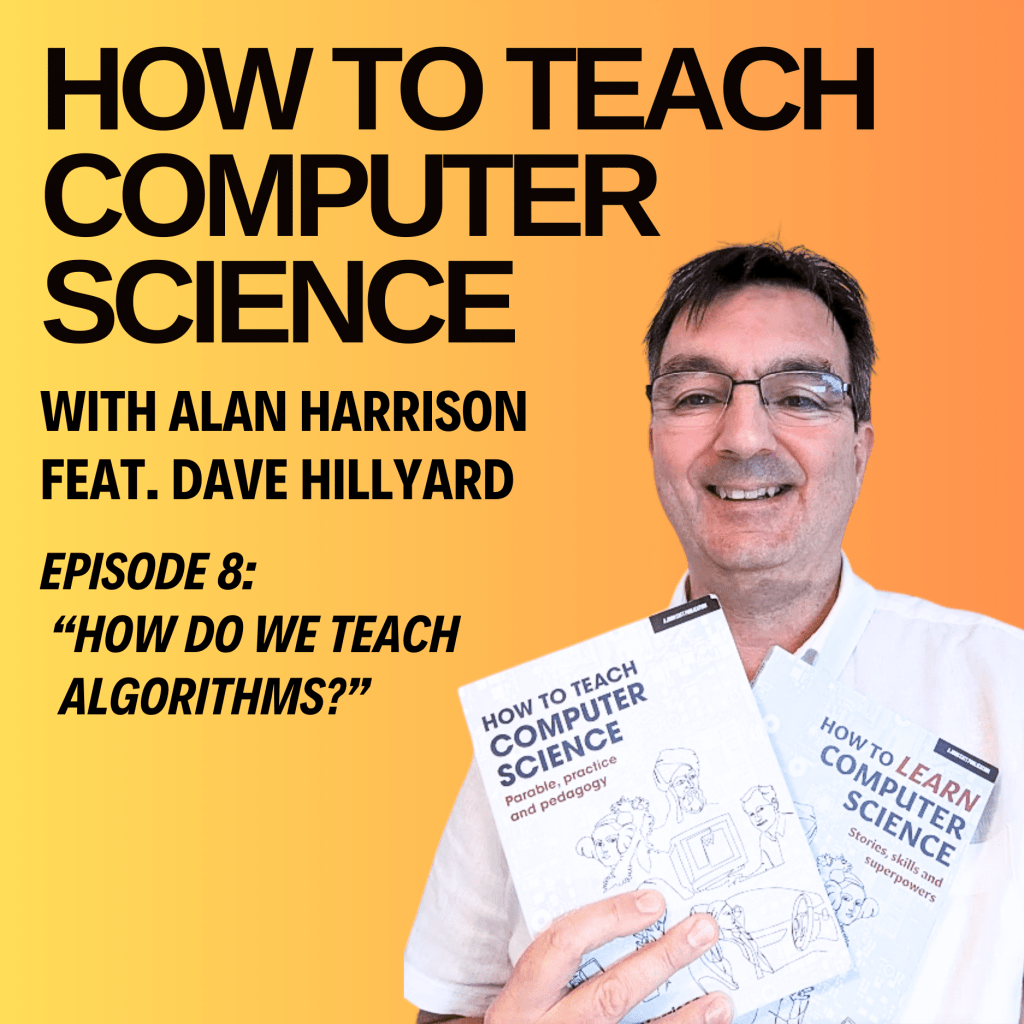
Podcast Episode 8 “How Do We Teach Algorithms?” with Dave Hillyard

Another episode of the podcast is live here

Transcript

 hello. And welcome to how to teach computer science. The podcast. This is episode eight. What is an algorithm, I’ll be answering that question and many more with the help of today’s special guest. 

Dave: Craig’s always like, Dave, say less, say less. 

Alan: Yeah, get to the point. Good grief. You’re a teacher, man. Explain things concisely. 

Dave: The thing is, I don’t know about you, but things fire off in my head. So I’m talking about one thing, but the multi core processor in my head is already processing something else, and I can’t help myself. I have to then talk about the next thing that’s popped in my head. 

If you are grateful for my blog, please buy my books here or buy me a coffee at ko-fi.com/mraharrisoncs, thanks!

Alan: Yeah 

My name’s Alan Harrison, and I wrote the books how to teach computer science and how to learn computer science available in online bookstores. Please do go and buy my books or leave a review. If you’ve already bought them. Details at HTTCS dot online. That’s the initials of how to teach computer science. HTTCS dot online. Oh, so I had a bit of trouble earlier. I’ve got a new laptop and the music app wouldn’t stop playing someone like you. Then I realized it was A Dell. 

How does the CPU get to work? On an instruction cycle. And talking of work? When I was teaching an English teacher, asked me to round up his 28 glue sticks. So I said 30. Never ask a computing teacher for help. After I recovered, he said, can you pop to the stationery store and get me two rolls of sellotape? And if they’ve got glue sticks, get me two more. They had glue sticks. So of course I returned with four rolls of sellotape. Hey, I don’t make the rules. I just follow algorithms. My wife called and said “while you’re at the shops, get some milk and well, I’m banned from the co-op now. 

 We’re talking algorithms today and who better to talk to than the co-author of essential algorithms and data structures, a vital resource for teaching or learning a level computer science. Let’s hear what happened when I met Dave Hilliard.

Alan: I’m delighted to invite onto the podcast today a chap that a lot of you will be familiar with as one half of Craig and Dave. It is, in fact, the Dave half. Welcome to the podcast, Dave Hilliard. 

How are you? 

Dave: I’m good, thanks very much Alan. Thank you for inviting me, it’s a, it’s a real privilege to be a part of this amazing set of pods that you’re producing, I’m listening avidly to them all, I love it. 

Alan: Oh good you’re the one, yeah, you’re the listener. Um, I’m keeping an eye on the stats. I think I’ve had like 600 listeners across the five pods now, which is nice. It’s quite a niche podcast really, isn’t it? Computer science teachers, there aren’t that many of us and there’s fewer every week. 

Dave: It very much is a little bit niche. You’re absolutely right. And it’s a shame really, because you and I are both so passionate about computer science.

and the teaching and learning of computer science. And it just feels like the audience is so small which is a shame. If we were doing silly dances, then we’d have a, a huge audience. 

Alan: Possibly. There’s always the Hungarian dancer videos on YouTube to teach sorting and searching or cert, certing and sorting, as I often say in the classroom.

If you are grateful for my blog, please buy my books here or buy me a coffee at ko-fi.com/mraharrisoncs, thanks!

Dave: The quicksort, certainly, and maybe we’ll get on to that a little bit later because, yeah, the Hungarian dance to teach the quicksort, there’s, there’s some controversy there. 

Alan: Ah, wait, is it not right? Ah, quicksort, don’t get me started on quicksort because The question is, 

Dave: is it a 

Alan: quicksort, 

Dave: you see? people say, oh, that Hungarian dance, that’s not a quicksort.

Alan: Oh, right. I tend to put it on to introduce the topic and I show bubble sort and I don’t bother with all the others. It’s just, oh, sir, put the Hungarian dancers on again. Yeah, I’ll just do the bubble sort one. If anyone’s listening and haven’t got a clue what we’re talking about, just search Hungarian dancers bubble sort or something on YouTube and you’ll find what we’re talking about.

So. That’s the topic for today really is the algorithms topic of the GCSE. So typical content would be computational thinking and then choosing an algorithm for a purpose and interpreting algorithms and then the standard algorithms that we’re talking about, bubble sort and linear search and binary search and stuff like that.

So one of my favorite topics to teach. I don’t know about you, Dave, do you enjoy teaching this topic? 

Dave: I love it. I have to be honest. It’s one of the topics, that I find the students don’t look forward to. They think it’s difficult, algorithms, but I absolutely love it. I, for me, algorithms is like, it’s like art. When I look at an algorithm, it’s like other people, looking at a piece of art and you know you go to a gallery and people stare at this picture on the wall and they’re talking about the emotions and feelings that that piece of artwork is giving them and the messages that it’s sending to the audience and I’m just looking at some daubs of paint, to be honest, and thinking, I’m not really sure what, what in all this.

I can admire the artistry, but I don’t get that emotional connection. Whereas when I see algorithms, as sad as it sounds, I get that feeling. So I get it. I look at the code, I look at the approach and I I get a real appreciation for the efficiency or the inefficiency and those kinds of things. 

Advertisements

Alan: Yeah. No, I’m I’m probably with you on that and if that makes us strange, so be it. We are algorithm geeks, that’s for certain. So, the art of designing an algorithm then, we normally call that computational thinking I’m obsessed with abstraction at the moment. how do we go about getting these concepts across to the learners then? How do we teach abstraction?

Dave: Yeah I like to have a bit of fun in my classroom and thinking about abstraction itself I get my students to make paper airplanes. I say to them today’s lesson is all about making paper airplanes. Come and grab some scrap paper. And I want you to make the best possible paper aeroplane that you can, and then we’re going to fly them across the classroom, and of course it’s absolute chaos, and the students absolutely love it, and I say we’ll get a bit more structure in here, let’s take our paper aeroplanes down to the main hall, and let’s fly them, and let’s see how how far we can fly them and whoever can fly the furthest with their aeroplane, they win.

And the students absolutely love it. And we then break it down and we say, what was important? Did, did you know, did I tell you that what was important is that your paper aeroplane had to travel the furthest? I didn’t tell you that initially, you might have assumed that, but maybe what I was looking for was the best design, the most unique paper aeroplane, the one with the most folds in it, for example.

And so we talk about what’s important. What was important with that paper airplane? And if it is a question of trying to get it to fly the furthest, then what are the characteristics of that paper airplane that make it do that? And is it important if I draw, for example, a cockpit and a pilot on the front?

Is it important if I draw something on the wings to make it look pretty. And so we use paper airplanes as a way of understanding what’s important and what’s not important. And because the students had so much fun with that, when we then say, okay, let’s look at this from an algorithm’s perspective, they’re in tune.

They get it. And they’re happy to learn something a bit deeper because they had some fun initially. 

Alan: Yeah, yeah we, we use that phrase, don’t we? It’s ignoring the, unnecessary detail and focusing on the important detail. And I always, I remember when I first started to teach computer science and I picked up someone else’s resources and we had a photo of a cat, and a cartoon of a cat, and there you go, that’s abstraction. And I remember being just as bewildered as the children at that explanation, because we then went on, probably the next lesson, to write programs, and nobody really explained to me, so I couldn’t explain to the pupils, what the cartoon cat had to do with writing a program. 

Dave: And, and that’s, and you have to start somewhere, don’t you? Yeah. And I, and I think for example, with that cat example, the other thing that I do with students is play catchphrase, right? And say, okay I’m going to put a picture up on the board a little bit at a time, and you’ve got to try and guess what that picture is and you can do it for example, in a number of ways with a picture that’s fully zoomed in. So the pixels are huge and then gradually kind of zoom it, zoom it out. So they start to see the picture. They enjoy that. Or you could have a picture of a cartoon cat, for example. And you’ve taken off the whiskers and you’ve taken off the ears and you gradually put them in one by one and you know you play catchphrase with the with the students they try and guess what that thing is so they understand about details and they understand what’s important and what isn’t but I know what you’re saying then there’s a conceptual leap between that And what it means in computer science, and of course it’s got lots of different meanings in computer science, but if we just pick one, it might be, for example, when you write a program and you save a file, you don’t know where that file is being saved on the computer.

Advertisements

the storage medium. You don’t know, for example, on a solid state drive, whereabouts in the chips was it saved? And it doesn’t matter. And if you don’t have a solid state drive and you have a hard drive instead, how did it move the drive arm to the place where it needed to be in order to write the data onto the platters in the right place?

It doesn’t matter, you didn’t need to know.

Alan: No, I totally get it and I think what I’m explaining there is I didn’t quite understand abstraction when I started to teach and so it’s important that teachers do. One of the examples I give is, is maps of course. We do maps, but to talk about different levels of abstraction you could, put up Google Earth on the board and go, there’s, there’s the earth with Europe there at the top. Is that a map of where we live? And the students will go, yes, that’s a map of where we live. And so you say to them show me how to get to the library then. And you can’t until you zoom in. So you go down a layer of abstraction but how do we get from that to, creating a program or a data structure to solve your problem. How do we make that leap? 

Dave: It’s not straightforward, is it? But one example that I use is the game of snakes and ladders. They’ve all played snakes and ladders, as a child, and you could even play a bit of snakes and ladders to start with in the class if you want to have a bit of fun. I think, you’re hearing here that the message is have a bit of fun. And what you do is you put snakes and ladders on the board and you can have as many counters as you like.

In snakes and ladders, that’s the beauty of it because it doesn’t matter how many players there are in snakes and ladders. Lovely little bit of abstraction there, but what you can then do is say okay, so we’ve got we’ve got a board and we’ve got 100 squares 10 by 10 and And we’re going to put some ladders on there.

We’re going to put some snakes on there. You’re going to have loads of questions about does it matter how many squares there are? Does it matter how many ladders there are? Does it matter how many snakes there are? Does it matter how big the snakes and ladders are? And you can talk about the effect of changing those variables, if you like, on what it is you’re doing.

You haven’t gone anywhere near a program at this stage. And then you can say, okay, let’s think about moving the counters. This is where we get a bit deeper. Because if you’ve got a 10 by 10 grid, then when you get to square 10, you have to go up one and then start going back in the opposite direction. So those of you that know snakes and ladders, hopefully everybody, you start at the square zero in the bottom left, and then you travel sort of nine squares to the To the right.

Then you go up a square and then you travel nine squares to the left and you keep zigzagging up and down. And what I say to the students is, so what data structure could this be? And we start thinking about the relationship between that and a table of numbers and, oh, it looks a lot like a 2D array, doesn’t it?

A lot like a 2D array. I was like, yes, it does, but watch this because programming it with a 2D array is more complicated than it needs to be. What if. We actually unpacked that square into one long line, because at the end of the day, all you’ve got are squares from 0 to 100. So instead of seeing them as 10 by 10, why don’t you see them as 1 by 100?

Now what you’ve got is a 1D array. And that is significantly easier to program with. So I think you have to show the students through examples that they understand, have a little bit of fun, and then unpack those examples to explain to them how something that looks quite difficult could be made easier.

Alan: Absolutely. That’s a good example, and I’ll use that if I need to teach that again. Yeah, so it looks on the face of it like a 2D array. And yeah, what’s important about it is the numbers 1 to 100, and you travel from 1 towards 100, and it doesn’t matter that sort of it’s bent around. 

Dave: You take a step further with that, Alan, and you say, OK how do we represent the ladders then? How can we put snakes and ladders onto this 1D array? And you say because you’re using the indexes to represent the square you’re on from 0 to 99, then what you do is you use the elements or the data of that index to say what it points to. For example, they all have zero, which means all the squares do nothing.

If you are grateful for my blog, please buy my books here or buy me a coffee at ko-fi.com/mraharrisoncs, thanks!

And then you might decide that square 47 takes you to square 2 because it’s a snake. Okay, so you store in element 47 the number 2. So what it tells you is where you’re going and then you do the same thing for the ladders and you can say to the students, so what’s the difference then between a snake and a ladder?

And they conclude there is no difference because ultimately what you’re doing is just storing a number of where one square takes you to another square and I say You see how beautiful this is when you take away the concept of a snake and a ladder and it just becomes a number. That’s abstraction. 

Alan: Yeah, absolutely.

And then what you build on top of that is the algorithm that processes it and the main thing it needs to do is let’s say you roll a dice, so it needs to generate a random dice roll from one to six and move you, and then it needs to read the content of the cell it’s landed on. And then process that and it might have nothing in it, in which case you stay there or you read the number that you then have to move to, which if it’s lower than the current number is obviously a snake back on our board game.

And if it’s higher and then it was a ladder. And so you can play it with just text and you can say, oh, you’ve gone back to. Blah, blah, blah, because you went down a snake. So the program could determine whether that number is lower than the current index and say you’ve gone down a snake, or if that number is higher than the current index, it could say you’ve gone up a ladder and you’ve got a text version of snakes and ladders in barely any code, really.

Dave: Absolutely, absolutely, and that’s the secret right there, because Snakes and Ladders looks on the surface like a difficult program to create for, a GCSE student, for example, but in reality, and I’m talking about creating it from scratch, and they find that really daunting, but in reality, when you break it down with them and you go through those layers of abstraction that you’ve described, what you conclude is you have One array, which is the player’s positions.

On the board, you have another array, which is the board itself, and that’s it. The rest of it is just if statements, yeah. If you happen to be on square a hundred, you’ve won. And so the program is tiny in reality. Mm-Hmm. . And if you then code that with the students, and this is the thing that I, I’ve learned is if you code that with the students and you show them the thinking process as you go through, then they start to realize that the skill here was breaking the problem down. The skill here was understanding that that looks like an array. So let’s. Use an array. So really the art here is teaching the students what those fundamental 

building blocks are and what they can do.

What is An array. What can it do? And then suddenly things become a lot easier. 

Alan: Absolutely. So I, I made a a text adventure program, it’s still on my Repl. it if you go to Mr. A Harrison on Repl. it. And kids around the world stumble upon my text adventure and play it and send me messages and go, hey, I won. But it’s like, it’s a text adventure with about seven rooms, that’s pretty much it. But I wrote it to demonstrate this principle of data abstraction because the rooms are basically in a 2D array.

And separate from the gameplay. And this is important, I think, when you’re designing a program. If you take the snakes and ladders example a bit further, my text adventure game has basically got a list of lists in Python and Each row is a room and it’s just a list of a description of the room, things that are in the room and where you can move to from the room.

And each row is a room. And so I’ve got kids, in year 10 going, all right, and taking my text adventure and adding rooms to it and then wanting to add features like being able to fight is a common one. And so it’s that. Principle of abstraction. Abstracting away the data and then writing an algorithm that matches the data and that’s , basically it. Then you’ve got it cracked. 

You make it sound so easy, Alan. How can it be, you know? 

So, uh, lots of people cleverer than us have done this. And you know what I’m getting onto. One thing I tell my kids is that von Neumann, he of the architecture was the guy invented merge sort ’cause he needed to crunch a lot of numbers when he was calculating well how to build a nuclear weapon unfortunately. How do you get across to kids that these standard algorithms are important and, and, and where did they come from and why do we need to know them, first of all? 

Dave: Yeah, that’s a challenge, uh, so just bring it back to their everyday experience, right? And say to them okay, when you’ve got list of tracks of music that you want to listen to and you want to put them into artist order, for example, how is a computer going to do that? If you’ve got a playlist of music and it to give you the next track, but although you’ve got random selected, you don’t want the chance of hearing the same track again.

Advertisements

So you don’t really want it to be random. How are you going to sort the list of songs that are available so that it puts them in an order that appears random, but you can’t get the same song again until you’ve listened to all the others, if you saw what I mean. 

So I think firstly showing the students examples of where these things are actually required in real life helps to cement why it’s important. Otherwise it’s too abstract. 

Now that we know why we want it, let’s all be songs, right? So what I want you to do is I want you to write down on a piece of paper the name of a song that you like. Alright. One I wouldn’t have heard of, because I, obviously I’m old and my, my music knowledge is uh, you know, stuck in history. So we have a bit of fun.

We have a bit of a laugh about my age and then we say right, okay. Write down the name of a song on a piece of paper, now and we do this in my classroom actually, but if your classroom is not very big, you might have to do it in the hall and say right, okay, I want you to come up and I want you to hold your piece of paper in front of you and you’ve just come up in a random order and I want to sort now these songs into alphabetical order and some students will have written the name of the same song and it doesn’t matter because that gives you a teaching point about sorting data that is the same.

But anyway, so you say we’re going to do this, okay. Let’s do it! And you just get them to do it. You haven’t taught them anything about algorithms. You just say, let’s sort these into order and just watch them do it. And uh, you know, eventually they’ll get there, but it’s a little bit slow. And you say to them right, what was your method?

What were you doing there? Oh, I don’t know. I was just looking at the name of somebody else’s piece of paper and deciding whether I was before them or after them, and so I was putting myself in the right position and looking at somebody else, and we didn’t really do it particularly methodically, but we got there in the right, good, OK.

So firstly, it would be better if this was a little bit more efficient and there was some logic and we were all following the same logic. That would help. The next thing that would help would be if we took some of the good ideas you had in there, like you compared your number to somebody else’s, that’s a good idea.

How can we decide which number you should compare your number to if we’re going to have a little bit more logic? Can you just break that down with them? And eventually you might arrive at an insertion sort or a bubble sort, but you don’t necessarily have to have that preconceived idea as long as you make sure that you focus on an algorithm that’s in the specification and don’t just do a different one and then you can play it out with them and say let’s put a little bit more logic in this, a little bit more logic in this.

And as the teacher, yeah. You’re gradually getting them to that bubble sort or their insertion sort, whichever was most likely the one that they were trying to describe. And they do it and they move it and then you do the algorithm again and you do it again and you say look how efficient it is when we’re all following the same instructions and the same logic and we’re moving just two people at a time.

This is working brilliantly. This, by the way, is called a bubble sort. Okay. So now you know how it works. Let’s get back down to our chairs. Now it’s taken you a whole lesson to do that, but it’s okay. You had some fun and they understand the reasons why. Then you can take the next level and you can say right, now what we’re going to do is I’m going to put some numbers on the board.

And you’re going to come up one by one. I’m going to give you the board pen one by one, and you’re going to come up and you’re going to show me what happens with those sets of numbers just one step at a time. So here’s the board pen, off you go. What are you going to do? I’m going to compare those two numbers.

Good. What are you going to do with them? Oh that one’s less than that one. So what do you need to do? I need to swap them. Good, swap them. Pass the pen to the next person. Come up, do it. Everybody’s watching, everybody’s involved. And then when someone gets stuck, so they’re a bit embarrassed, they’ve got the pen in the hand, they’re at the whiteboard, they can’t quite remember what’s happening next.

The rest of the class are telling them, I’m doing nothing. I’ve just sat back at this point. And the rest of the class say, Oh, you need to swap those two numbers. And they get over the slight embarrassment and they do it. And the more they watch and because they don’t want to be embarrassed, they are watching.

So that when they get to their turn, They know exactly what they’re doing because they don’t want that peer pressure. So I’m using a bit of psychology there. Once you’ve done that, do you know what? It’s easy to take the step of here’s a worksheet. Do that question. 

Alan: And what I take from that is obviously they’re having fun in your classroom, so they want to be there, which is always handy, but you are, you’re using almost a semantic wave explanation there, which is, starting with an algorithm, going down into Low semantic gravity, which is the easy bit of, moving around the classroom and, and sorting yourself and then repacking it into what the concept really is. This was all about algorithms. It was about the bubble sort algorithm. But the bit in the middle. It’s fun and memorable and you can, I find when I do stuff like that, it’s not just yeah, I might have invested a whole lesson in that activity, but I’ll refer back to it for the next six weeks and I’ll go, do you remember when we did this?

And do you remember when you did that? And they will remember because it was a memorable exercise. 

Dave: I think the worst thing that you can do is just stick a PowerPoint on the board and say, today we’re learning the bubble sort. This is how it works. Here’s some numbers. Now you compare the first two numbers. If this one’s less than this one, then swap them over. The students have just switched off. They’re never going to learn algorithms like that. 

Alan: Yeah, absolutely. , So you need a Hungarian dancer video or you get them up doing the Hungarian dance. So go what do I do? I will get playing cards out to teach merge sort and things and it’s quite handy this because if I have just done a test on paper and I’ve got all the test papers in and they’re in random order and it’s handy for me if they’re in alphabetical order when I mark them because then I can just transfer the scores onto my mark sheet.

So I get the kids to sort the pile of test papers they’ve just handed in you. And I get the stopwatch out and go how quickly can you sort my test papers today? And then they’re like, alright, what if we split them up into different piles and and I go, yeah, merge sort that will do, you know,

Dave: Absolutely. So many other things you can spin off from that. ’cause you can say I’ve put the papers into two, and I want to sort that pile and that pile. And you might not be doing a merge sort. You might be doing two independent bubble sorts, for example, but you can say, is that still quicker?

And you can have that whole conversation about, multi core processors and concurrency and, what were the overheads of doing that? We’ve got one pile sorted and we’ve got another pile sorted, but they’re not sorted into one pile. Now, what are we going to do? Other ways of making that more efficient and loads of things.

If you are grateful for my blog, please buy my books here or buy me a coffee at ko-fi.com/mraharrisoncs, thanks!

Alan: Funny you should say, splitting into two piles and then each pile sorted maybe with an insertion sort. You’ve just described the built in sorting algorithm that’s in the Python implementation that we all use. It’s called TimSort after the developer, Tim somebody, I’ve forgotten his name, but it will break down an array into sub lists and insertionsort them and then merge sort them together. It’s a hybrid and a lot of Commercial sorting algorithms are hybrids these days

Dave: they are, and of course you can have that conversation about why would we want to do that, and this is A level, but you’re getting into efficiency and you’re talking about efficiency is also determined by the size of your data set, because guess what? If you only want to sort 10 items, fill your boots with a bubble sort. 

Alan: Absolutely. 

Dave: Because a quicksort will not be more efficient for you, so it’s about the size of the data set. 

Alan: And about the nature of it, how sorted is it, and is it sorted upside down, for instance, and some algorithms are terrible at that. If it’s nearly sorted, a bubble sort is quite quick, it doesn’t have to do very much, but if it’s upside down, a bubble sort is terrible. 

Dave: Absolutely, and even at GCSE you could have discussions about efficiency just with a bubble sort in the ways that you’ve described and even at a code level you can say what if you code the bubble sort with two for loops instead of a while loop and a for loop?

What would be the impact of that? And I would probably only do that with my most able students, the ones that, had a love of algorithms and they were really keen to learn and were going to go on to A level. I wouldn’t do it with everybody, but you can do that. You can go there. Even with simple algorithms, you can say what would happen if 

Alan: Yeah the thing is, last summer OCR did ask a question about the nature of the loops in an insertion sort, didn’t they?

And the question was, I think, I should know this because I marked it for OCR, Why is the inner loop a while loop in an insertion sort? And. And that was, that did, let’s say did stump a lot of candidates and that was a tricky one because I think it, I don’t think OCR had asked a question that deep about sorting algorithms for some years.

Dave: No, it catches people out because in the specifications obviously it just says searching and sorting algorithms, bubble sort, insertion sort, and so you teach the algorithms, but. You don’t think about what’s the depth I need to teach us about, the implications of changing this and changing that.

So it can catch you out very easily. Another nice little activity is to just give them the code and say this is. The code for the algorithm that we’ve been having a bit of fun with. But we’re going to see how efficient it really is. So here’s a line of code that’s going to create an array of a million random numbers.

Okay, we’ll do that. I’ll give you that code. And then What I want us to do is I put a little counter variable in there. So every time it has to check something, it’s going to add one to a counter. So let’s just put that in then let’s run the program and actually see how many checks it made.

And they run the program and it made several thousand checks. Brilliant. Run it again. Several thousand checks, but they’ll notice that the might be different because as you say the nature of the data sets and if it was a random number or we can then sort the random numbers which you can do very easily in Python in one command.

So they can see the effect on the changing data set on the algorithm without actually having to do anything other than insert a single line of code. And I get mine to then for example, plot results on a chart in Excel. So I say here’s the code for the bubble sort. Here’s the code for the quick sort.

Again, this is A level. What I want you to do is create a data set of, of. Random numbers or ordered numbers, whatever, and then I want you to plot the efficiency on a chart for me, and so you conclude, you can conclude which is more efficient just by running the algorithms, and they really enjoy that.

Alan: Yeah, I’ve done that before. Yeah, so you you basically you’re wrapping the call to bubble sort or whatever in another loop and passing to it different sized arrays. Maybe a growing sized array from 10 to however many you feel your computer can deal with. If you’re running it locally, you’re alright. I’ve done this on Repl.

it Before and then I get kicked off, don’t I? Because I’ve used all my cycles for the free free account on repl. it. So yeah, you can if you’ve got a class that you think are capable of grasping that, then you can get them to, really measure the efficiency. Of algorithms and compare them. And I take it 

Dave: Alan, I take it to the extremes as well, because I just love having fun with this stuff.

And I so I say to my students so we’ve studied the serious ones, right? If you call a bubble sort serious, but we’ve argued why it could be, right? Let me show you something really crazy. And I showed them the BOGO sort and the BOZO sort and I’m like, check this out guys, and you’ve got to be careful with that because the trouble with having fun is that sometimes the students latch onto and remember the bits that were not important.

Coming back to abstraction, they remember the things that are not important because they were funny. So you’ve got to be a bit careful with that. Yeah, with the right class it really works. 

Alan: I was talking to Andy Colley a couple of weeks ago, and he likes to show his students the most ridiculous user interface competition every year. And these things, even though they’re bonkers, and obviously they’re designed by crazy geeks with a geeky sense of humor, rather like us, they do demonstrate some of the principles that we need to talk about. What’s the best way to understand efficiency? We’re probably writing the least efficient. code you could possibly write to demonstrate how bad it could be.

Dave: I say to my A level students as a bit of work, for outside the classroom that senior leaders like them to engage with, I say You need to contribute to my ministry of silly algorithms.

Yes. 

So I want you to create a silly algorithm. I’m not going to define for you what silly really means. You need to deliver a silly algorithm. That’s good fun. 

If you are grateful for my blog, please buy my books here or buy me a coffee at ko-fi.com/mraharrisoncs, thanks!

Alan: Absolutely. Well, What I haven’t done, Dave, and it’s only fair seeing as you’re giving me your time for free. I don’t, we, we have agreed that this is free, haven’t we?

Um, um, I haven’t asked you, what’s new in the land of Craig and Dave these days, Dave? 

Dave: What’s new in the land of Craig and Dave? So we’ve got a video series on YouTube. From David Morgan, the lesson hacker. 

Alan: Oh yes, loving them. 

Dave: Yeah, so every week he’s taking a current affair in computing and trying to present it in five minutes in a fun and engaging way for young people. And then in the video description I’m creating, and I stole this idea from you Alan, I’m creating fertile questions in the video description so that teachers can use them to have discussions with their class. about the current affair in computing, but related to the specification. So that’s good, that’s happening.

Alan: Can I just say at that point, can I just give a hat tip to William Lau, who put Fertile Questions in his book five, six, seven years ago, and also Mark Enser, who wrote a blog for TES on it. That’s where I got it from, it wasn’t my idea, but thank you for picking that up. 

Dave: Yeah, and SmartRevise just goes from strength to strength. There’ll be loads of new features coming out for that this year. So we’re spread thinly. We’ve got lots of other things that we would like to do. 

But thank you for inviting me onto your podcast. I think the final thing I would say is that your book is great. How to teach computer science, I think, is excellent for teachers. How to learn computer science, I think, is essential reading for all students, and my recommendation would be get a class set, and I’m not just saying this because you’re the author, I genuinely mean it. Get a class set of these books, hand them out, that is your background reading.

Alan: That’s very kind of you to say.

Dave: If at A level you have to do scholarship work, you know, this work outside of the lessons, I’ll tell you what you should do. You should get the students to read a chapter at a certain period of time in the year and get them to present to the class something about that chapter.

And at a very basic level, it could just be a bullet point summary. At a more advanced level, it could be looking into the most recent bits of research or development in that area of study and anything in between really, but use that book as a way of engaging in the subject beyond the specification in a meaningful way.

Alan: No, that’s great. Thanks for the the support and listeners probably don’t know if they haven’t got the book that you did help a lot with that, Dave. Thank you. The, the how to learn book and thanks for basically proofreading it and writing a foreword for it because it was very kind of you. So yeah the other thing I wanted to pick up is You said you’ve listened to the previous podcasts. I just wondered what your reaction was to the story that I revealed to Harry and Anna last week. I can’t, I don’t think I’ve told you this, but I did get asked in the classroom, when we did that unscripted video together a couple of years ago, , and , my class at the time were very, Excited about this, about me doing a collab with Craig and Dave, as they called it.

Um, And they asked me questions about you. And one of the questions was, are Craig and Dave married, And, and of course I nodded along and went, yes, I think they are. And, and that caused a lot of consternation. Did you hear that last week? 

Dave: I did. And and when you said the word collab in a kind of Slightly awkward way as I just did then. 

Alan: I’m down with the kids. 

Dave: I know you are. I noticed Harry’s little snigger at that point and I thought, yeah, that says everything to me. But yeah, people used to think that we were just the same person because all they heard was our voices on the YouTube videos. And actually on a video Craig’s voice and my voice sounded quite similar And so the students were convinced that we were just one person for a long period of time then of course once we revealed our faces, the rumour mill then went into, Oh, they must be partners. They must be together. Uh, No. Craig’s married to someone called Sam and I’m married to someone called Carol. 

Alan: Okay. Well, I’m glad we cleared that up. Um, Good stuff. . Smart revise you mentioned. I’ve used it for ages it just keeps getting better. And you know it’s quite affordable. I wouldn’t teach without it. I do sound like an advert, but I couldn’t. I couldn’t teach GCSE and A level computer science without it these days, so go and check that out. That’s all the plugs for one day, I think.

Dave: I think so enough of that. 

Alan: Enough, so it’s been lovely to talk to you. I’m just looking at our list here.

Oh, misconceptions. So just briefly then. while we’re on algorithms and computational thinking and so on, what misconceptions, do you see happening? 

Dave: Yeah, I think one of the biggest ones for me, and it seems to catch teachers out as well, is the idea that when you’ve got an array, that the first index is always either the X or the Y when you look at a table of data. So is the first index the column or is it the row?

And it doesn’t matter. As long as you are consistent. It doesn’t matter whether it’s X comma Y or Y comma x, but it seems to catch everybody out I that the first one must be the row, or the first one must be the column. 

Alan: I think it comes from Python learning, Python, which doesn’t really have arrays and populating a list of lists in Python. In the top of your code necessarily means you do it one way, not the other. And so you do students equals open square bracket. Then you open the second square bracket and do Dave comma computer science or whatever. Close the square bracket and so your students will be in rows in that list of lists in Python.

And so the first index would be a row I do try and fix this one so I will take that code and just order it differently so the student names are all across the top row and the data is on the next row and so on because there’s no reason why you wouldn’t do it that way.

Dave: The other misconception, coming back to algorithms, is the misconception that, for example, a binary search must always be better than a linear search. No, because if the item you’re looking for is the first item, in the data structure, then a linear search will, in that case, always outperform the binary search.

So that’s a misconception. And then leading on from that, the misconception that a linear search has to start from index zero. It could start in the opposite direction. And in fact, there is a version of the linear search that actually looks from both directions at the same time. There’s a misconception in computer science that there is a way of doing things.

Advertisements

Alan: Yeah. 

Dave: And there isn’t. There are multiple ways of doing the same thing. It’s just some are better than others and some are better than others in different situations and it gets confusing. 

Alan: So a standard algorithm is really a broad Concept, it’s a, it’s more like a family of algorithms that follow a certain pattern.

And the other thing that people ask me all the time is, when you do a binary search and you find the midpoint, do you have to go up or down if there’s an even number of. And I say do whatever, either way, but to code it, normally you’re going to use floor division, aren’t you? And go down, but it doesn’t actually matter because you’re going to find the item.

The only difference might be one or more fewer comparisons in one direction than the other, but that will all even out when you’ve got a million items to search that doesn’t actually matter. 

Dave: Yeah, the other misconception is that in maths they might get taught, for example, the Hoare method of a quicksort at A level, and then in your class you teach them the Hungarian method. And they’re different and they say quicksort and you say no it’s a variation of a quicksort because you’ve also got the Lomuto method. And those are just three methods and you know what actually current research into quicksorts that are using multiple pivots and not just one. There are actually hundreds of quicksort algorithms.

And as soon as teachers and students realize that it’s eye opening that there is no right answer. And I think the thing that fascinates me the most at the moment is that the research in this area hasn’t stopped just because we’ve got these standard algorithms and we’re teaching bubble sorts and insertion sorts and quicksorts. There’s an assumption. And a misconception that the research has stopped. No, it hasn’t. And actually in quantum computing there’s active research right now in turning some of these searching algorithms into even more efficient algorithms than we’ve got at the moment. 

Alan: Absolutely. If you are teaching A level, there are multiple Quicksort implementations. Learn one and make sure you can explain it really well and then tell your pupils that they might encounter other ones, but the basic principle of choosing a pivot and moving things either side of the pivot and then repeating that, Usually recursively, that’s a quicksort, but it can be implemented many different ways.

Dave: So you’ve done exam marking Alan, perhaps you can clear something up for us as well. Because there are so many different methods that you could take with some of these algorithms, the mark scheme will show a method, perhaps the most Obvious method that the exam board would perhaps like you to teach to avoid any confusion.

But what if a student actually gives their answer using a different but same family of algorithms? So for example, the mark scheme’s got a horror approach to a quicksort, but you see a Lamutu version as an examiner and you recognize that as a valid quicksort. What do you do? 

Alan: I think so. First of all, I’ve only marked GCSE papers, but I’ve had the OCR training, yes, a valid implementation that answers the question will be given the marks. I think there’s quite a lot of leeway there. So if it solves the problem, that’s basically what we’re looking for. 

Dave: And that’s the other misconception in teaching at the moment, that the mark scheme is the answer. 

Alan: Yeah, yeah, it’s a tricky one. So I do support a lot of teachers, in my other jobs, I work as a PDL, a professional development lead for the NCCE, and I deliver training and so on.

And I do encounter this, and so if, The teachers listening to this, please try to understand the concepts that you’re teaching rather than teach for the surface level of understanding of passing the exam. That is, in that sentence, is like a whole lifetime of learning, but it is really important that, it’s why I wrote the books I wanted to get these, Conceptual understandings of computer science across to teachers and pupils rather than just, oh, trying to pass exams. 

So, Yeah well, that was, that was brilliant. Thank you Dave for coming on and yeah, I knew, I knew we’d have a good chat about algorithms because you did, you wrote the book on it, talking of books, the, the, algorithms book available from craiganddave. org as well. So, um, So that was really good. So, uh, have you got any plans for Easter? 

Dave: Um, no, if I’m 100 percent honest with you, I’m not sure I’ve thought that far ahead. Thinking ahead, oh 

Alan: dear! Thinking ahead! 

Dave: I’ve got to be honest, OK, because the community out there probably now thinking how Dave lives such a sad life. He’s there looking at algorithms as if they’re art and he’s got nothing planned for Easter. I did. in the February half term go to Jamaica, we had our sort of Easter break in, February. 

Alan: Nice. . Well, we are tomorrow going to London to see Moulin Rouge, the musical. 

Dave: The West end’s phenomenal, isn’t it? An amazing experience. 

Alan: Yeah. Haven’t seen the musical yet. Love the film. Yeah. So looking forward to that. There’s another abstraction. How do you produce a film on stage? You know, how do you produce a book or a play on stage? Because you’ve got to abstract everything down to what will fit into the area of the stage. . This is me. All I could ever think of these days is abstraction. I was talking about Lord of the Rings with other Lord of the Rings fans recently, and we agreed that it was about the best series of movies that could be made from that book, but it was always going to fall desperately short because, I read Lord of the Rings and it probably took me, let’s say 30 hours. How can you make even nine hours of film out of what takes you 30 hours to read and even a minute’s reading could be an hour’s worth of movie .

Dave: The director has to decide what’s important and what’s not important at the end of the day. Which is a form of abstraction. There’s another example you 

Alan: Um, Well, we got onto abstraction in movies and everything then, , just as I was winding up. So I think now I do have to wind up and it’s been lovely to talk to you, Dave. And no doubt, I’ll ask you back on to talk about something else in the future but thank you very much for coming on. 

Dave: Thank you. It’s, uh, it’s been an honour. Thanks, Alan. 

Alan: You’re welcome. 

Dave: All right then, mate. Anyway, enjoy. Thanks, Alan. Bye. Cheers, mate. Bye. 

That was another epic. I’m off now to drink 32 pints of milk. And read about the latest advances in computing. Because I’m just as much of a geek as Dave. Quantum computing scares me though. Apparently you can store information, not as binary digits or bits, but in quantum bits called cubits. What do I know about cubits? Very little.

 How do you make a computing teacher happy? Give him arrays. Thanks to Andy Colley for that one, I did think he was going to say, don’t get his backup. but no it’s give him arrays. We don’t need much, just a bit more cache. Quick reminder that I don’t have any sponsors only you lovely people. So please. Go to my website, HTTCS to online and find out how to donate a little bit of cash. Buy me a coffee for three quid. That’d be very kind review my books on Amazon. You can use the discount code. HTTCS pod that’s HTTCSPOD on the website for the book, Johncattbookshop.com. That’s the publisher’s website, JohnCattBookshop.com. And you will get 20% off everything. Don’t forget there’s books by me, but also Mary Myatt, Tom Sherrington, Adam Boxer. And many, many more brilliant people. I will see you next week on the pod.

And until then have a good one.

If you are grateful for my blog, please buy my books here or buy me a coffee at ko-fi.com/mraharrisoncs, thanks!
Categories
Uncategorized

Podcast Episode 3: What do Braille and Burger Emojis have in common?

The transcript of episode 3 of my podcast is here!

Transcript:

 Welcome to how to teach computer science, the podcast. This is episode three. and we’ll start with a fertile question. What have Braylin burger emojis got in common. I’ll be answering that question and many more with the help of today’s special guest. 

If you are grateful for my blog, please buy my books here or buy me a coffee at ko-fi.com/mraharrisoncs, thanks!

 One of my old lecturers asked me what I thought for me epitomizes computer science. And at the time I said algorithms then went home and I thought about it, actually I thought no, it’s data representation isn’t it? Because it links everything together. 

More on that at the moment. My name is Alan Harrison, and I wrote the books how to teach computer science and how to learn computer science available in online bookstores, more details at the companion website. HTTCS dot online. That’s the initials of how to teach computer science.online. If you like this content, please subscribe. Tell your friends, buy my books. Leave a review or buy me a coffee. details at HTTCS dot online. 

Every week, I’ll transcribe this recording and blog it at HTTCS to online slash blogs. So, if you don’t like my voice let’s begin to answer our fertile question. What have Braille and burger emojis got in common? Let’s start our story over in Paris, not far from where Disneyland Paris now stands, in the town of Coupvray, in the leather workshop of La Famille Braille.
 

Louis Braille injured an eye in his father’s leather workshop at the age of three, and the resulting infection caused him to go blind in both eyes by five. At age 10, he obtained a scholarship to the Paris Institute for Blind Children. which at the time used a system of raised letters. Braille found the system hard to learn and when he was shown a system of raised dots used by the military to communicate at night, he took it and improved upon it using just six dots to represent all the letters of the alphabet, plus numbers and some punctuation symbols.

Each dot is raised or flat and a blank space, effectively six flat dots separates words and sentences. In this way, the grid of six dots could represent two to the power of six or 64 different characters. Braille is therefore a binary code for representing text. If we ordered the dots as Braille did from one at the top left, finishing with six at the lower right, then each of the Braille codes can just as easily be written out as a sequence of bumps and flats.

So A is bump, flat, flat, flat, flat, flat. And H is flat, bump, bump, bump, flat, flat. Replacing bump with one and flat with zero we can write A as 100000, and H as 011100, We can now write any text using just two digits, zero and one. Braille has created a binary code to represent text, and electronic computers have not yet been invented. 

Fast forward to 1961, when IBM engineer Bob Bemer proposed a single code for computer communication and two years later announced the American Standard Code for Information Interchange or ASCII. ASCII is a lookup table that translates letters and punctuation marks to numeric codes. A character set thus enables the storage and processing of text by a digital computer, which also means data created on one computer can be processed by another computer.

Advertisements

Originally a 7 bit code representing only 128 unique symbols, international popularity demanded more characters. Various 8 bit versions, often called extended ASCII, were popular in the 1970s and 1980s, with an 8 bit standard emerging in 1987. Computer makers standardized on 8 bit bytes in the early 1970s, so the extended ASCII character set made perfect sense.

But the 256 different bit patterns available from 8 bits were not enough for languages such as arabic, Chinese and Japanese and the Unicode standard was inaugurated in 1991. Originally a 16 bit code giving over 65 000 characters, a later version called UTF 8 allows up to 32 bits per character, which has given room for all modern languages.

Unicode opened up the internet to non English speaking peoples who had previously been forced to work in European languages. And in that sense, the Universal Character Set was an important leveller. As Unicode consortium lawyer Andy Updegrove put it in a 2015 interview, 

“Without [Unicode] we would be stuck in an upgraded example of a colonial world, where historically first world nations continue to force their cultures and rules on emerging nations and their peoples.”

Advertisements

So why does all that link braille and burger emojis? Well in each case real world information has been encoded into binary. Braille is a 6 bit binary code, and emojis are part of the Unicode 32 bit standard. This is all part of the computer science topic of data representation. At the heart of this topic is the idea that if we can turn information into binary data, we can use a computer to process it. 

Digital computers process binary numbers because they use two state electrical signals. The challenge is therefore to find a transformation from real world information to binary. This transformation is called encoding, and it makes use of a code. ASCII and Unicode are used to encode text. JPEG, GIF, and PNG do the same for bitmap images, and WAV, MP3, and AAC encode digital sound as predicted by a brilliant young mathematician, more than a hundred years ago. 

“[The Analytical Engine] might act upon other things besides number, were objects found whose mutual fundamental relations could be expressed by those of the abstract science of operations, and which should be also susceptible of adaptations to the action of the operating notation and mechanism of the engine. Supposing, for instance, that the fundamental relations of pitched sounds in the science of harmony and of musical composition were susceptible of such expression and adaptations, the engine might compose elaborate and scientific pieces of music of any degree of complexity or extent.”

Ada Lovelace, 1843

But it’s important to realize that there are virtually limitless ways of encoding information, and these are just the techniques that are widely used owing to their effectiveness, or official recognition, or both. That’s really the fundamentals of data representation covered. The most important concept is we need a way of encoding information as binary, and then we’ve cracked it.  You can read more about data representation in my book, How to Teach Computer Science. 

 I am delighted to say it’s not just me rambling on today because I have a special guest in the studio today hello to the man behind advanced-ict.Info welcome, Andrew Virnuls. How are you, sir? 

Very well, thank you.

Good to have you on the podcast. So you were listening to all that, was that a reasonable intro to data representation? 

It was, and it made me think that that idea of the combinations is also an important idea, isn’t it, across computer science from things like, how many rows you got in your truth table, to the width of your data bus, to colour depth, and in fact the way that you can actually make a binary counter using nested loops as well. 

Yeah, absolutely. Can you just tell us where you work and what you do, Andrew, for the listeners? 

So, I am lead teacher and computing specialist for a service in Warwickshire, local authority service for children out of school for medical reasons. So, effectively like a hospital school, but Warwickshire hasn’t really got a hospital. it’s interesting. It’s got some challenges. So we get students from schools all over the county with a variety of, , backgrounds and prior learning, and all doing different courses, possibly, and some having learned different programming languages.

That sounds really fascinating. I mean, There’s a lot of teachers listening, thinking, well, I’ve got quite a diverse bunch of classes in my school and then, and then there’s you with 

well, yeah, in the same class a couple years ago, I had students doing three different boards in computer science, most of them doing Python, but one of them doing visual Basic, which made demonstrations of programming techniques quite interesting. Luckily, the theory is quite similar, actually, between the GCSEs these days. 

Yeah, no, that’s true. And you’ve got a website. Let me get the address. Right, advanced-ict.Info, otherwise known as computing and ICT in a nutshell. That’s you, isn’t it? 

That’s right. It used to be called ICT in a nutshell because I created it back in the ICT days. And it started off with the databases section because I used to find every year the A level ICT students would ask me the same questions about, you know, normalizing their access databases.

But I’ve added the computing stuff over the years. I did, I did toy with the idea of. Changing the domain name but I thought, well, actually, you know, I think like BMW still use the propeller, even though they don’t make aeroplanes anymore, don’t they? Oh, that’s a good 

point. Yeah. No, I have used, I’ve used your website in the classroom. A number of times, there’s some really useful stuff on there. I like the bitmap generator thing to demonstrate things like bit depth and number of colors relationship. And, and we were talking about the sound wave one recently, and you’ve improved it after conversations with me. I think sampling the sine wave I think that’s really useful.

There’s some great stuff on there. So the metadata one was the interesting one because we were talking about misconceptions and I suppose it’s not quite a misconception, but I found that the students didn’t really remember what metadata was for. So I added that you could upload a picture and basically it shows the pixels but just arranged into a square, so you have to kind of rearrange them into the right width and height to reconstruct the picture. So knowing the colors of the pixels isn’t enough to reconstruct the picture. You need to know how they’re arranged as well. Yeah, 

I like it. I like it. made a note that I wanted to talk about today the parallels across different file types. You know how things like bit depth is the same principle in JPEG images as it is in digital audio. So the number of bits in a sample is the same concept, no matter what sort of file you’re in.

Advertisements

Yeah, so yeah, the other thing I think about image representation is there’s obviously different types of things. One of the things I’m never sure about with GCSE, for example, is what we do about palette based file formats like GIF, because it was an interesting question a few years ago, and it was one of those true or false tables, and one of the statements was the color for the pixel is stored in metadata, and I thought, oh what if the actual colours are in the palette, which is presumably the metadata?

Yeah, that’s a statement that could easily be misinterpreted, couldn’t it? And I think I’ve seen questions like that, exam questions asking where the the colors are stored, and I guess there’s a difference between the color of a pixel and the colors in the palette. So I guess the palette needs to be stored somewhere, and that would be in metadata.

Yeah so all of this stuff, so. WAVs or JPEGs or PNGs. Underneath, it’s just binary noughts and ones. So somewhere in data representation, when you’re teaching it, you have to teach binary. So how, big question, how do you teach binary? 

Well, what I tend to do is first of all, say everything’s stored as a number and then say the numbers are stored as binary. And I don’t know whether I’m getting better at explaining binary. or just whether students have more exposure to it but find as time goes on they seem to struggle less with it because if you look on my website there’s a number base abacus which I used to use quite regularly and I say well you know this is it with tens and hundreds and things and you would Slide the beads across to represent certain numbers then say what would happen if you only had one bead on each row and could we make a number that way and then say well basically you take that abacus you turn it on its side and those are your columns and you know those are the same as the binary digits but actually I tend to find I don’t need to do that now I can jump straight to the noughts and ones and they they seem to get it.

That’s interesting I mean I guess our colleagues down in primary are teaching this now, so it’s it’s good to know that it’s coming through. I like what you said about the abacus and if an abacus only had sort of one bead, I always try to explain binary as just a place value number system in the same way that denary or decimal is and I’m at great pains to go back and forth between decimal and binary and to reinforce the notion of place value because it’s just a different number base, but the numbers work exactly the same way as decimal. So I go over that place value thing over and over again. I think that’s very important to say and in fact I start off by saying actually if you want to communicate a number, say four, what’s all the different ways we could write that down?

We could write it in roman numerals or tally and binary is just a different way of writing it down effectively. But actually the first slide of the presentation that I use, because I know PowerPoint’s a bit out of fashion, I teach mainly online, I don’t know if the listeners know that, so we have to have something that they can see.

Trust me, PowerPoint is not going anytime soon, but I know exactly what you mean. I teach a lot less on PowerPoints now, but yeah, sometimes you need them. Sorry, 

carry on. So my first slide is literally just a reminder of how denary works, because I think that when you use something so often, you tend to stop thinking about how it works.

So I’ll show them why it’s based on tens, and the fact, you know, as you move across, the place value increases by a factor of 10. And in each position, you can have one of 10 possible digits. And then I repeat that slide when we look at binary, and I use the same slide, I just replace the word ten with two and then replace the word two with 16, but and then I also show them other things.

So in the same way that 99 is one less than 100. So effectively the largest value you can have in a given number of digits is one less than the first unused column in that 111. You could say, well, that’s four plus two plus one, or it’s one less than eight, which is the first empty column. 

And then also the shifting idea. So if you move numbers one place to the left. They get 10 times bigger, if you do it with binary, they double. So it’s about making it appear consistent. I think that’s the, that’s the thing for me. 

If you are grateful for my blog, please buy my books here or buy me a coffee at ko-fi.com/mraharrisoncs, thanks!

So I said in my intro to the podcast that if we can turn information into binary data, we can use a computer to process it. And I called that encoding. So we just need a different encoding method for different types of data. So ASCII and Unicode are a way of encoding text, how do you go about teaching ASCII and Unicode in the classroom?

Well, I just, start off with everything that needs to be stored as a number. So how do you think we can, how can we store text? And actually. That’s probably the most straightforward of all of them in terms of the students being able to understand. So I just show them an ASCII table and say, look, everything’s got its own number.

Sometimes they struggle with the idea that uppercase letters and lowercase letters are different, but I point out that that’s actually why, if you write in your Python program and you say, you know, do you want to continue y or n and they put a capital Y, that’s why it doesn’t recognize it. Whereas Google doesn’t care or Access or Excel tend not to care in their searches because actually it’s checking the aSCII values. And similarly, when you sort things into order obviously letters are, in alphabetical order, but also things like punctuation marks and stuff get sorted into that order as well, presumably based on the ASCII value of, those symbols.

Yeah, no, that’s a good point, and I hadn’t really thought of mentioning things like sorting in algorithms at this point when teaching ASCII, but it’s a good link to make. So if we can get things into numbers, we can process them.

So, Images. Thinking of JPEG and so on, this is one of my favourite topics to teach. Do you get the graph paper grids out and get them to colour in? Do you do colouring in when you’re teaching images, Andrew? 

I don’t because I don’t physically see a lot of our students, but I have, there is a, there is a page on my website where they can click and color in the dots. And I do explain that like, like knitting patterns as well. You can kind of knit things with different color stitches or cross stitch that might be familiar with. Yeah, 

So there’s a story in the book. Did I mention I wrote a book? There’s a story in the book about the woman who created the first icons for the Apple Macintosh, and she was a cross stitcher. Susan Kare, and she was hired to create some striking fonts and icons for the Apple Macintosh. So it’s her fault you’ve got the bomb emoji and things on a, on a Mac. But she was a cross stitcher and so it was exactly the same principle of creating images with just a grid of pixels. 

It’s interesting that idea as well. You know, people say, why do you need to know this? But I think it kind of demystifies the process of editing images and things. And that’s why I created the page on my website where you can upload a photo and it pulls out the numbers of, you know, the amount of red, green, and blue, and you can add or subtract from those numbers and see the impact on the image, and then you realize, like, Photoshop’s really just arithmetic. 

But then once you start thinking about how things are stored, so one of the things I say to the students is basically, But Computers only deal with numbers so if you want to store a new type of information you need to think about how you can measure and store that as a number and I used to give the example of smell for example so you know something unfamiliar you need to think about how you do that and then about two or three weeks ago my wife was reading the news one evening and she said oh Apparently there’s this new screen where you can lick it and you can taste what’s being displayed and my first thought was obviously but I hope it’s a personal device

But secondly was, I thought, well, how does that work? I said, could you, could you make a flavor? By mixing together amounts of, you know, saltiness and sourness and bitterness and umami. And she went, yes, that’s exactly how it works. How did you know? And I suppose it’s that computer scientist mindset, isn’t it, of how you store stuff? How would you do that? And again, it’s the same principle that we’ve been talking about today, data representation. And yeah, just turning that information, in this case a taste or a smell, into numbers. I’m sure I’ve read somewhere about, not taste, but smell generators that they’ve been experimenting with that you can pass digital data to and a smell will come out.

But I’m kind of hoping that they, that stays on the drawing board, because imagine, imagine pranking your friends with that if they had a, smellable monitor that’d be fun. I like it when students ask questions and it doesn’t often happen. I just live for the day when I explain binary to a Key Stage 3 class and somebody puts their hand up and says, but you’ve only mentioned positive whole numbers. You know, what about fractions or what about negative numbers? But I did get a question the other day. I was doing representation and I talked about ASCII and a lad said, So if you want to store a whole sentence, do you add up the numbers? Oh. So I thought that that’s, that’s an interesting. Well, not misconception necessarily, but a thought of how, how it might be done.

And I’m wondering the reason that nobody’s ever asked that before. We have a quite a high turnover of students and sometimes I repeat lessons from earlier in the year if the class has changed. And so normally I do firstly representation, everything stored as a number, and then we do binary and I include things like binary flags. So, you know if you number stuff 1, 2, 4, 8, you can have unique combinations of those. And I think we’d done that the week before. So it was a slightly different sequence. So we, I suppose he’d seen me adding numbers together that represent different things, and then he’d, he’d made the leap to the ASCII, which is interesting.

So it made me wonder whether actually the order is more important than I thought it was. I thought in my head, storing everything as a number and then numbers are binary was the logical way to do it. But whether that actually has an impact on the learning, 

I’m still thinking about that. And I’d love that question to be asked of me in the classroom as well, because I’m just I’m whirring away in my head there thinking what I could do with that question. It’s great when the kids ask those questions. The answer is, of course, no, but It’s, I could lead on to hashing and check sums.

 It’s a check sum, isn’t it? So, Mm-Hmm. We could talk about the problem of transmitting data with integrity and the idea that you could send the whole ASCII sentence, but you could also add up all the ASCII values and send the total. Yeah, and we do a bit of parity as well you know. 

Yeah, and it’s a bit like parity. So, so you could explore those things with that question, but I’m totally with you. Students asking questions is the best thing to happen in your classroom, and I wish it would happen more. 

And sometimes they ask things I’d never thought of myself. So last year I was with a GCSE class, we’d done adding binary and this lad said, oh, can you, can you multiply binary in the same way? Now, I’ve, I’ve been doing computer science for like 40 years and I’d never thought, thought of that. So we did it on the board exactly as you would do with binary numbers. So adding the zero and, and it worked. And I thought, oh yeah, I don’t know why I’d not thought of that myself.

Yeah, why wouldn’t it work? Because again, it’s just a place value number system. So yeah, but it’s not something you do a lot. I had a question in the class popped into Andy Colley’s classroom earlier in the week. And he’ll be on the podcast next week, and he was doing a little bit of programming at the end of the lesson, and I like the idea of doing a little bit of programming at the end of every lesson, which is what Andy does, and it was his year 10 class, and we were talking, I don’t know how we got on to it, but.

Oh yeah, some website had a rounding error on it, and I said, oh, just do this. 0. 1 times 3 in the Python shell. 0. 1 times 3 in the Python shell, and it came up 0. 30000006 or something, so a binary rounding error, and we got on to why that works, and suddenly year 10 are being taught binary fractions, and getting it, you know, and it was a fun diversion.

 Oh, that sound means it’s competition time. In episode one, I asked you to promote the pod on your socials and someone who did just that is Mrs. Bowen, AKA. Tech craft girl on Twitter. who wins a copy of how to teach computer science. In episode two, I set a riddle and let’s hear a sneak preview of next week’s episode to hear the solution. 

I just wondered if you had an answer to my riddle last week. So if I made a binary worksheet, Andy, and accidentally guillotined off the right hand edge, it wasn’t really important. Why was that? 

The right hand edge, not really a significant bit, is it? Yeah, 

there you go. , I’ve just cut off the least significant bit of all my binary numbers. 

 Well as Andy Colley on next week’s episode with the answer, on the socials, the first correct answer was from Mr. Pete Dring, who wins a book and I’ll be getting Pete on the pod sometime soon. 

This week’s competition is back to shameless self promotion. If you have one of my books, you can enter the prize draw. If you review it on Amazon, the prize is the other book if you don’t have it, or if you have both books well done you, thank you for supporting my work, you can have some lovely merch an HTTCS mouse mat, mug and pen can be yours. Plus a shout out on the podcast in a couple of weeks. So give me a review on Amazon and win a prize. Amazon links are at httcs.online/books. 

 So let’s get back to today’s discussion with Andrew Virnuls. 

We were talking earlier about bit depth and sample rate before we came on air and how those things are kind of the same across images, text, and sound. This is something I try to make clear that the number of samples per second in a sound file is similar to the resolution of an image file or, bit depth the number of bits you are allowed to play with for a text character is similar to the number of bits per pixel or bits per sample in sound. So is that a concept that it’s important to get across? 

I think so, and I recently made a page for the website which is in the math section. I think it’s called a range of binary values because in the space of one week I found myself effectively teaching the same thing but in different contexts. So there was the sample size and the color depth, but also we were doing truth tables. So the number of rows in the truth table for a given number of inputs was, is basically the same thing, isn’t it?

So you’ve got three inputs, you need eight rows, and also again nested loops. So if you had three nested loops, each looping through values of zero and one, then that effectively gives you a three bit binary counter with eight rows. So there’s that idea of effectively combinations, and students are quite okay with that idea if you explain it like, you know, if they’ve got a combination lock on their bike and they’re familiar with the idea if you put an extra digit on there it makes it more complex, but there’s that, there’s that idea, there’s that misconception, isn’t it, that twice as many bits gives you twice as many values.

Yeah, yeah. I’ve seen that misconception in several places where you know, bit depth being the number of colors in an image, or color depth being the number of potential colors in an image, when of course it’s just the number of bits, and you have to raise two to the power of the number of bits to get the number of combinations, which is of course true across text, images, and sound, which is kind of the point I’m making.

Any more tips on teaching this whole topic? We were talking about when to teach this topic earlier, weren’t we? So what would you say about when to teach it? 

I suppose they’re all interlinked, isn’t it? One of the things I quite like about computing compared with ICT is ICT seemed to be a bit of a random selection of stuff. You know, like one day you were making a spreadsheet, the next day you were reviewing a website. But you’ve got these overarching ideas in computing. the two state thing. So storage, you’ve got two states. Most storage media rely on You know, so you’ve got your north and your south and your magnetic storage and things reflect, or they don’t reflect, or back in the days of paper tape, a hole or no hole.

 So that you can link that to the binary. So I tend to do that first, because I suppose that you need to think about where this stuff is actually going to go. Then I say computers only really deal with numbers.

And then I go on to the numbers are stored in binary form, but I do that early on first term because actually, you know, then that idea of representation goes across everything. So you do networking. Well, what’s in your network packet? How do you address it? they’re all kind of forms of representation, aren’t they?

Advertisements

Yeah, there’s a link there. I like what you said about the overarching themes of computing which I never really thought about it, but you’re right, ICT is just. A load of random stuff.

I quite like the way you can go back and revisit stuff as well. So you can do binary, you can do Boolean logic, and then if you so choose, you can combine the two to do bitwise logic which is really not any, extra thing. It really is just a combination, isn’t it?, I don’t hear much about bitwise logic these days, but it’s something that we do at Key Stage 3 because there’s that thing in the National Curriculum that says operations on binary numbers, when I first read that.

Because it was in there with the binary and the Boolean logic, my first thought was bitwise logic because that was something we did when I was in school and actually it’s quite useful. So if you want to write a program that converts to binary, for example, I would do that using bitwise logic. So you do, you know, AND 1 for your end digit and then AND 2 for the next digit and AND 4 and so on.


So practically, it’s a useful thing because the thing about computer science. It’s both a theoretical subject, isn’t it, because you’ve got the written paper, but also there’s the practical aspects to it. So those might not appear on paper two in OCR, for example, but you might want to use them to create a program, you know, in the evening or whatever.

Yeah, absolutely. So we’re going to run out of time about there. It’s been fantastic talking to you. So it’s Friday afternoon.

Are you done for the week, sir? Just a little bit. I’ll do some backing up and stuff of our, because I do the IT systems as well, so I’m going to back up our lesson recordings and registers and stuff. 

It’s been lovely to talk to you, Andrew, on the podcast. 

Well, thanks for having me. 

You’re welcome, and I’m going to ask you back in a few weeks to talk about the GCSE qualifications, we can, at that point, have a little reminisce about Computer Studies O Level, which we both sat in the 80s, that’s right, isn’t it?

That’s right, and it’s surprisingly similar, I find, to what we’re doing now. I was just 

talking to someone about it Andy Colley, who’s going to be on next week, and I was saying, I remember in my computer studies O level exam having to write a program in binary. I don’t know if you remember doing that, or just assembly language.

Opcodes and that kind of stuff.

Yeah, opcodes and operands in binary. so we will have a chat about that in a few weeks, thank you very much for coming in, Andrew. Well, thank you.

We’re out of time. So let’s revisit our fertile question. What have braille and burger emojis got in common? Have we answered it? Let me know on the socials, this has been how to teach computer science, the podcast. I am Alan Harrison. If you want to give me feedback or get involved, just go to HTTCS dot online. Or check the show notes. 

 I’m also on threads, Mastodon, an X as mraharrison. Or you can email me, Alan, at HTTCS dot online. Remember, if you liked this content, please subscribe, tell your friends, buy my books, leave a review of my books on Amazon. Or at the very least buy me a coffee details at HTTCS dot online. 

 So I’m off to change my password because I keep forgetting it. So I’m going to change it to the word incorrect. Then if I forget it again, I’ll get a nice little hint. Unfortunately, we sometimes have to pass a Captcha, you know, prove you’re not a robot. I am so bad at them. I mean, does this sliver of bicycle tire count as a bicycle? I feel like getting the guy who invented Captchas, sitting him down in front of one that just says tick all the squares without a tick in them. And he can’t leave until it’s done. That’ll sort it. Then you’ve got secret answer questions, which tempt my intrusive thoughts. Like what’s the name of your first pet? And I type Sleipnir the mighty Steed of Odin the All -father. Is that just me? 

Next week on how to teach computer science. I will have special guest, Andy Colley, and we’re talking all about pedagogy. 

You’re not going to want to miss it. It’s going to be a real groovy fella. See you next week.

If you are grateful for my blog, please buy my books here or buy me a coffee at ko-fi.com/mraharrisoncs, thanks!